View participating organizations added to CTMS
In CTMS, you can see the complete list of participating organizations existing in the system that are available to be added to the studies.
-
In the CTMS application header, select the ENTITY MANAGEMENT tab.
-
On the page that opens, in the left pane, select Participating Organizations.
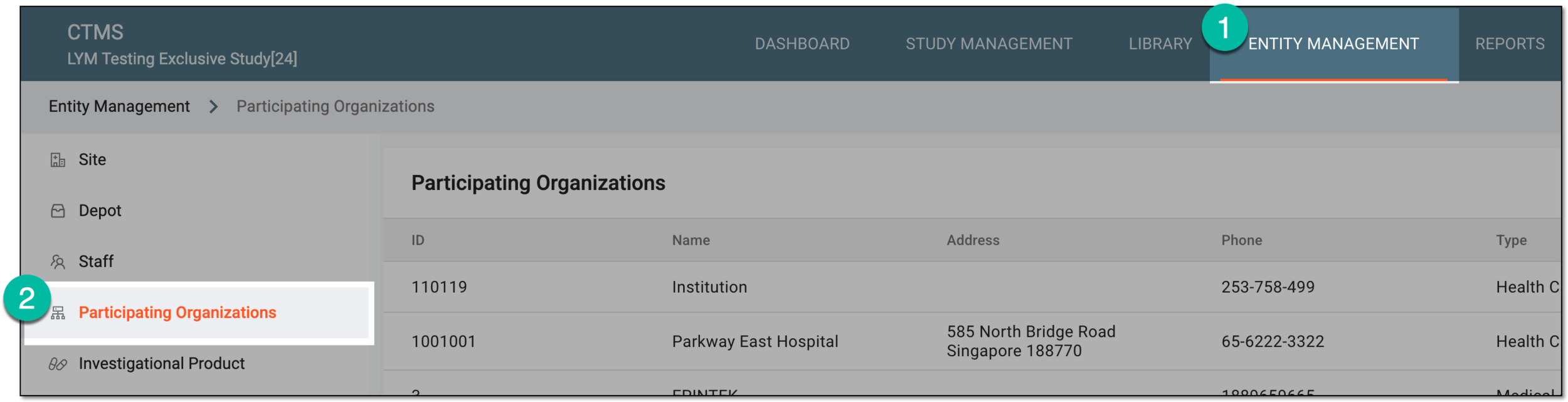 Figure 1. Accessing participating organizations
-
In the Participating Organizations table that opens, view all the participating organizations existing in the CTMS system as explained in the following table.
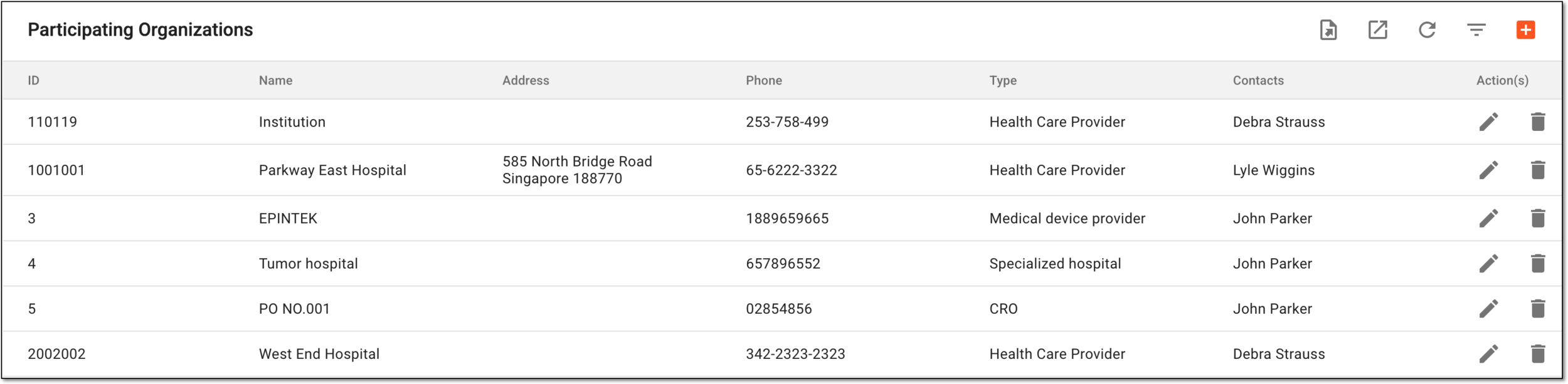 Figure 2. Participating organization list in CTMS
Element
Details
ID
Represents the unique identifier of the participating organization.
Name
Represents the participating organization name.
Address
Represents the address of the participating organization.
Phone
Represents the phone number of the participating organization.
Type
Represents the participating organization type (for example, a health care provider).
The participating organization types are defined by adding reference data elements to the CTMS library.Contacts
Represents the primary contact person in this participating organization.