Edit participating organization details in CTMS
In CTMS, you can update information on any of participating organizations when necessary to keep the data up-to-date.
To edit the participating organization details in CTMS
-
In the CTMS application header, select the ENTITY MANAGEMENT tab.
-
On the page that opens, in the left pane, select Participating Organizations.
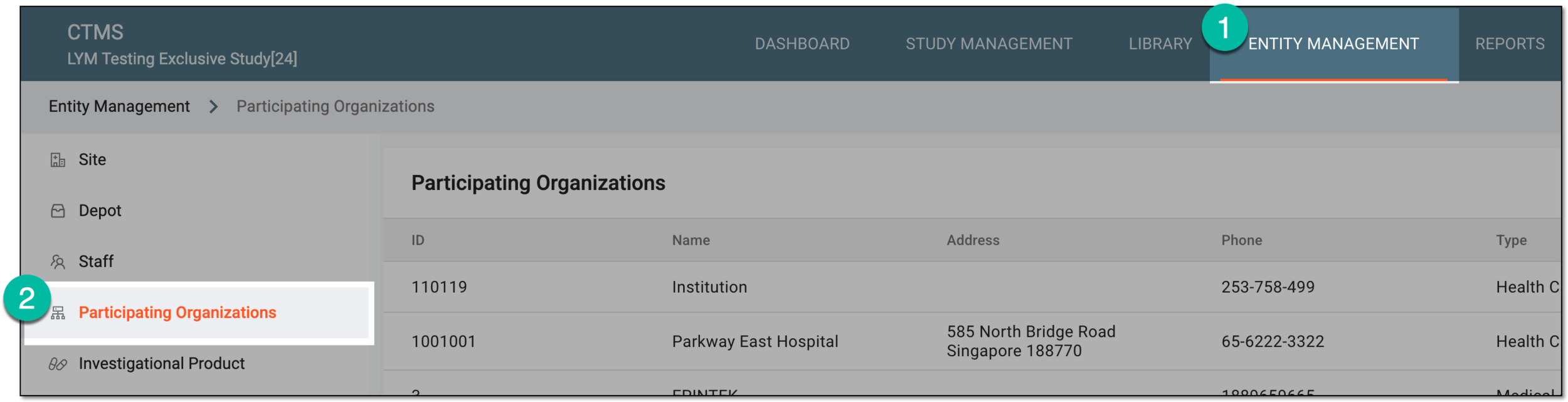 Figure 1. Accessing participating organizations
-
On the Participating Organizations page that opens, next to the needed participating organization record, in the Actions column, select Edit
 .
. Figure 2. Selecting option to edit participating organization
-
In the Edit dialog that opens, make changes to the needed fields as explained in the table of the Add participating organization to CTMS section.
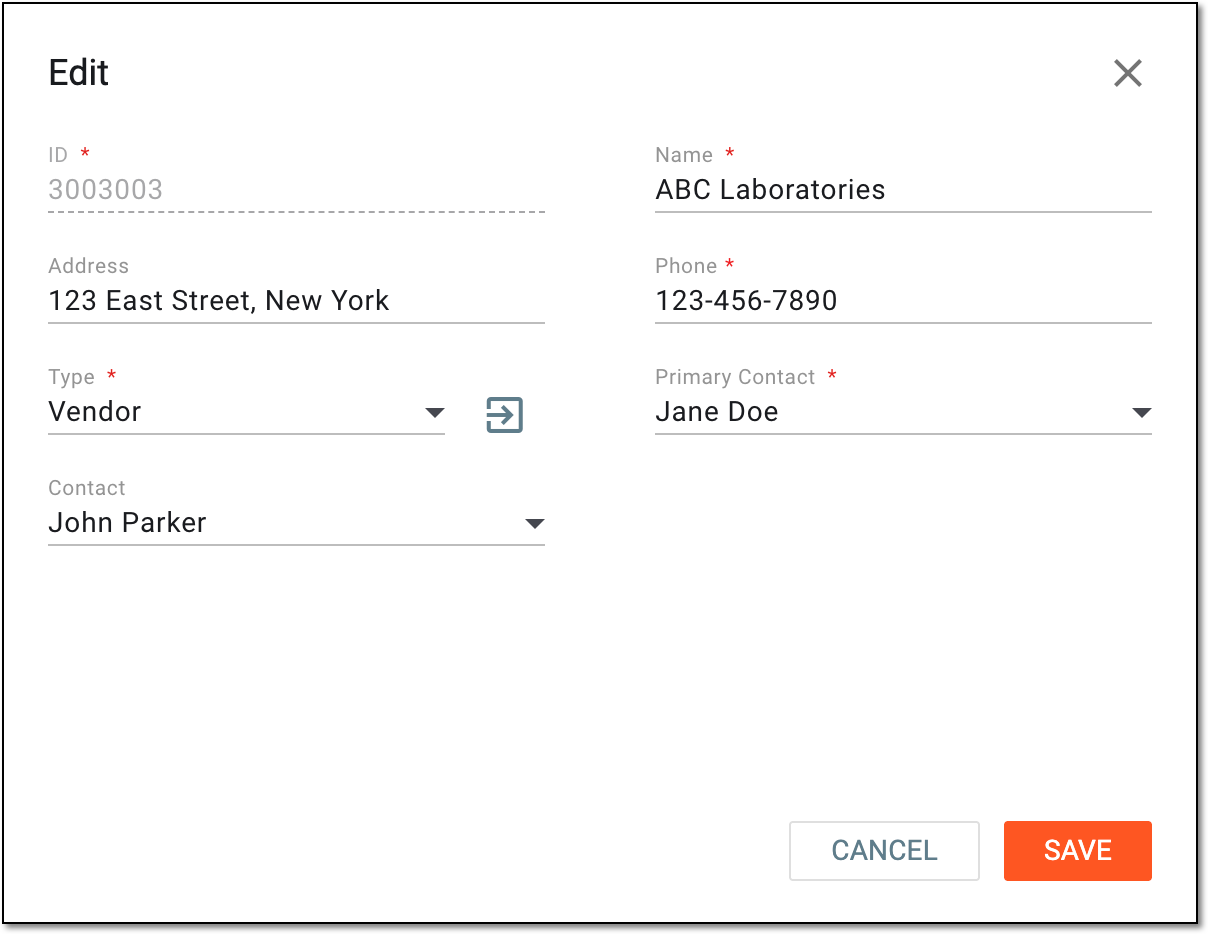 Figure 3. Updating participating organization details
-
Select
 to implement the changes.
Once saved, the participating organization details are updated.