Delete participating organization from CTMS
If a participating organization is no longer involved in any of the sponsor's studies, you can remove it from CTMS to keep the database up-to-date. Note that this action is permanent and irreversible.
Important
You cannot delete participating organizations that are involved in studies and have any subordinate organizations in CTMS.
-
In the CTMS application header, select the ENTITY MANAGEMENT tab.
-
On the page that opens, in the left pane, select Participating Organizations.
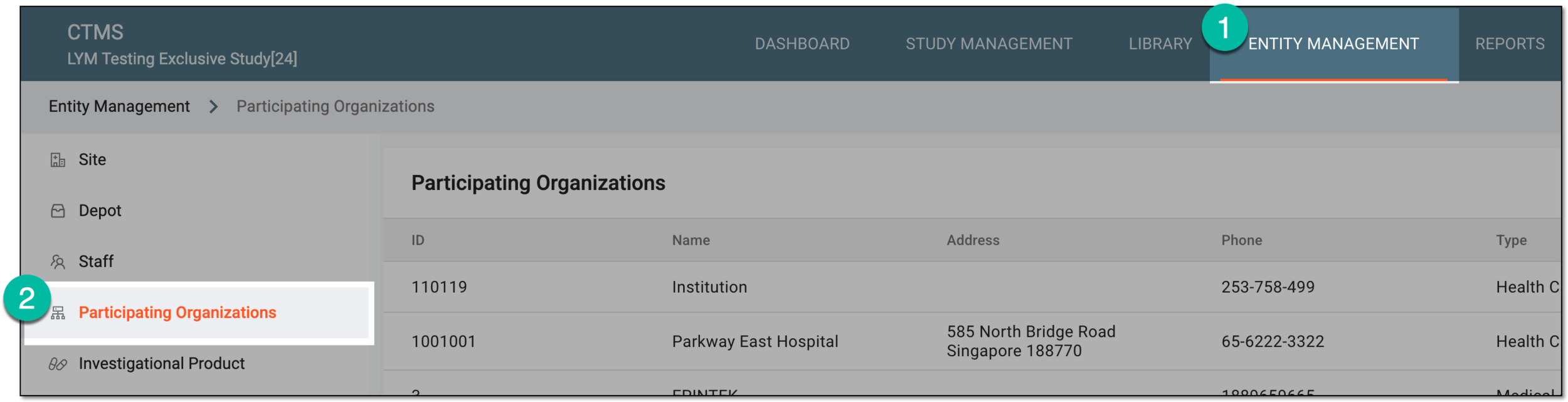 Figure 1. Accessing participating organizations
-
On the Participating Organizations page that opens, next to the institution you want to remove, in the Actions column, select Delete
 .
. Figure 2. Selecting option to delete participating organization from CTMS
-
In the dialog that opens, confirm your decision by selecting
 .
.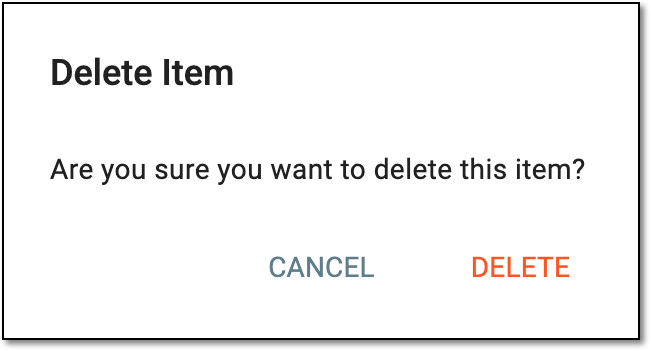 Figure 3. Confirming participating organization deletion
Once confirmed, the participating organization is deleted from the CTMS system.