Add participating organization to study
A participating organization is a data management, healthcare, software, or another organization that cooperates with the sponsor to provide data or services for a study. In the CTMS app, you need to add all the participating organizations to your study one by one.
Tip
Before adding the participating organization to the study, ensure it exists in the Entity > Participating Organizations list.
-
Access the study management page in one of the following ways:
-
In the CTMS application header, select the DASHBOARD tab and then select the study dashboard of your interest.
 Figure 1. Accessing study management from dashboard
-
In the CTMS application header, select the STUDY MANAGEMENT tab. Then from the Study Data List table, select the study name of your interest.
 Figure 2. Accessing study management from study data list
-
-
From the left pane of page that opens, select Study Details > Participating Organizations.
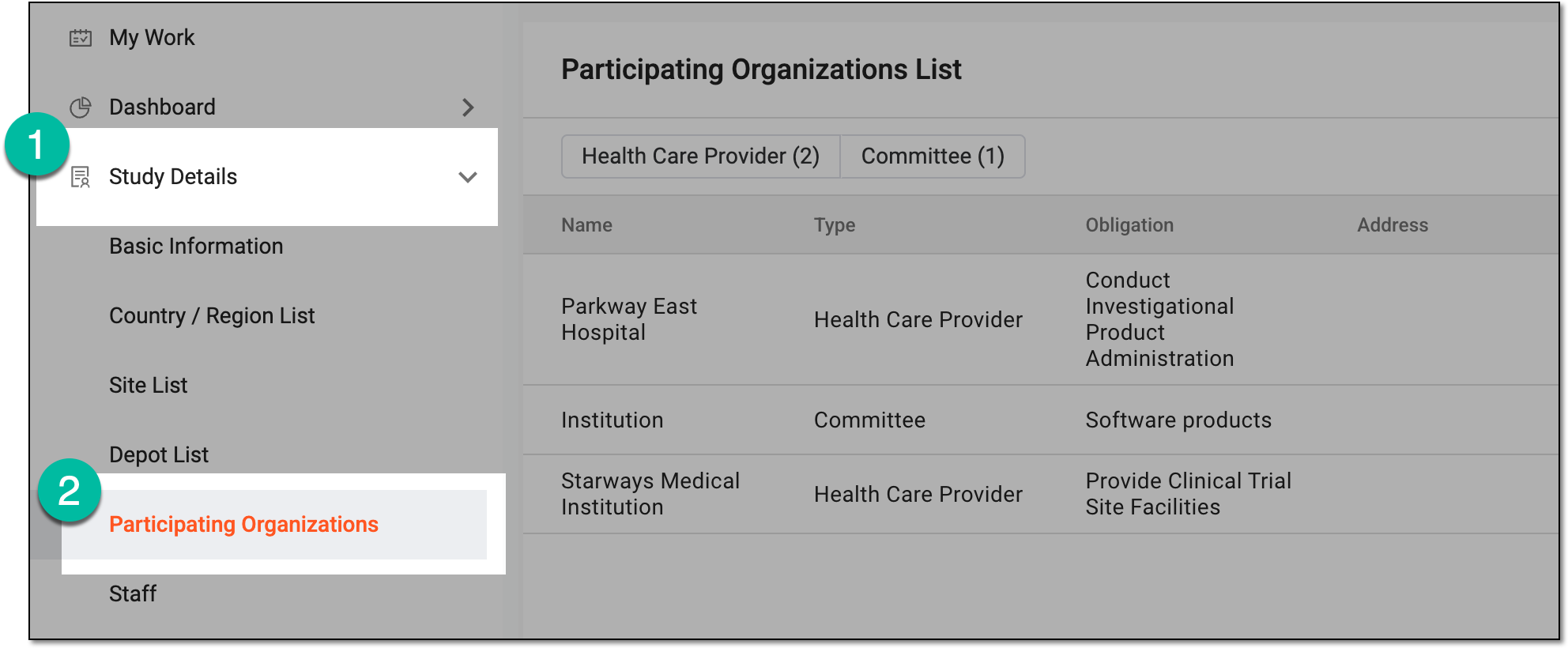 Figure 3. Accessing participating organizations of study
-
From the workspace toolbar of Participating Organizations List, select New Item
 .
. Figure 4. Selecting option to add participating organization
-
In the dialog that opens, enter the participating organization details as explained in the following table.
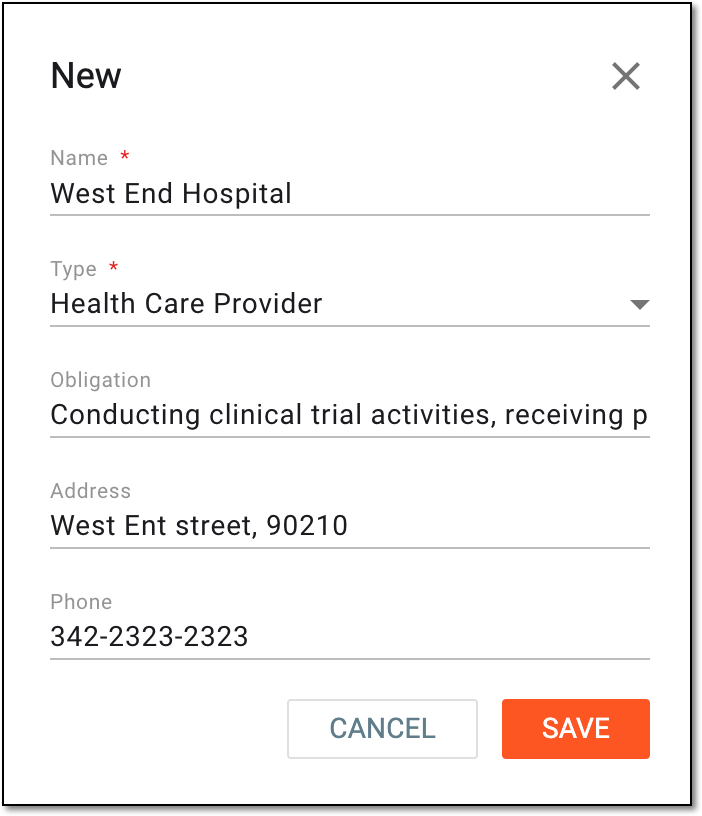 Figure 5. Adding participating organization details
Tip
In the following table, mandatory elements are marked with an asterisk (*).
Element
Details
Name*
Enter the name of the participating organization responsible for supporting clinical trial activities.
Type*
Select the category of the participating organization, such as Committee, Health Care Provider, and so on.
Obligation
Describe the responsibilities of the participating organization in the clinical trial, such as providing trial site facilities, ensuring regulatory compliance, conducting patient recruitment, and so on.
Address
Enter the address of the participating organization that can be used for mailing, billing, and other purposes.
Phone
Enter the contact phone number of the participating organization.
SAVE
Select
 to implement the changes.
CANCEL
Select
 to discard the changes without saving.
Once saved, the participating organization is added to the study.