View participating organizations of study
A participating organization is a data management, healthcare, software, or another organization that cooperates with the sponsor to provide data or services for a study. In the CTMS app, the list of participating organizations that are associated with a specific study can be viewed on a separate page.
-
Access the study management page in one of the following ways:
-
In the CTMS application header, select the DASHBOARD tab and then select the study dashboard of your interest.
 Figure 1. Accessing study management from dashboard
-
In the CTMS application header, select the STUDY MANAGEMENT tab. Then from the Study Data List table, select the study name of your interest.
 Figure 2. Accessing study management from study data list
-
-
From the left pane of page that opens, select Study Details > Participating Organizations.
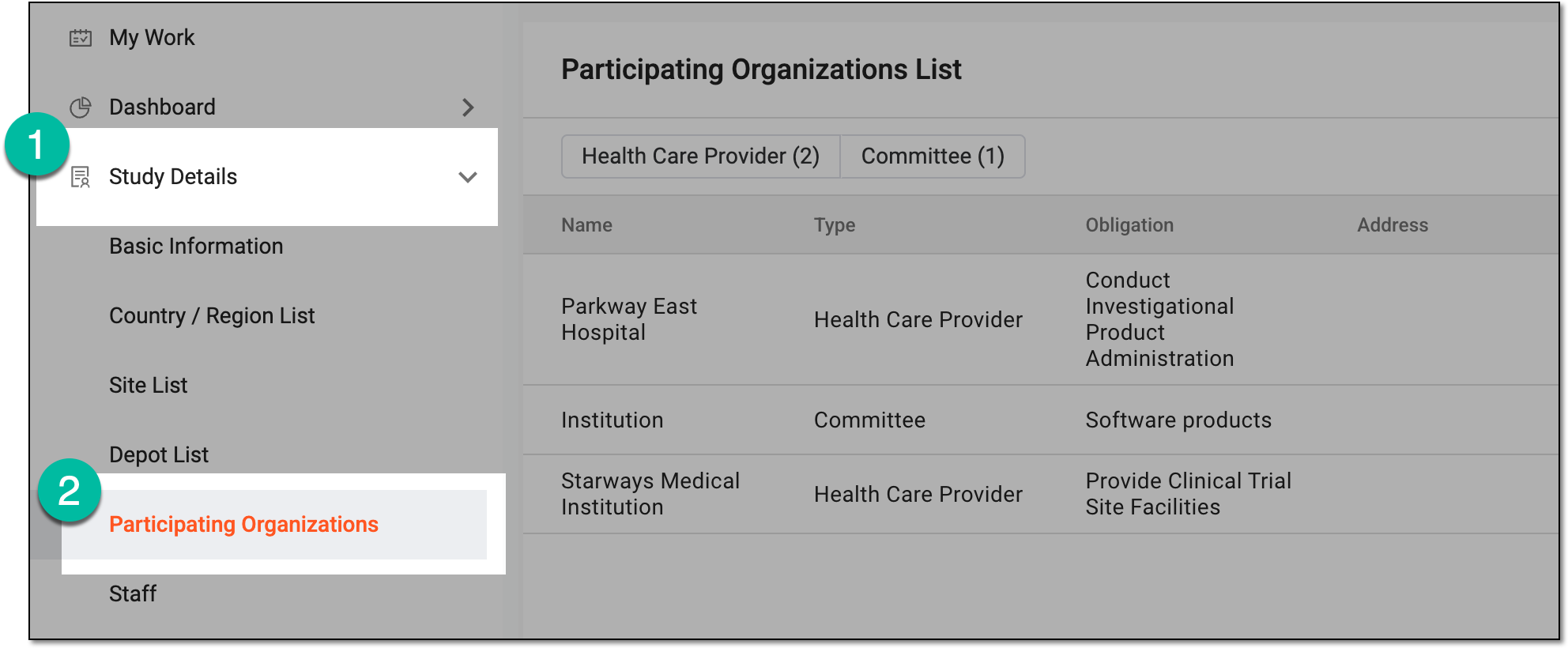 Figure 3. Accessing participating organizations of study
-
In Participating Organizations List that appears, you can find a complete list of organizations that are associated with the selected study, as well as their details as explained in the following table.
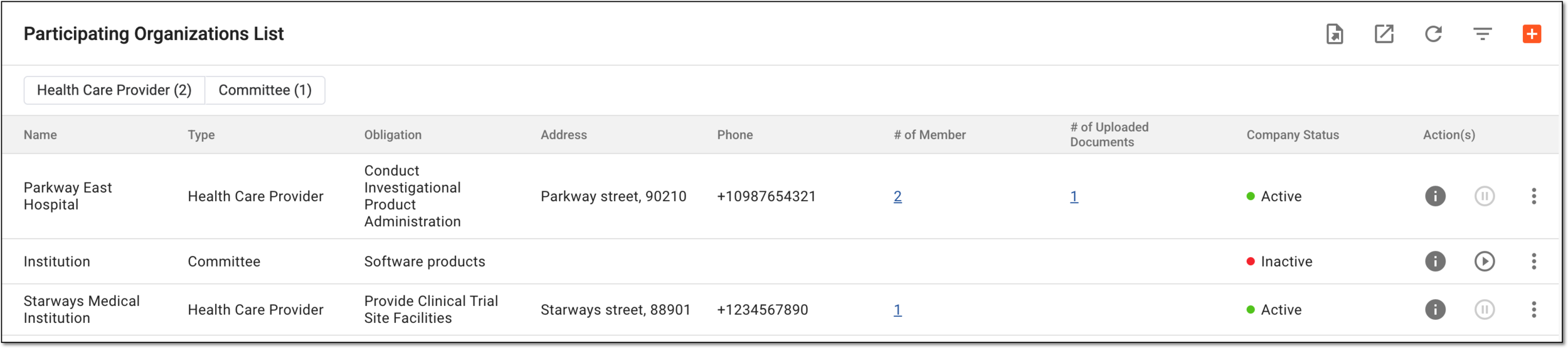 Figure 4. Participating organizations list
Tip
Use the option buttons available above the list to sort the organizations by type—Healthcare Provider, Committee, and so on—for easy navigation. Only the types of already configured organization appear as option buttons here.
Select Info
 next to a particular organization to open the dialog with the details.
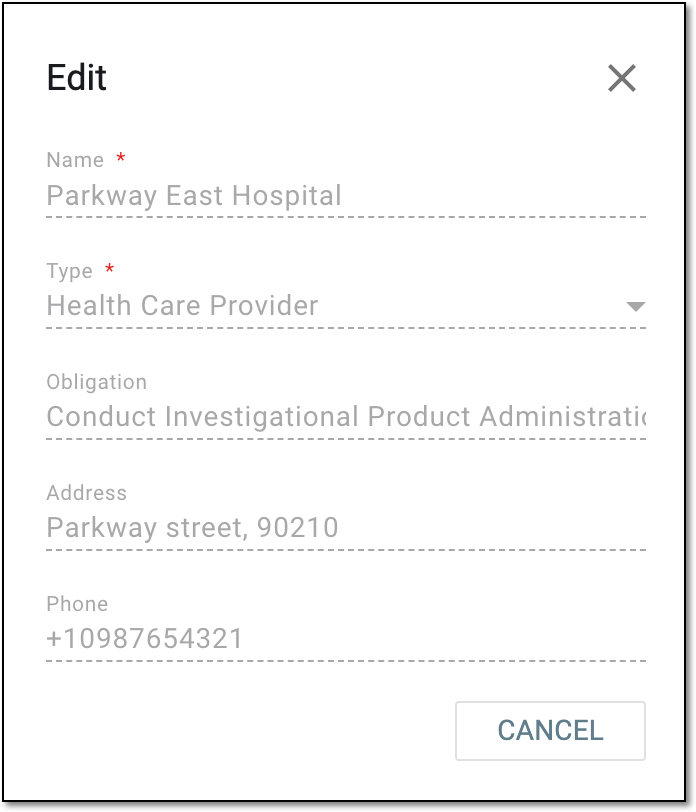 Figure 5. Viewing participating organization details
Column
Details
Name
Represents the name of the participating organization responsible for supporting clinical trial activities.
Type
Represents the category of the participating organization, such as Committee, Health Care Provider, and so on.
Obligation
Represents the responsibilities of the participating organization in the clinical trial, such as providing trial site facilities, ensuring regulatory compliance, conducting patient recruitment, and so on.
Address
Represents the address of the participating organization that can be used for mailing, billing, and other purposes.
Phone
Represents the contact phone number of the participating organization.
# of Member
Represents the number of staff members for whom this participating organization is selected as their place of work in the staff info in CTMS. This is also an active link you can select to open the Member List dialog and analyze the list of involved members, their contacts, and other details.
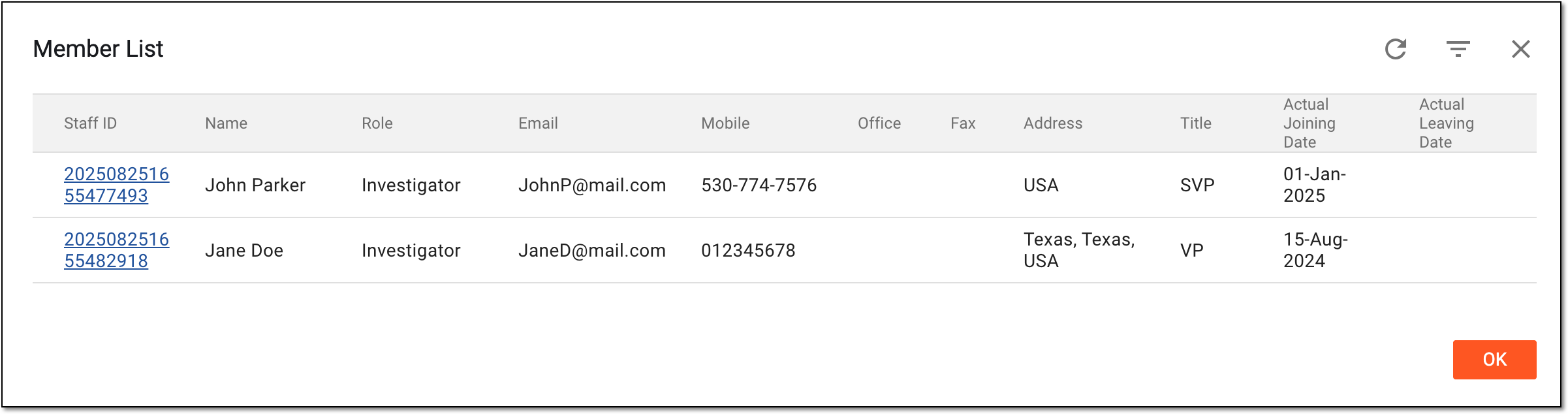 Figure 6. Analyzing member list for participating organization
# of Uploaded Documents
Represents the number of different documents uploaded for the participating organization in CTMS. This is also an active link you can select to open the Uploaded Documents dialog and analyze the list of existing files, open their contents in a browser by selecting Preview
 , or save them to your computer by selecting Download
  .
.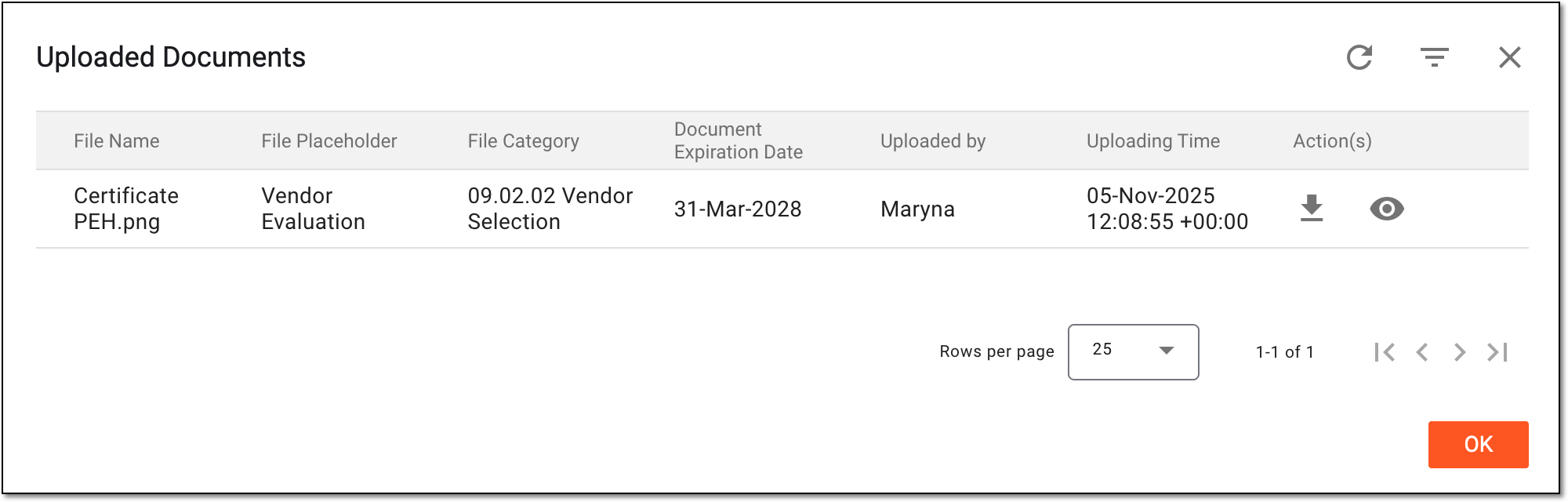 Figure 7. Analyzing document list for participating organization
Company Status
Represents the current activation status of the participating organization.
You have viewed the list of participating organizations associated with the study.