Edit participating organization details
A participating organization previously added to your study can be edited to update its details and keep the information up-to-date.
-
Access the study management page in one of the following ways:
-
In the CTMS application header, select the DASHBOARD tab and then select the study dashboard of your interest.
 Figure 1. Accessing study management from dashboard
-
In the CTMS application header, select the STUDY MANAGEMENT tab. Then from the Study Data List table, select the study name of your interest.
 Figure 2. Accessing study management from study data list
-
-
From the left pane of page that opens, select Study Details > Participating Organizations.
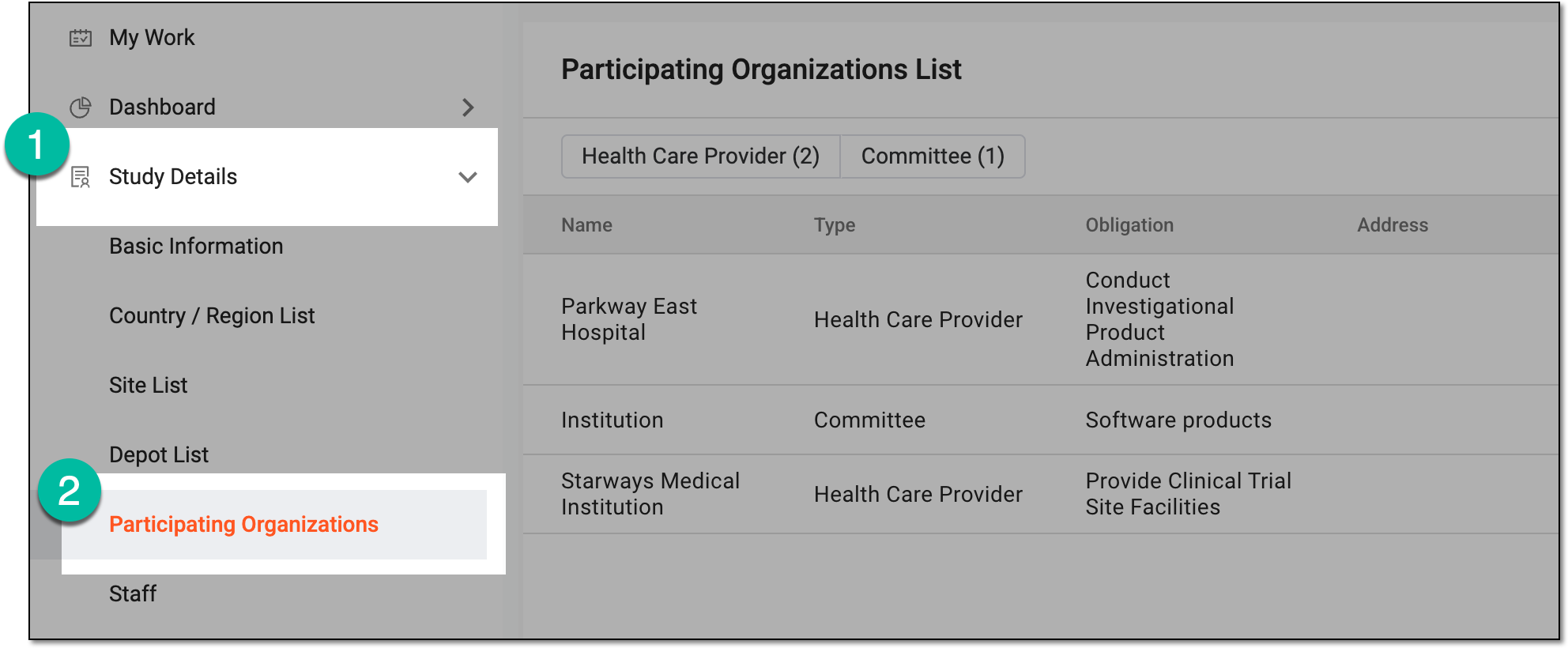 Figure 3. Accessing participating organizations of study
-
In Participating Organizations List, next to the organization for which you want to edit the details, select More
 > Edit
  .
.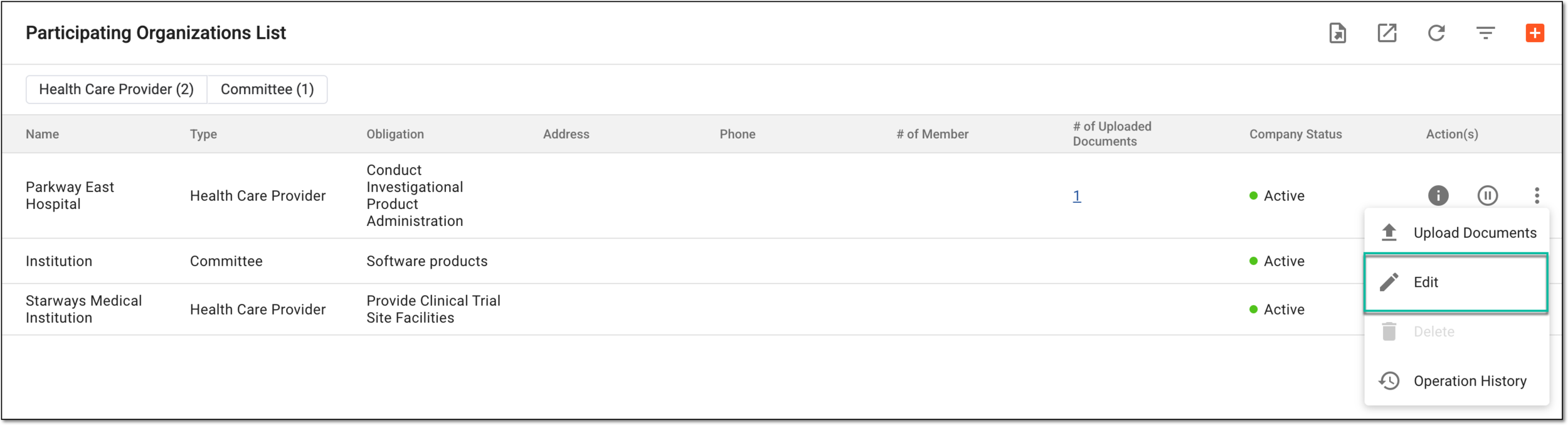 Figure 4. Selecting option to edit participating organization
-
In the Edit dialog that appears, update the needed details. These details are identical to the ones explained in the table of the Add participating organization to study section.
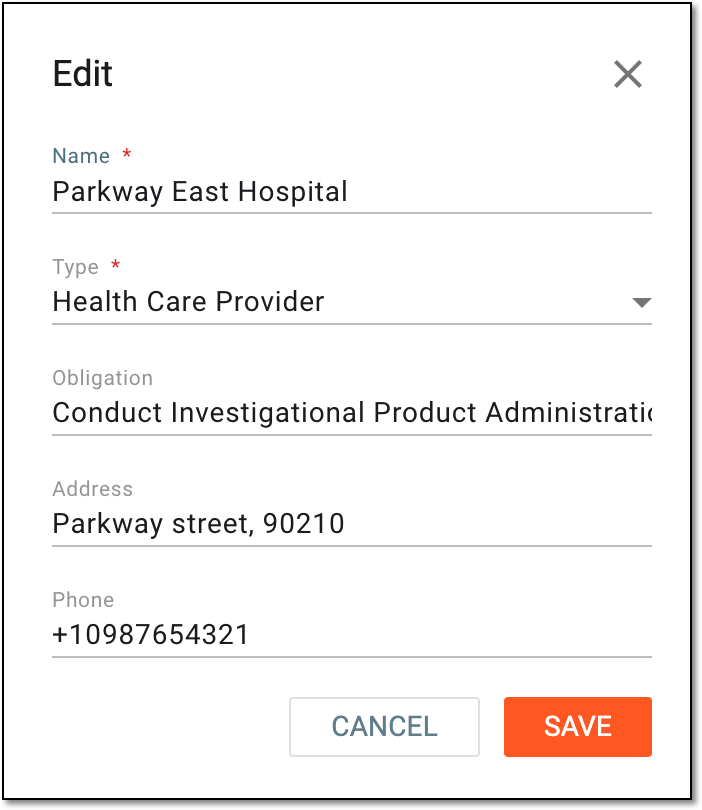 Figure 5. Editing participating organization details
-
Select
 to implement the changes.
Once saved, the study participating organization details are updated.