Dashboard charts
In CTMS, the Dashboard feature provides graphic visualization as an analysis tool to track the study processes. A comprehensive set of manageable charts covers different aspects of the study to display the statistics in an easily perceptible way.
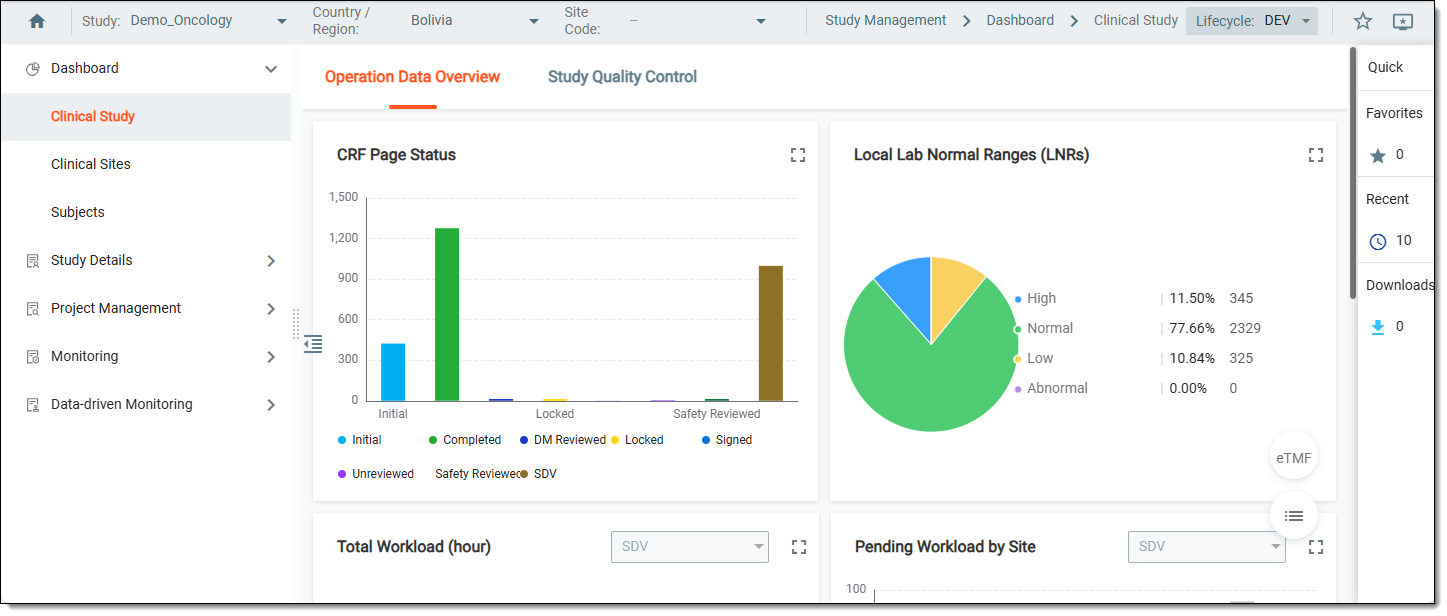
The data on the charts is pulled from another application to make the monitoring process more accessible.
For instance, you do not need to go to the EDC application to view the charts and analyze the subject phase or query statistics.
The statistical data is given via the following dashboards:
-
Clinical Study: this dashboard comprises two categories—Operational Data Overview and Study Quality Control—and provides you with useful statistical charts on the site preparation and data collection progress, monitoring and quality review, and other statistical details per study or site.
-
Clinical Sites: this dashboard contains statistical charts on issues and action items related to monitoring processes in your study or by site.
-
Subjects: this dashboard comprises two categories—Subject Phase and Subject Enrollment—and provides subject-related statistical data per study or site.