Review clinical study dashboard
A comprehensive set of STUDY MANAGEMENT dashboards provides statistical charts and visual representation for all your studies and their various aspects, helping you analyze and track the dynamics and specifics of your investigational processes.
-
In the CTMS application header, select the STUDY MANAGEMENT tab.
-
On the Study Data List that opens, select the study whose data you want to review.
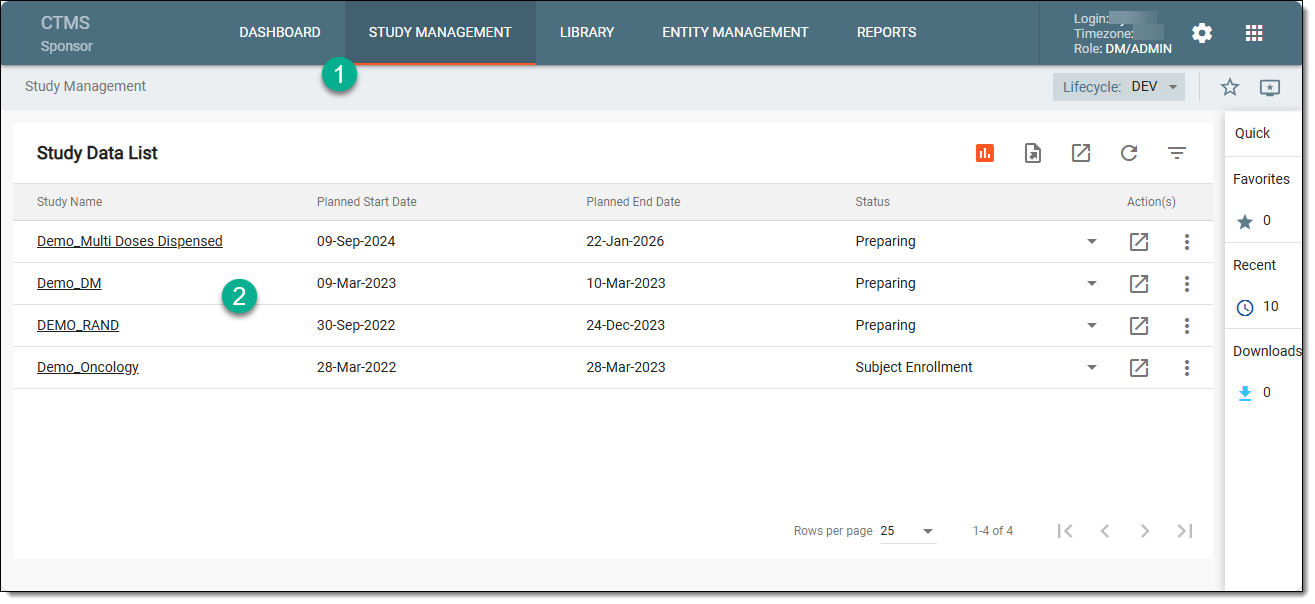 Figure 1. Selecting study
-
On the page that opens, in the left pane, select Dashboard > Clinical Study.
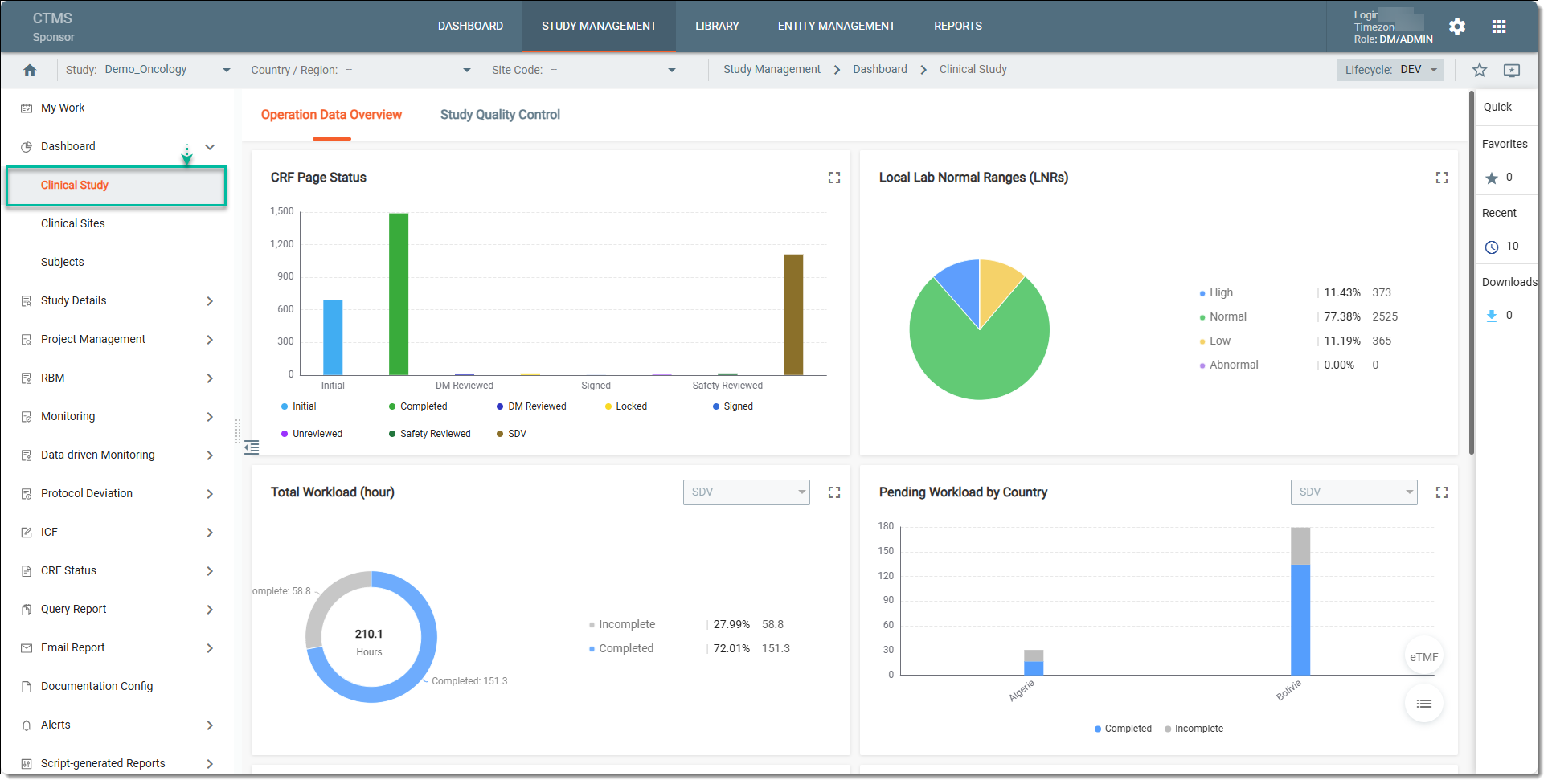 Figure 2. Accessing clinical study dashboard
-
Now, from the application toolbar, set your data reviewing preferences using the following filters:
-
Study: from this dropdown menu, select the specific study whose data you want to review.
-
Country / Region: from this dropdown menu, select the specific country whose data you want to review.
-
Site Code: from this dropdown menu, select the specific study site whose data you want to review.
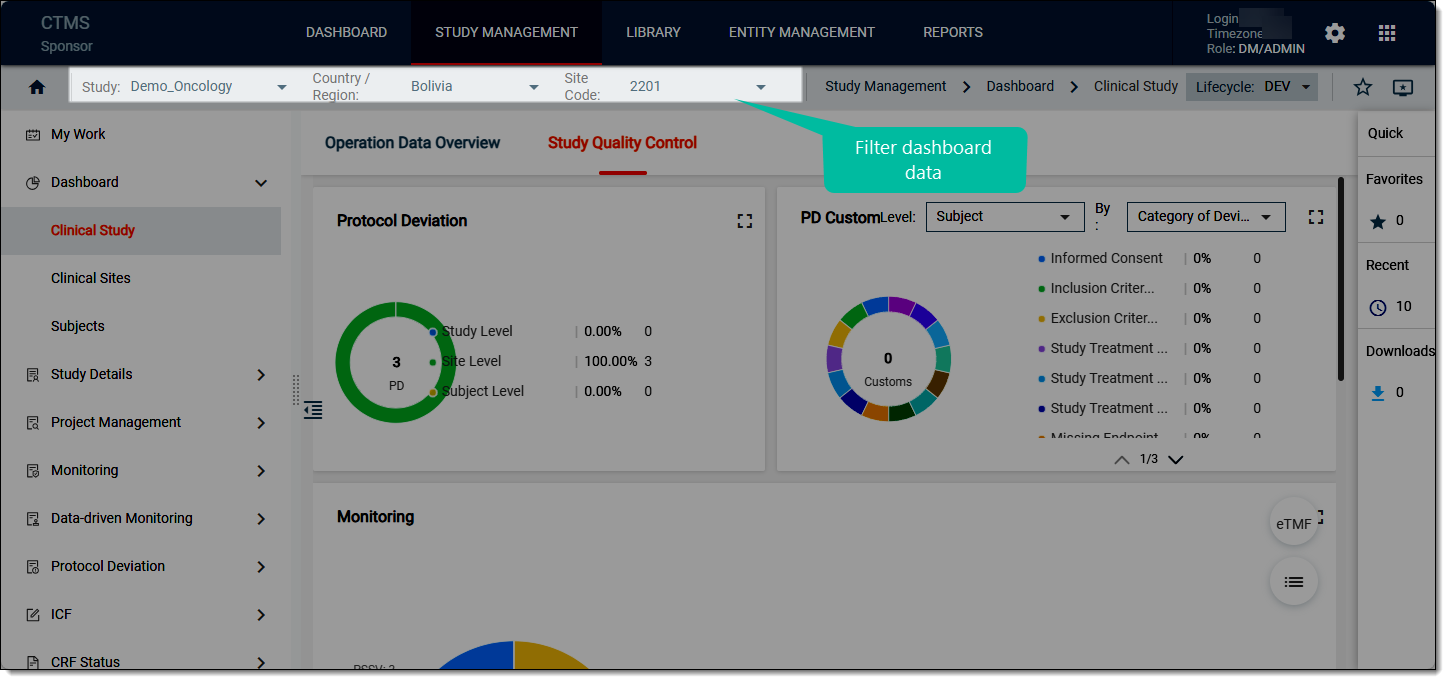 Figure 3. Filtering dashboard data
-
-
Once filtered, select any of the following dashboards (tabs) whose data you need to review:
-
Operation Data Overview: this dashboard comprises statistics on case report form (CRF) review and validation progress, current site phases, source data verification (SDV) and source data review (SDR) activities, and local lab normal ranges details per study. To learn more on how to review the operation data overview charts, refer to the Analyze operation data overview section.
-
Study Quality Control: this dashboard comprises statistics on protocol deviation and monitoring visit activities per study. To learn more on how to review the study quality control chart, refer to the Analyze study quality control statistics section.
-
You have reviewed the clinical study dashboards. You can also export the report details if you prefer working with data offline.