View clinical sites dashboard data
The Clinical Sites dashboard comprises statistics on various issues and action items created and handled at all sites involved in the clinical trial.
Issues are the findings encountered during monitoring visits to the site, for instance, discovering incorrect data records or other inconsistencies in site activities.
Action items are the measures taken to resolve or address issues encountered at sites.
The clinical site issues and action items statistics are represented by various chart types, such as bar, pie, area, and line charts intended to depict statistical trends or compare multiple categories of data for a visual representation of your study activities.
-
Pie charts show the proportions of a whole with each slice representing a category’s contribution to the total.
-
Bar charts compare different categories or groups with each bar representing a category’s value.
-
Area charts depict trends with each colored area visualizing patterns, increases, or decreases in the data over time.
-
Line charts show information that changes over time by connecting individual data points with lines, allowing viewers to detect trends, patterns, and fluctuations.
-
In the CTMS application header, select the STUDY MANAGEMENT tab.
-
On the Study Data List that opens, select the study whose data you want to review.
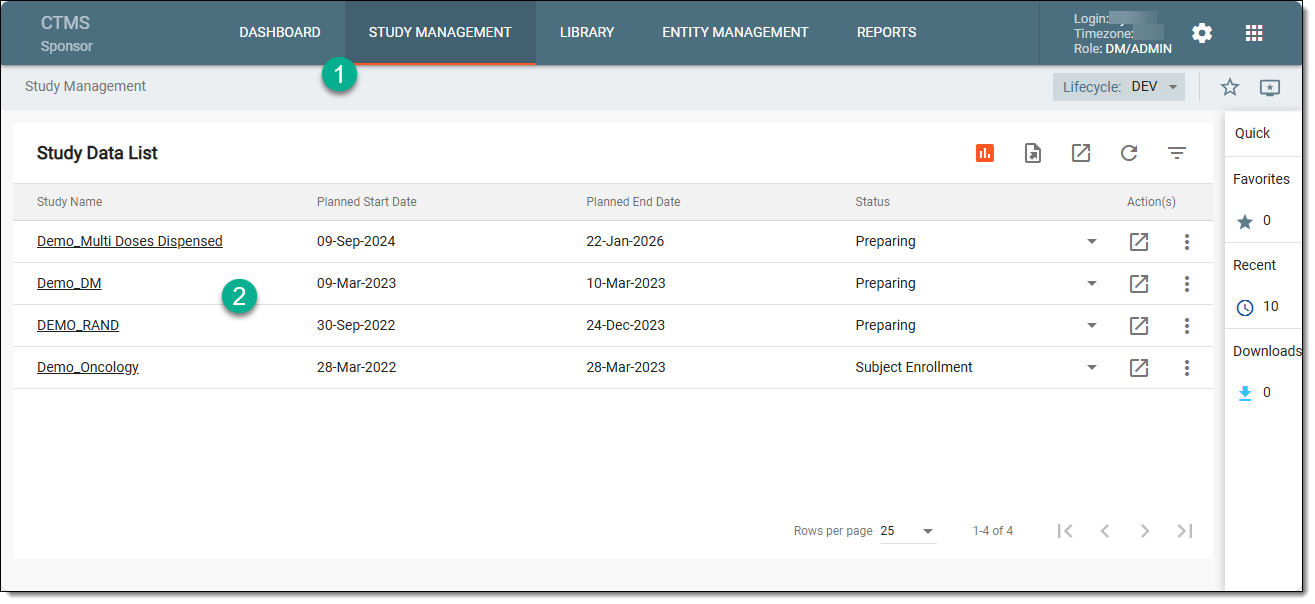 Figure 1. Selecting study
-
On the page that opens, in the left pane, select Dashboard > Clinical Sites.
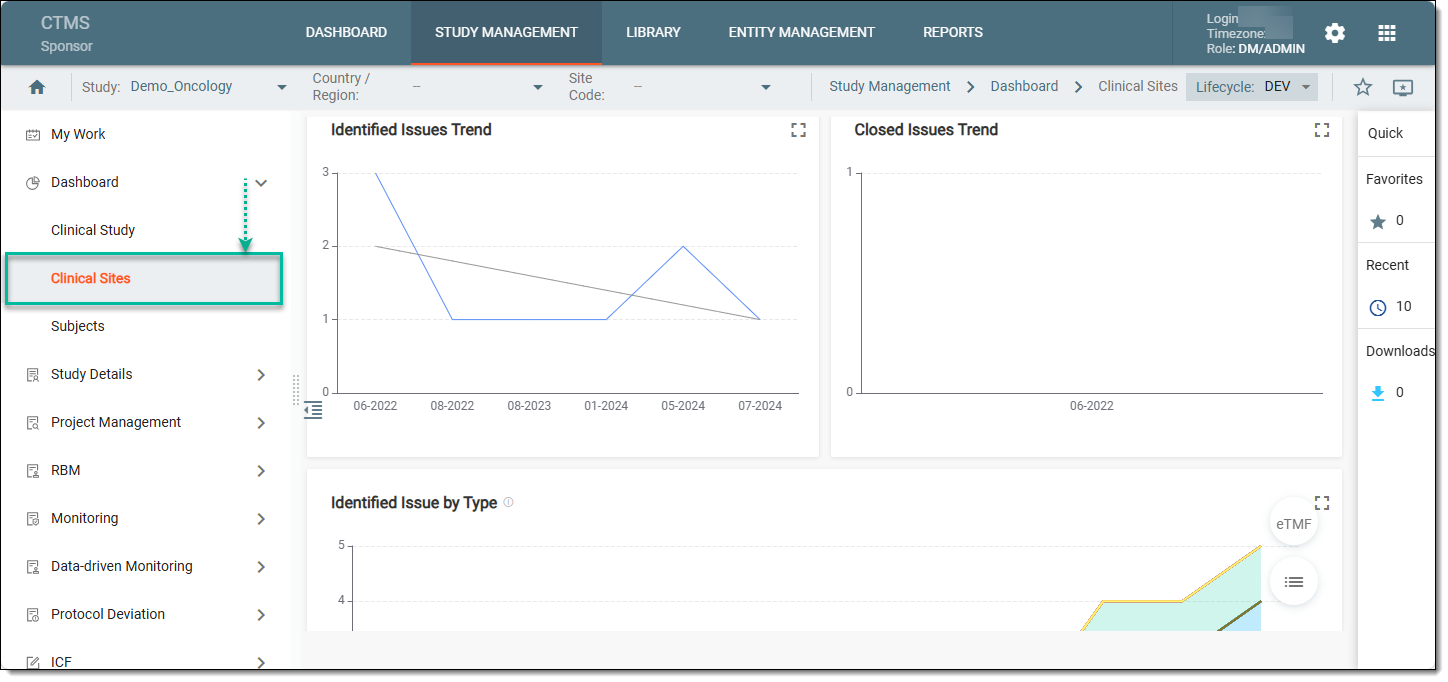 Figure 2. Accessing clinical study dashboards
-
In the charts of the Clinical Sites dashboard, analyze the details as explained in the Analyze clinical site issues and action items section.
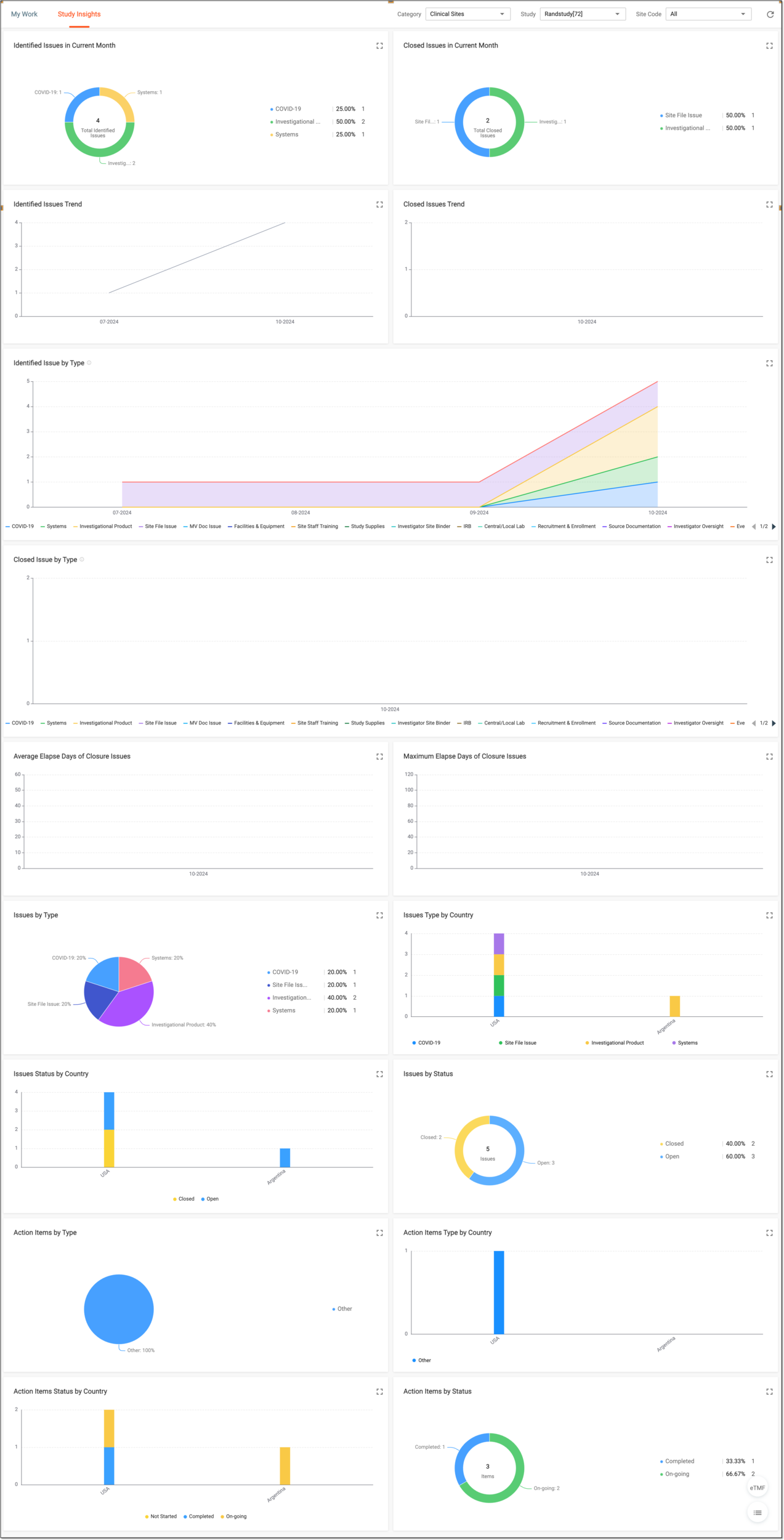 Figure 3. Analyzing site issues and action items charts
Tip
Optionally, from the bottom right, you can select the following options:
-
Show Reports
 : select to access the reports pertinent to issues and action items presented in the
table view for your convenience. Switch between the available tabs to access and review all the data.
: select to access the reports pertinent to issues and action items presented in the
table view for your convenience. Switch between the available tabs to access and review all the data.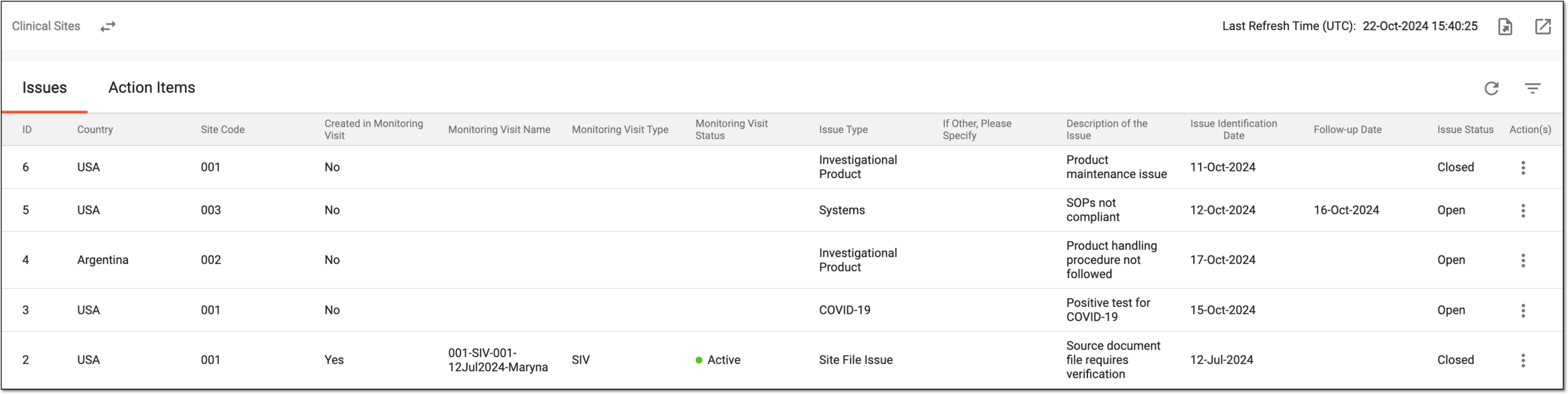 Figure 4. Reviewing clinical site issues and action items
If required, you can also export the data displayed in this table.
Click Show Charts
 to go back to the chart view.
 -
eTMF: select to access the study's overview in the Electronic Trial Master File (eTMF) application.
-
You have reviewed the clinical site issue and action item statistics for a study. You can also export the report details if you prefer working with data offline.