Subscribe to digest email of your tasks
When managing a study via CTMS, each user role has its field of responsibilities and tasks to perform to keep the study flow going. For your convenience, all your tasks are available under the My Work dashboard, from where you can review and estimate your workload and directly access all aspects requiring your attention.
From this dashboard, you can also subscribe to receive daily, weekly, or monthly emails comprising all your tasks so as not to miss anything important.
-
Access the study management page in one of the following ways:
-
In the CTMS application header, select the DASHBOARD tab and then select the study dashboard of your interest.
 Figure 1. Accessing study management from dashboard
-
In the CTMS application header, select the STUDY MANAGEMENT tab. Then from the Study Data List table, select the study name of your interest.
 Figure 2. Accessing study management from study data list
-
-
On the My Work page that opens, from the workspace toolbar, select Mail Setting
 .
.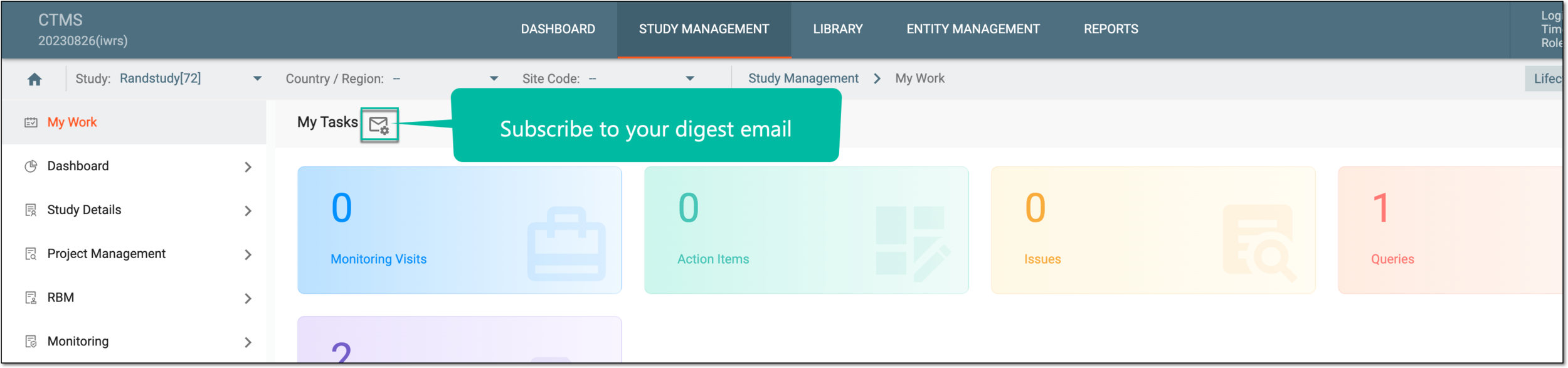 Figure 3. Accessing subscription settings
-
In the dialog that opens, complete the subscription settings as explained in the following table.
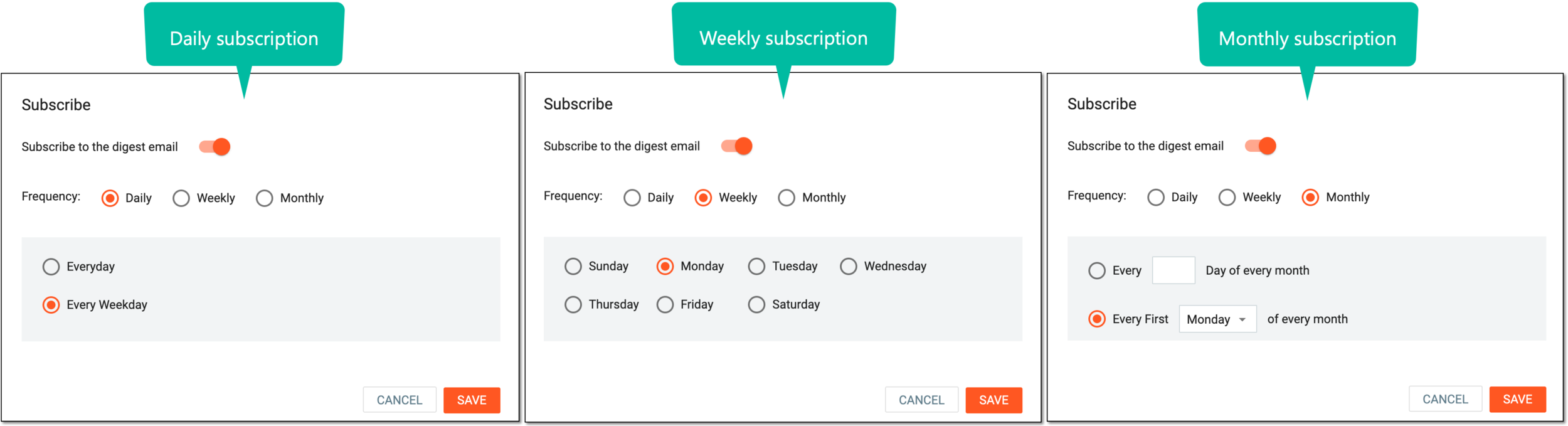 Figure 4. Configuring subscription
Element
Details
Subscribe to the digest email
Set as follows:
-
Turn the toggle on to enable the subscription settings and configure the frequency of your digest email.
-
Turn the toggle off to disable the subscription settings and do not receive emails on your tasks.
Frequency
Select the Daily option to receive a digest email every day or every weekday.
Select the Weekly option to receive a digest email weekly on a selected day.
Select the Monthly option to receive a digest email on the set day or weekday of every month.
SAVE
Select
 to preserve the implemented changes.
CANCEL
Select
 to discard the changes without saving.
 -
Once saved, the subscription configuration is applied. Depending on the selection you either start or stop receiving regular digest emails on your tasks from CTMS.