Analyze subject phase statistics
The Subject Phase dashboard comprises statistics on the proportion and dynamics of subjects in various phases per study and individual site.
The subject phase statistical charts are represented by pie charts and bar charts. Pie charts show the proportions of a whole with each slice representing a category’s contribution to the total. Bar charts compare different categories or groups with each bar representing a category’s value. These charts are best for detecting tendencies or comparing multiple categories.
-
In the CTMS application header, select the DASHBOARD tab.
-
On the page that opens, select the Study Insights tab.
-
From the Category dropdown menu, select the Subject > Subject Phase category of reports.
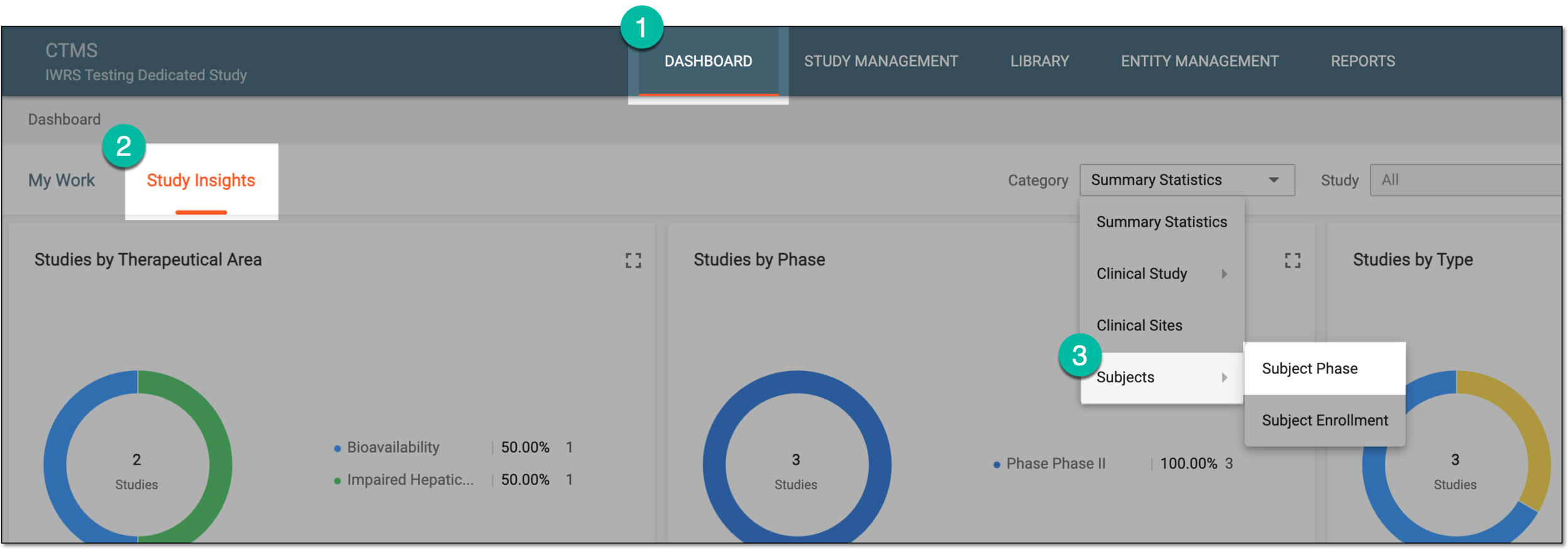 Figure 1. Accessing subject phase statistics
-
From the Study dropdown menu, select the study for which you want to review the statistics.
Optionally, from the Site dropdown menu, select the specific site for which you want to review the statistics.
 Figure 2. Selecting study and site for subject phase statistics
-
In the charts of the Subject Phase dashboard, analyze the details as explained in the following table.
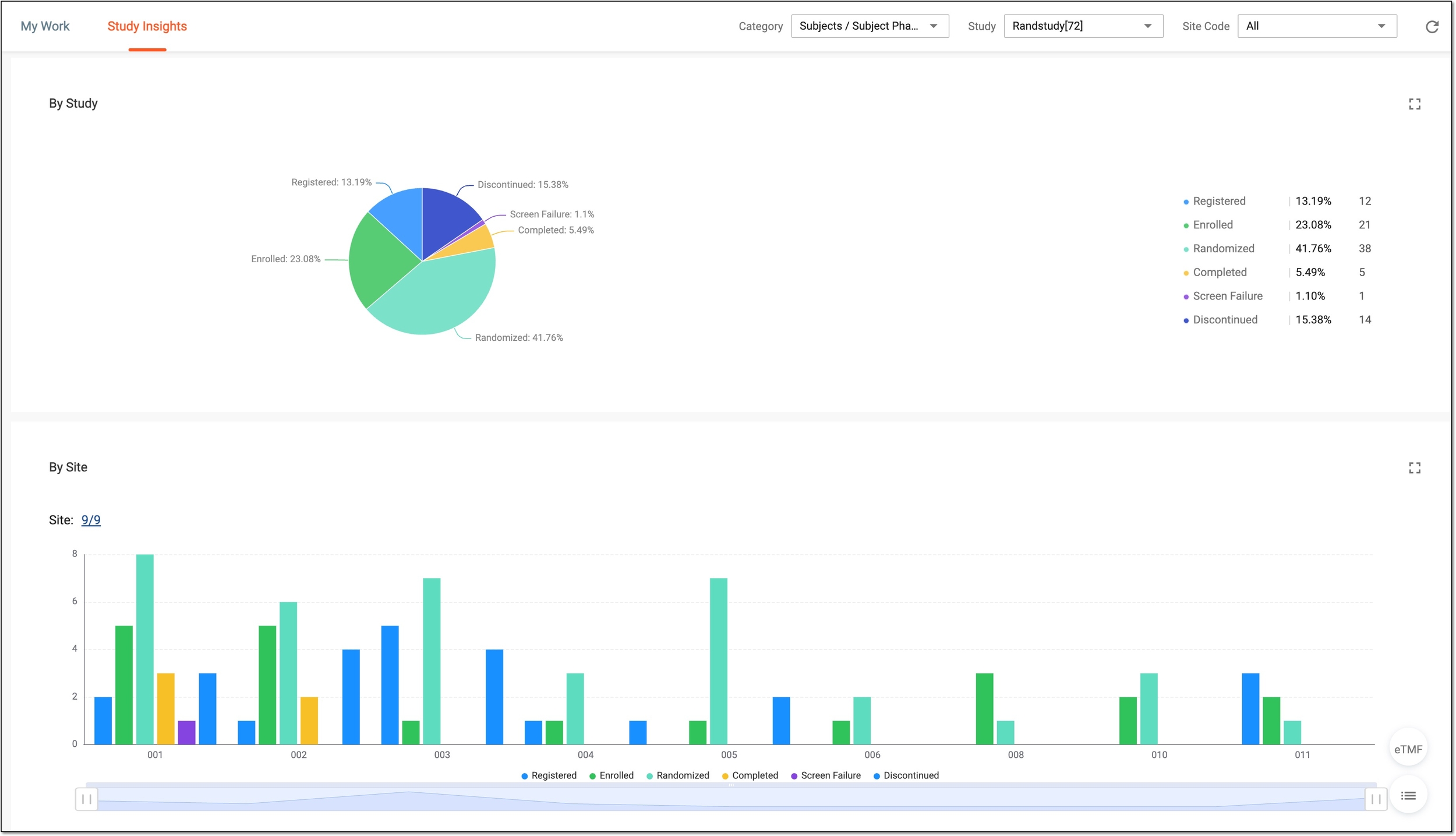 Figure 3. Analyzing subject phase statistics
Chart
Details
By Study
Represents the pie chart that depicts the proportion of subjects in each phase of study participation on the study level. These statistics help you analyze the overall subject flow progression in your trial.
By Site
Represents the chart that depicts the number of subjects in each phase per site.
To customize the depicted chart data, select the Site value. Then in the dialog that opens, select the sites for which you want to review subject phase statistics and save the applied changes.
Tip
Optionally, from the bottom right, you can select the following options:
-
eTMF: select to access the study's overview in the Electronic Trial Master File (eTMF) application.
-
Show Reports
 : select to access the subject details presented in the table-view report for your
convenience.
: select to access the subject details presented in the table-view report for your
convenience.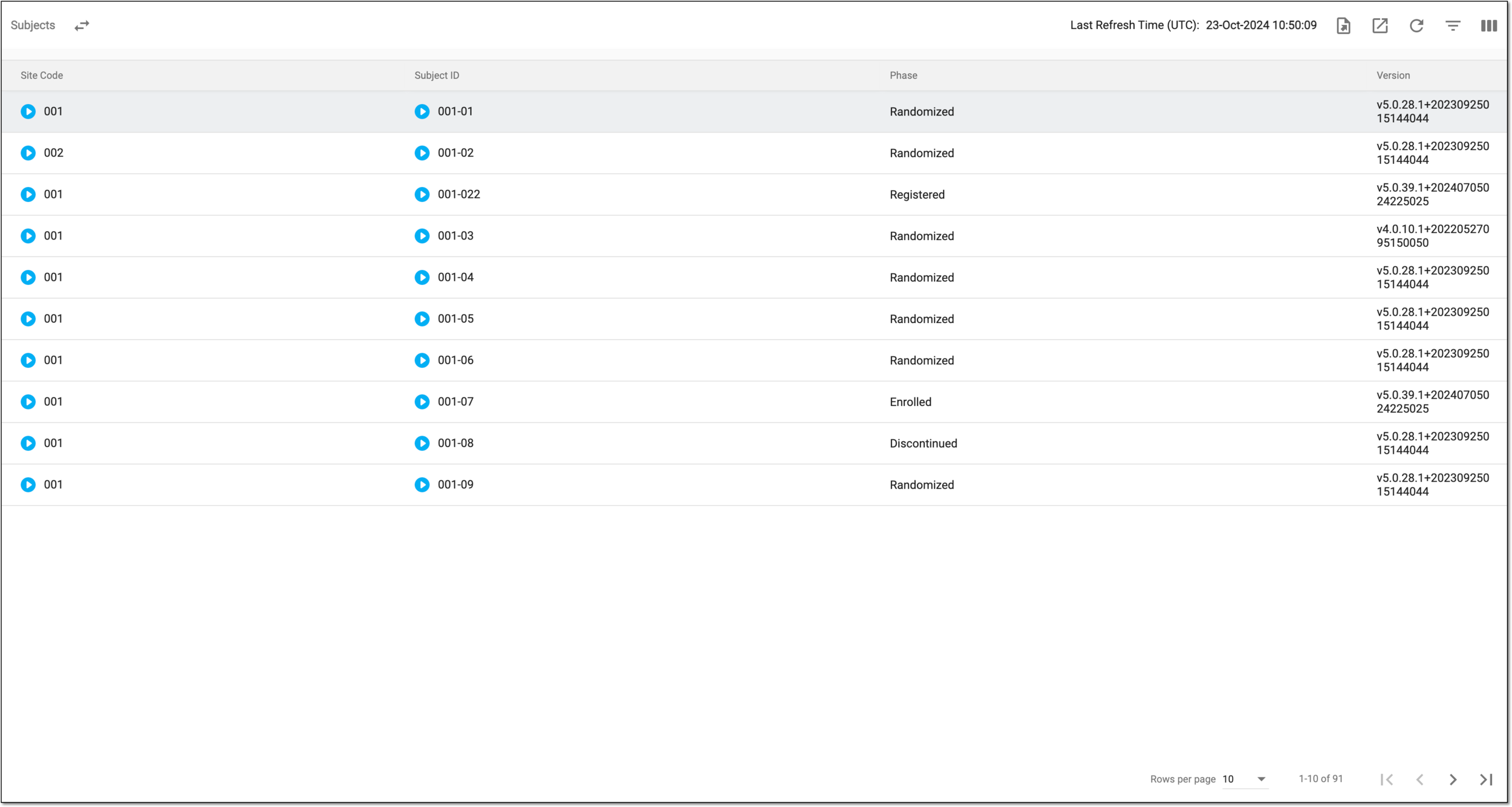 Figure 4. Reviewing subject details
If required, you can also export the data displayed in this table.
Click Show Charts
 to go back to the chart view.
-
You have reviewed the subject phase statistics for a study. You can also export the report details if you prefer working with data offline.