Analyze clean site tracker of pending monitoring visits and tasks
A monitoring visit refers to an activity when a monitor, usually a clinical research associate (CRA), visits sites to review and verify study-related activities, including data collection, patient safety, and adherence to the study protocol.
While configuring a site, using the Clean Site Tracker functionality, you can monitor and manage site compliance and outstanding tasks related to monitoring visits, risk assessment, and protocol deviations. It provides an overview of completed and ongoing visits, highlights overdue tasks, such as pending trip report submissions and approvals, and tracks pending Source Data Verification (SDV) and Source Data Review (SDR) forms. Additionally, it monitors Key Risk Indicators (KRIs), incomplete action items, and protocol deviations (PDs) to ensure sites remain compliant and study activities progress smoothly.
-
Access the study management page in one of the following ways:
-
In the CTMS application header, select the DASHBOARD tab and then select the study dashboard of your interest.
 Figure 1. Accessing study management from dashboard
-
In the CTMS application header, select the STUDY MANAGEMENT tab. Then from the Study Data List table, select the study name of your interest.
 Figure 2. Accessing study management from study data list
-
-
From the left pane of the study page that opens, select Study Details > Site List.
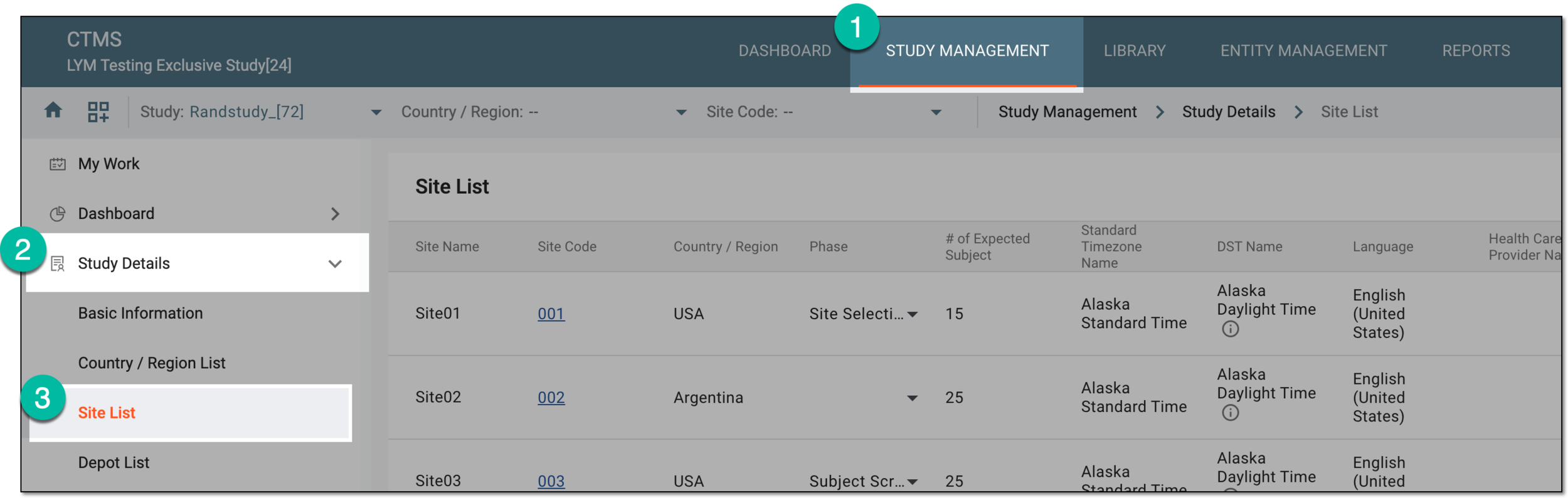 Figure 3. Accessing study sites
-
In the Site List table that appears, in the Site Name column, select the needed site or select Edit
 next to it.
 Figure 4. Accessing option to configure site
-
On the page that opens, two panes appear. The left pane groups sites by country or region, where you can expand or collapse sections and select a specific site. The middle pane displays the contents of the currently opened site.
From the horizontal navigation pane provided, select Clean Site Tracker.
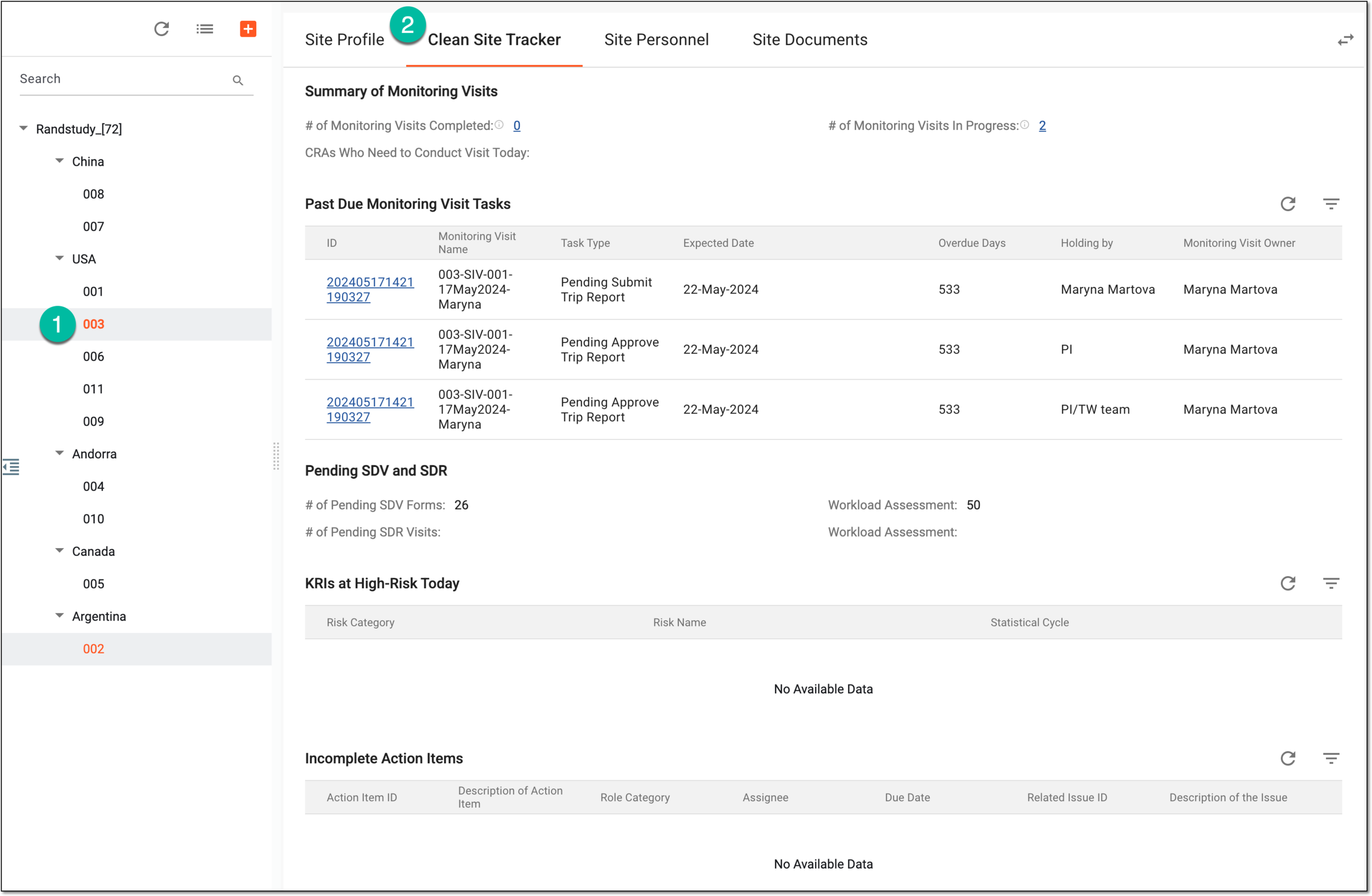 Figure 5. Accessing clean site tracker option
-
On the page that opens, analyze the monitoring visit and other compliance task details as follows:
You have analyzed the essential insights and pending tasks to ensure the smooth functioning of the trial processes and site compliance.