View study site list
A site is a medical facility or a research center where the study is conducted. In the CTMS application, sites associated with a specific study can be viewed on a dedicated page with multiple display options. You can add a new site to the study if it is not on the list or update existing sites.
-
Access the study management page in one of the following ways:
-
In the CTMS application header, select the DASHBOARD tab and then select the study dashboard of your interest.
 Figure 1. Accessing study management from dashboard
-
In the CTMS application header, select the STUDY MANAGEMENT tab. Then from the Study Data List table, select the study name of your interest.
 Figure 2. Accessing study management from study data list
-
-
From the left pane of the study page that opens, select Study Details > Site List.
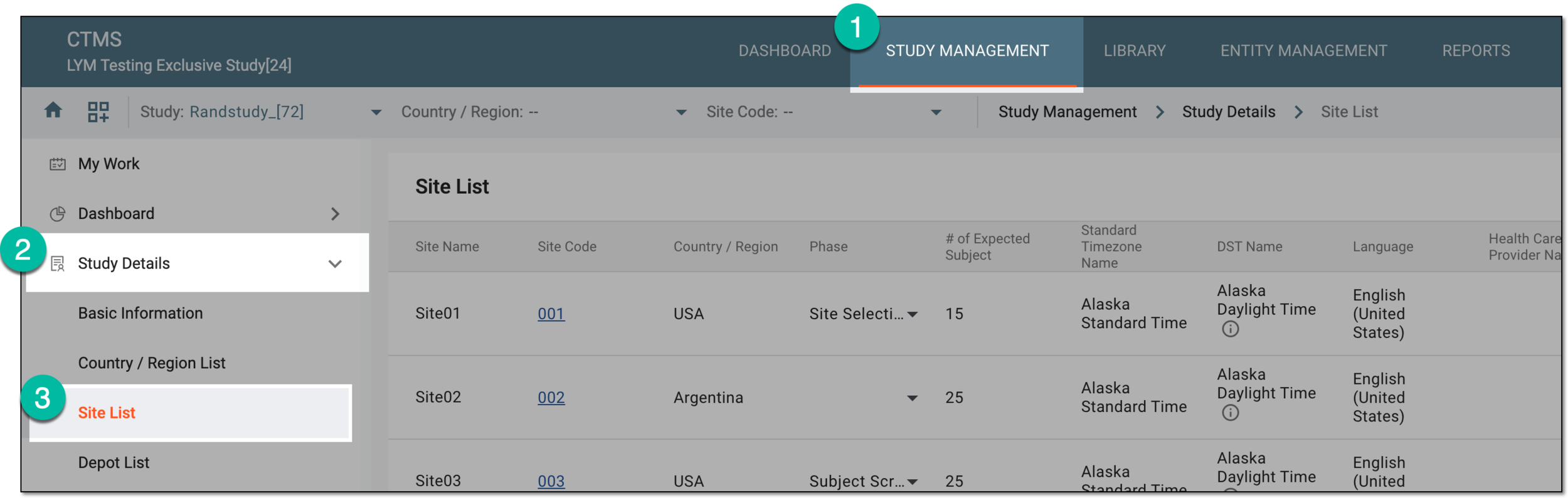 Figure 3. Accessing study sites
-
In the Site List table that appears, view the full list of sites that belong to the selected study and if required, from the workspace toolbar, select Switch View
 .
. Figure 4. Switching site view
-
On the page that opens, two panes appear. The left pane groups sites by country or region, where you can expand or collapse sections and select a specific site. The middle pane displays the contents of the currently opened site.
Select Switch View
 to return the original site list view.
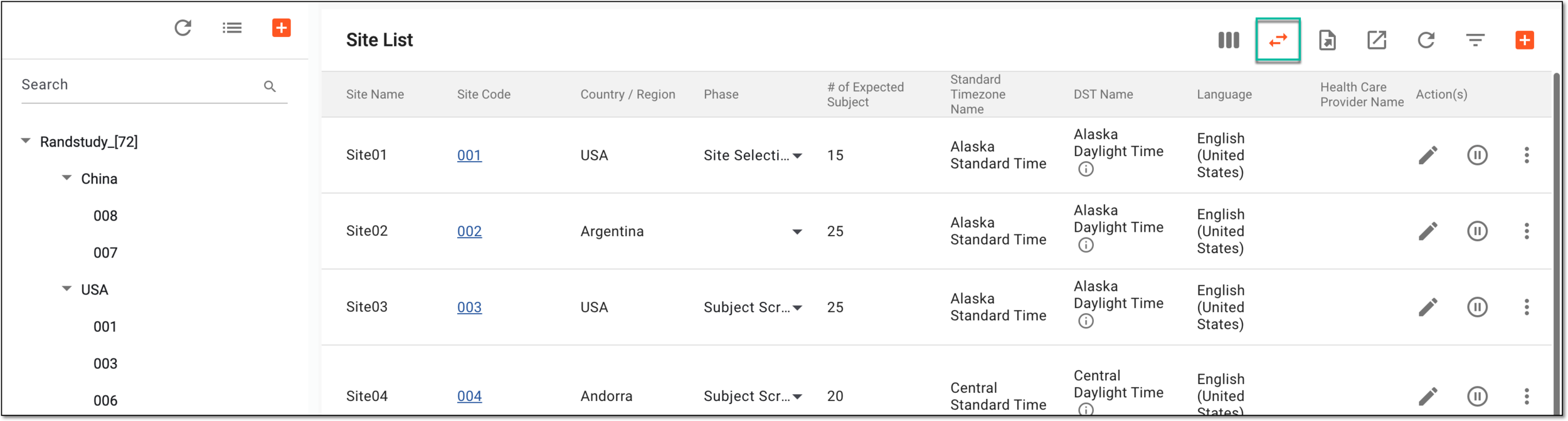 Figure 5. Reverting site view to original
You have viewed the list of sites that belong to the study.