View country/region list for study
When viewing the study details, you can check the list of countries or regions where the study is held and which are referenced in the system. The reference is maintained when updating study sites, depots, and institutions. If you need to refer to a country that is not on the list, you can add a country.
-
Access the study management page in one of the following ways:
-
In the CTMS application header, select the DASHBOARD tab and then select the study dashboard of your interest.
 Figure 1. Accessing study management from dashboard
-
In the CTMS application header, select the STUDY MANAGEMENT tab. Then from the Study Data List table, select the study name of your interest.
 Figure 2. Accessing study management from study data list
-
-
From the left pane of the page that opens, select Study Details > Country/Region List.
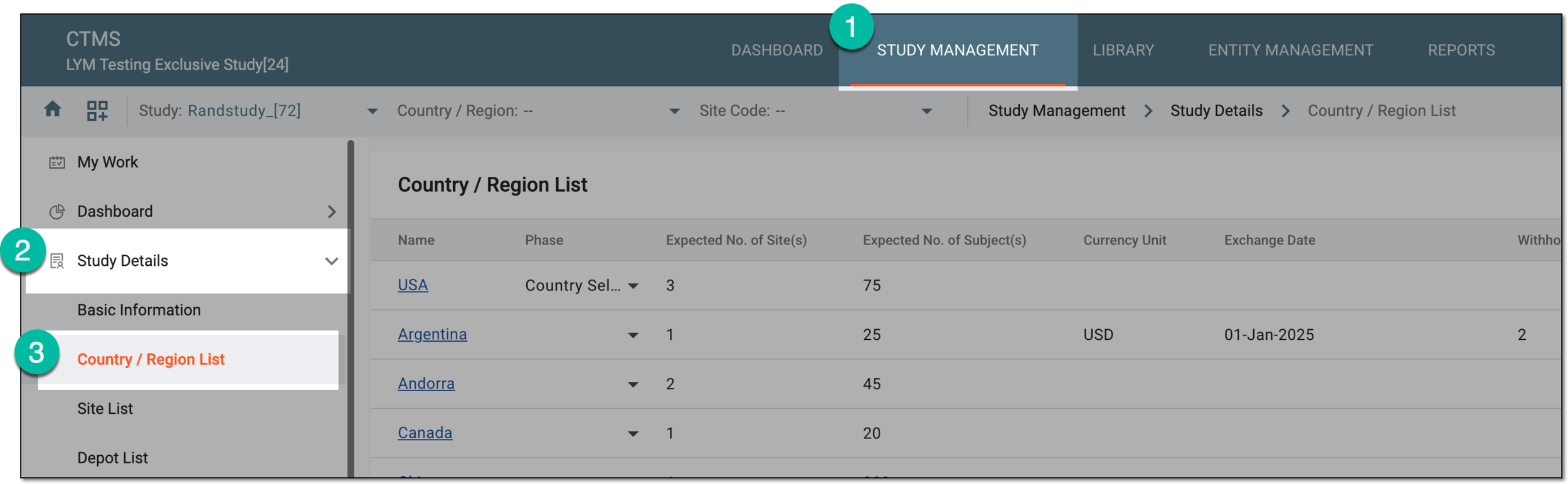 Figure 3. Accessing country and region list for study
-
In the Country/Region List table that appears, view the list of countries associated with the selected study.
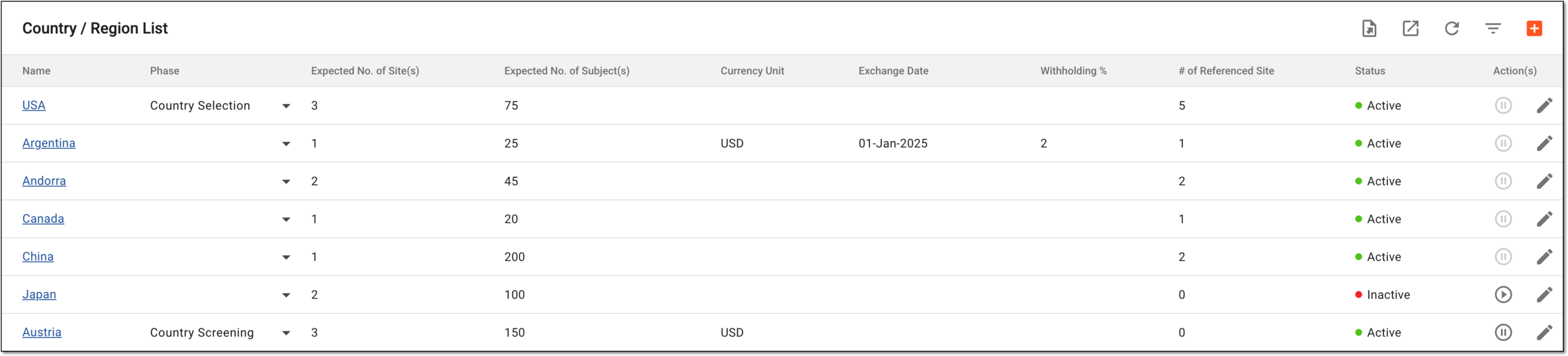 Figure 4. List of countries and regions added to study
You have accessed the list of countries and regions involved in your study.