Add country to study
You can add more countries to the list of those that are referenced to study sites, depots, and institutions. Before adding a new country, make sure it is not on the list already.
Important
Countries added to the master study are automatically copied to the substudy. You cannot add countries directly to a substudy—they only use the country and region list from the master study.
-
Access the study management page in one of the following ways:
-
In the CTMS application header, select the DASHBOARD tab and then select the study dashboard of your interest.
 Figure 1. Accessing study management from dashboard
-
In the CTMS application header, select the STUDY MANAGEMENT tab. Then from the Study Data List table, select the study name of your interest.
 Figure 2. Accessing study management from study data list
-
-
From the left pane of the page that opens, select Study Details > Country/Region List.
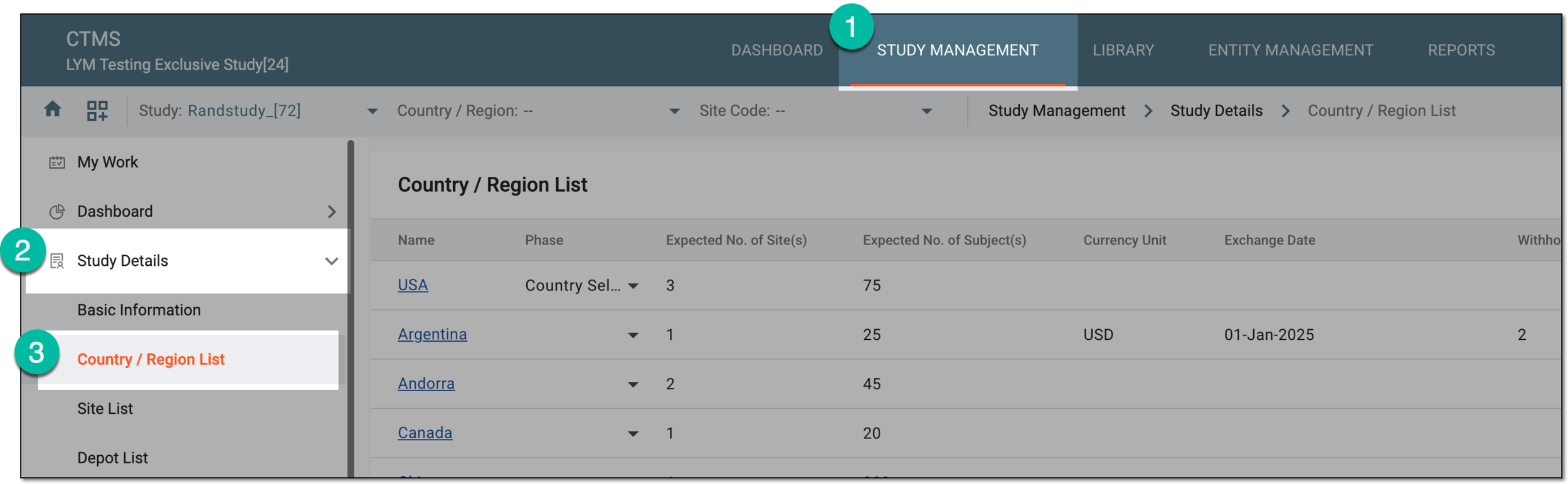 Figure 3. Accessing country and region list for study
-
On the Country/Region List page that opens, from the workspace toolbar, select New Item
 .
. Figure 4. Accessing option to add country to study
-
In the dialog that appears, provide details as explained in the following table.
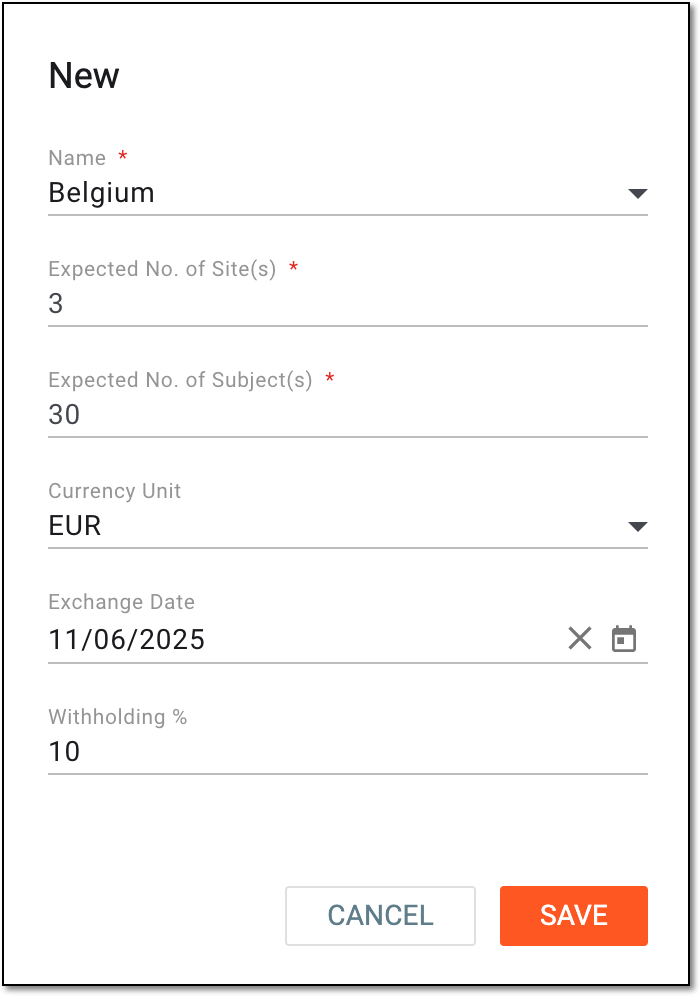 Figure 5. Adding country details
Tip
In the following table, mandatory elements are marked with an asterisk (*).
Element
Details
Name*
Select the needed country that is to be added.
Expected No. of Site(s)*
Enter the expected number of sites that are located in the selected country.
Expected No. of Subject(s)*
Enter the expected number of subjects that are located in the selected country and are to participate in the study.
Note that you cannot enter a number of subjects greater than the expected number of subjects indicated for the study, otherwise, the notification appears informing you about the maximum number of expected subjects that can be entered for the added country.
Currency Unit
Select the currency that is used in the selected country.
Exchange Date
Select the fixed date for the currency exchange procedures. Only the exchange rate of this date will be considered during any payment transactions.
Withholding %
Enter the percentage of deducted money. When the bills are paid, the indicated amount in percent is to be paid later on.
SAVE
Select
 to confirm adding a new country to the list of study countries.
CANCEL
Select
 to discard the process of adding a new country.
Once saved, a new country is added to the list of study countries.