Configure study site
In the CTMS application, a list of sites that belong to a specific study can be viewed on a separate page. A site is a medical facility or a research center where the study is conducted. When configuring a study site, you can modify some existing details, manage the monitoring visits, update the personnel information, conduct and oversee the trials on the site, and maintain site documentation.
Important
Note that you can configure the sites only if the study, its country, or such sites have not been previously closed, terminated, or suspended.
-
Access the study management page in one of the following ways:
-
In the CTMS application header, select the DASHBOARD tab and then select the study dashboard of your interest.
 Figure 1. Accessing study management from dashboard
-
In the CTMS application header, select the STUDY MANAGEMENT tab. Then from the Study Data List table, select the study name of your interest.
 Figure 2. Accessing study management from study data list
-
-
From the left pane of the study page that opens, select Study Details > Site List.
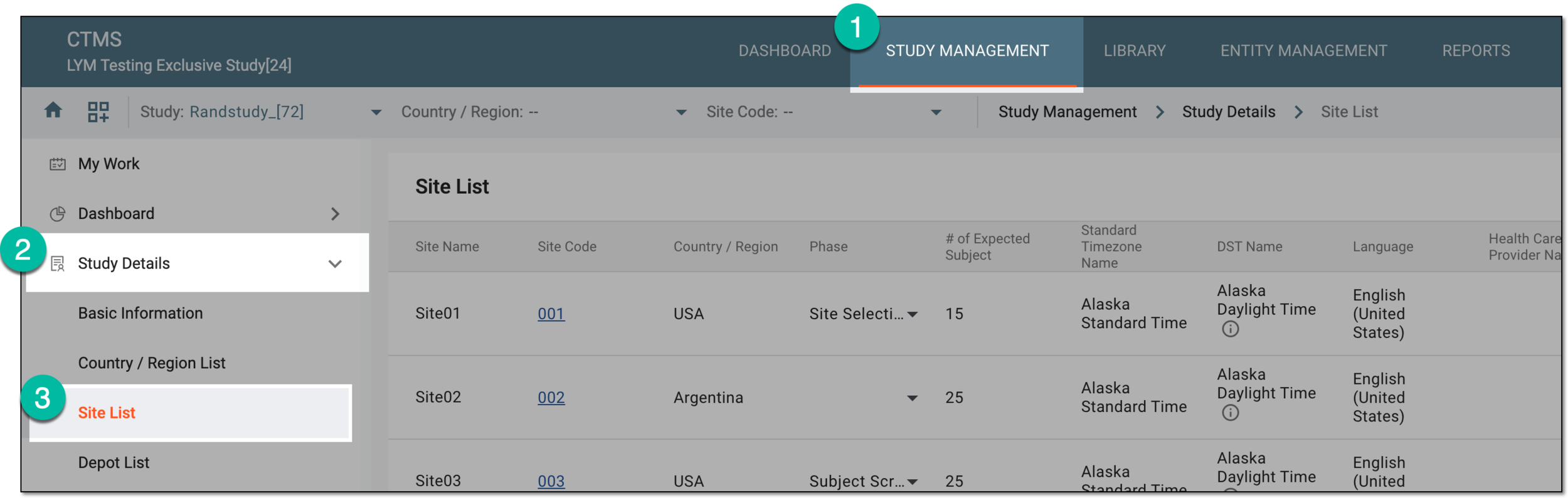 Figure 3. Accessing study sites
-
In the Site List table that appears, in the Site Name column, select the needed site or select Edit
 next to it.
 Figure 4. Accessing option to configure study site
-
On the page that opens, two panes appear. The left pane groups sites by country or region, where you can expand or collapse sections and select a specific site. The middle pane displays the contents of the currently opened site.
From the horizontal navigation pane provided, select the available tabs to configure your study site as follows:
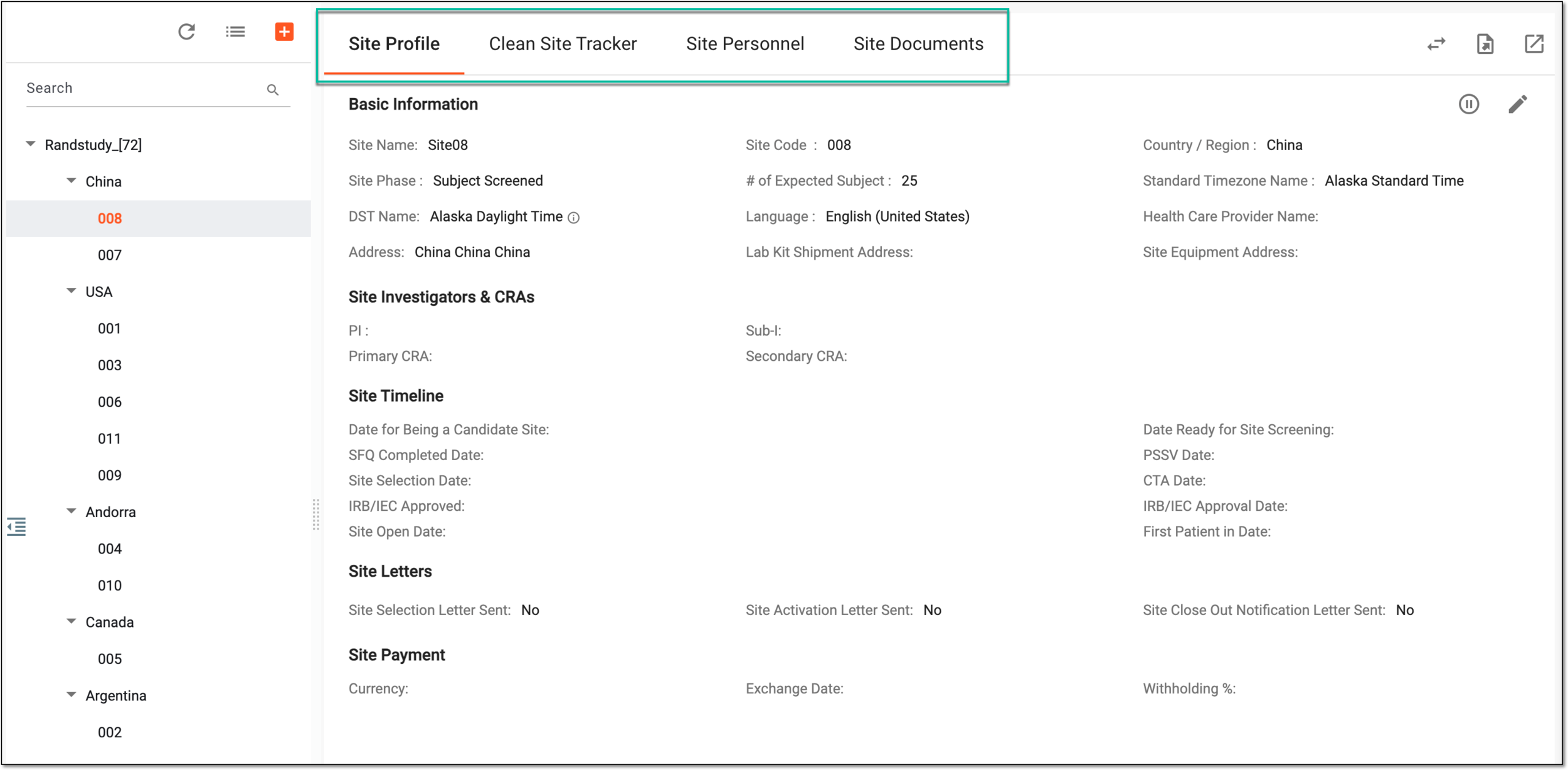 Figure 5. Accessing site configurations
Once the required site information is updated and saved, the site configuration is complete.