Update site phase in study
A site is a medical facility or a research center where the study is conducted. In the CTMS application, a list of sites that belong to a specific study can be viewed on a separate page. Each site can be associated with a specific phase depending on the status of study-related activities performed at this site. You can update the site phase manually.
-
Access the study management page in one of the following ways:
-
In the CTMS application header, select the DASHBOARD tab and then select the study dashboard of your interest.
 Figure 1. Accessing study management from dashboard
-
In the CTMS application header, select the STUDY MANAGEMENT tab. Then from the Study Data List table, select the study name of your interest.
 Figure 2. Accessing study management from study data list
-
-
From the left pane of the study page that opens, select Study Details > Site List.
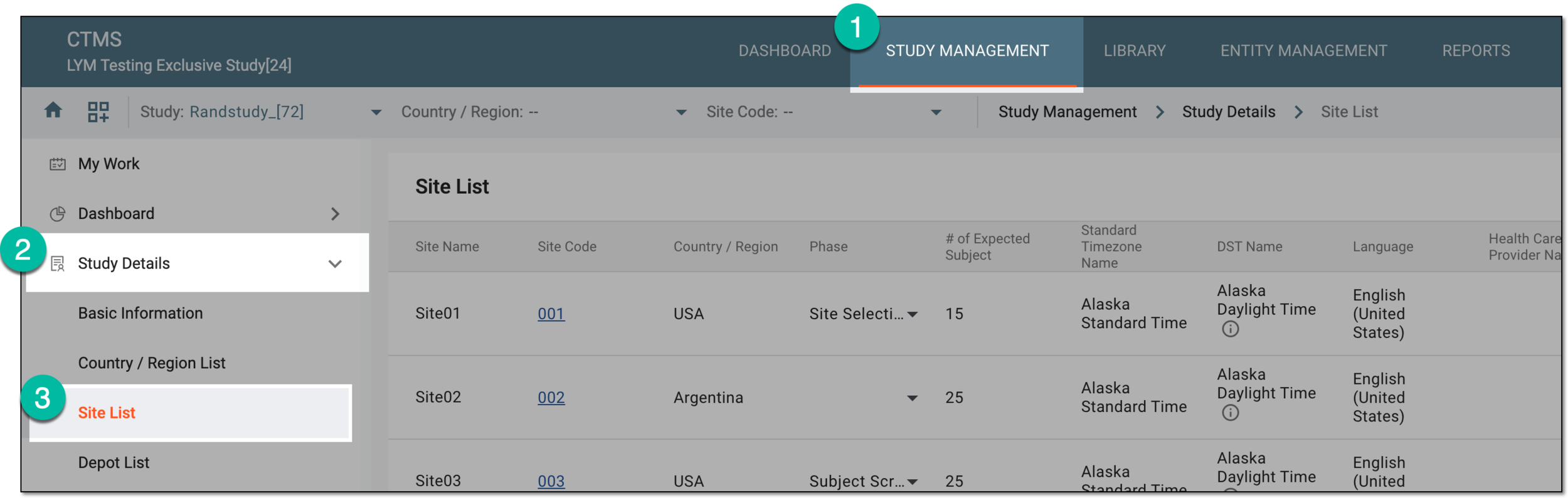 Figure 3. Accessing study sites
-
In the Phase column of the Site List table that appears, next to the needed site, select the phase you want to set for the site. The phases are explained in the following table.
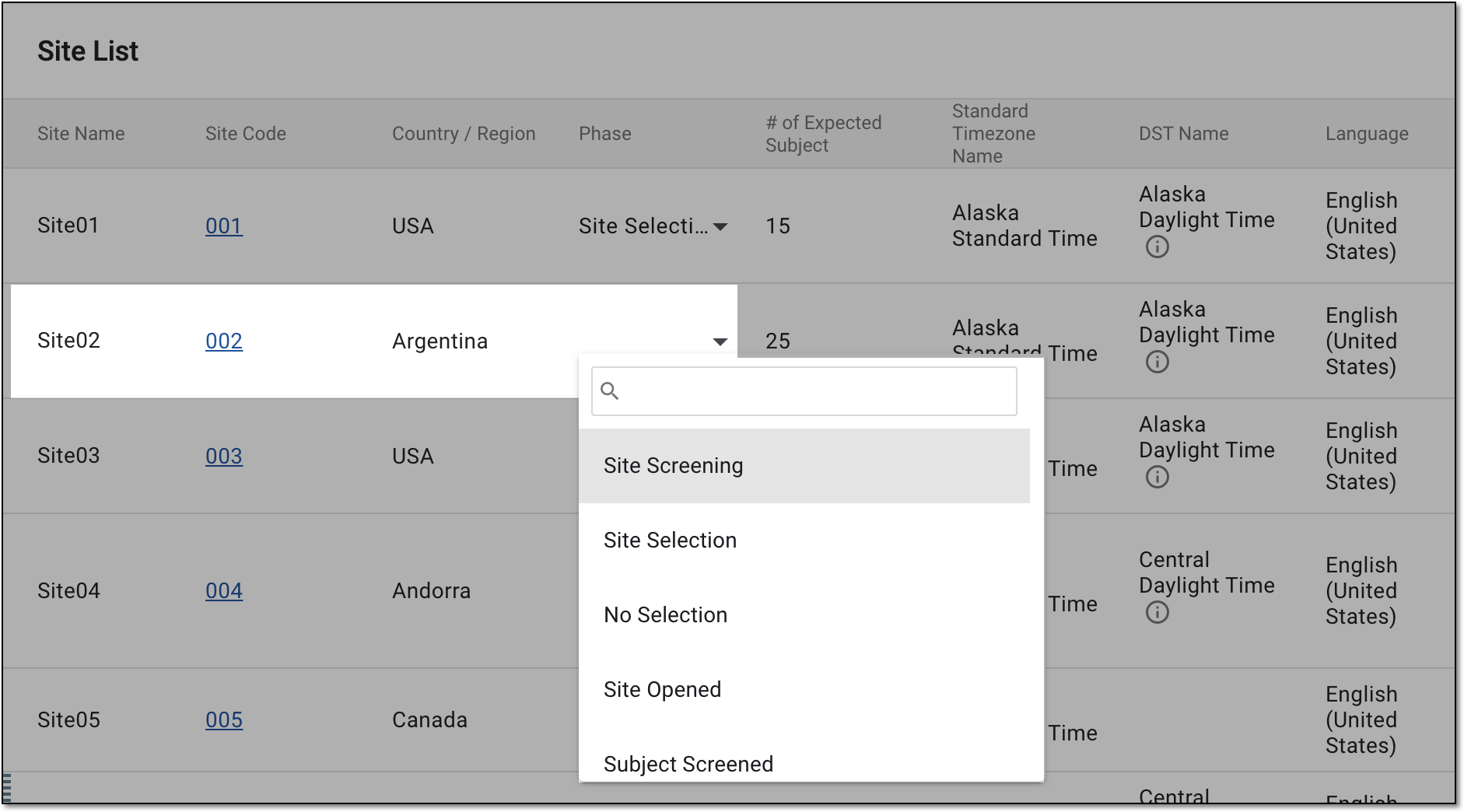 Figure 4. Updating site phase
Phase
Details
Site Screening
The screening of site is performed to determine its suitability for the study.
Site Selection
The site passed the screening process and was selected to participate in the study.
No Selection
The site did not pass the screening process and was not selected for the study.
Site Opened
The site is open for subject registration and other study activities.
Subject Screened
The screening of subjects is performed at the site to determine their eligibility for the study.
Subject Recruitment Completed
The expected number of subjects are registered at the site to participate in the study and no more recruitment procedures are expected.
Site Closed
All necessary study-related activities at the corresponding site are completed. If this phase is assigned to the site, you must confirm the action.
Note that you can close the site only after the following activities are completed:Terminated
The study-related activities and data collection can no longer occur at the site. If this phase is assigned to the site, you must confirm the action.
Suspended
The study research activities are temporarily halted at the site, pending further actions. If this phase is assigned to the site, you must confirm the action.
-
If you update the site phase to Closed, Terminated, or Suspended, in the Confirm dialog that appears, provide the details as follows.
Important
The details you need to provide for action confirmation depend on the authentication method configured for you in the system—via SSO or via providing your login and password.
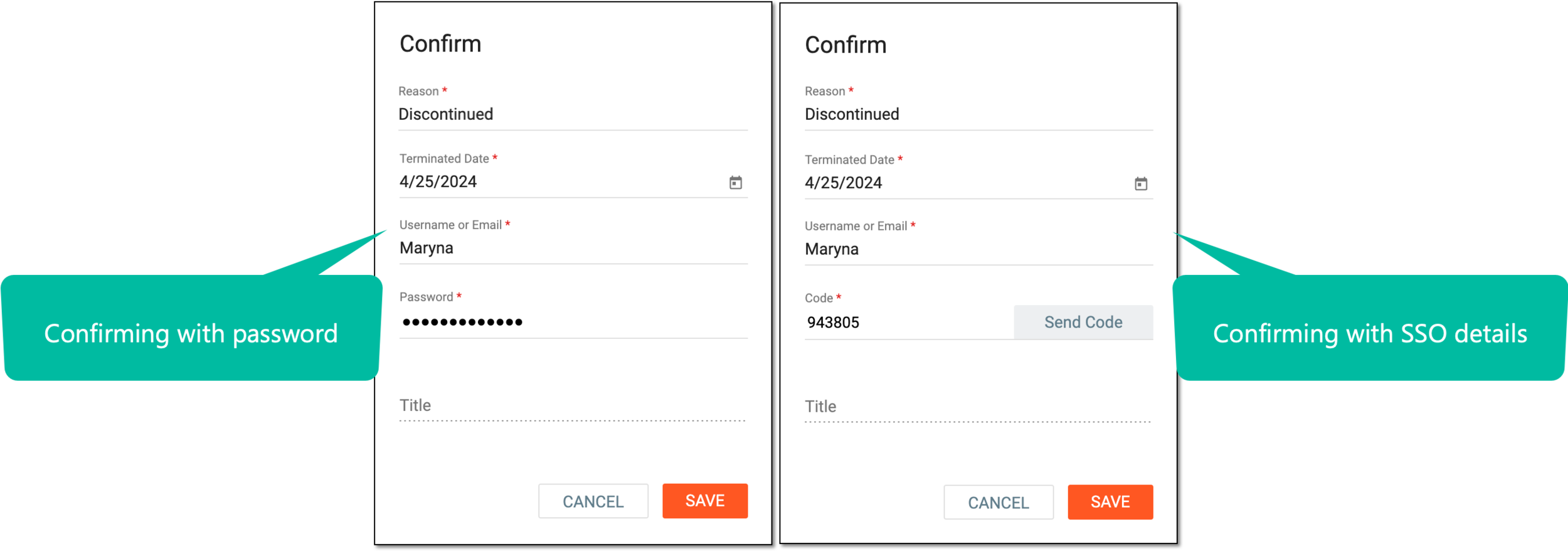 Figure 5. Confirming site phase update
Tip
In the following table, mandatory elements are marked with an asterisk (*).
Element
Details
Reason*
Enter the reason for terminating or suspending the site. You do not need to provide a reason for closing the site.
Closed Date* / Terminated Date* / Suspended Date*
Select
 to choose the date when the site has been closed, terminated, or suspended.
Username or Email*
Enter your CTMS username or email address.
Send Code
Select
 to send the temporary PIN code to your email for which the SSO method is configured.
The button is only available if you use the authorization method via SSO.Code*
Enter the temporary PIN code that you received via email.
The field is only available if you use the authorization method via SSO.Title
View the job title associated with your username.
Password*
Enter the password to your CTMS username.
The field is only available if you use the authorization method by providing your login and password.SAVE
Select
 to confirm the site phase update.
CANCEL
Select
 to stop the site phase update.
Once selected and confirmed, the site phase is updated.