Edit user authentication method
In the ADMIN application, from the USER tab, you can edit the currently applied authentication methods of how the user can log in to the eClinical system.
Important
If the user is authenticated by the SSO method then the identity provider ID provided by the company is used to associate with the user account.
-
In the ADMIN application header, select the USER tab.
-
In the User Management table that appears, next to the needed user, select Authentication Method
 .
.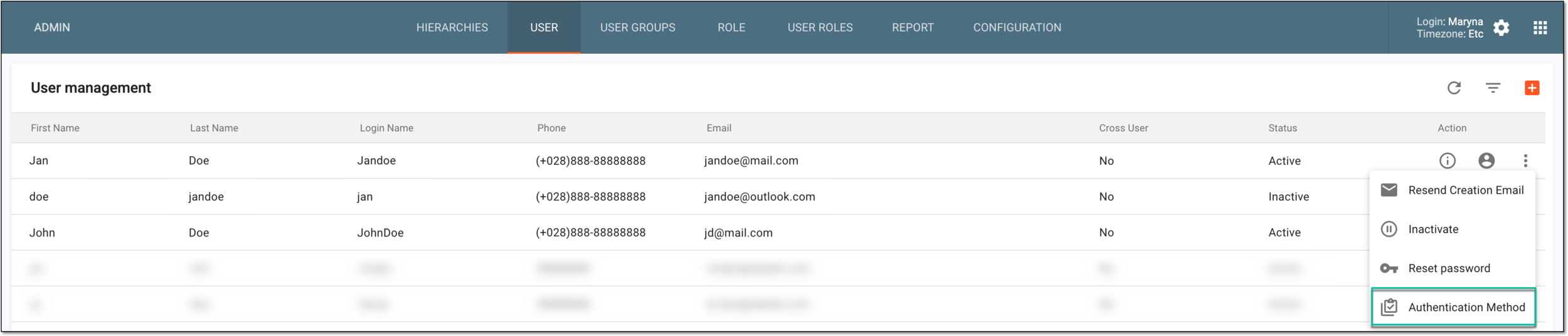 Figure 1. Accessing authentication method settings
-
In the Authentication Method form that opens, update the details as needed. These fields are identical to those explained in the table of the Add new user section.
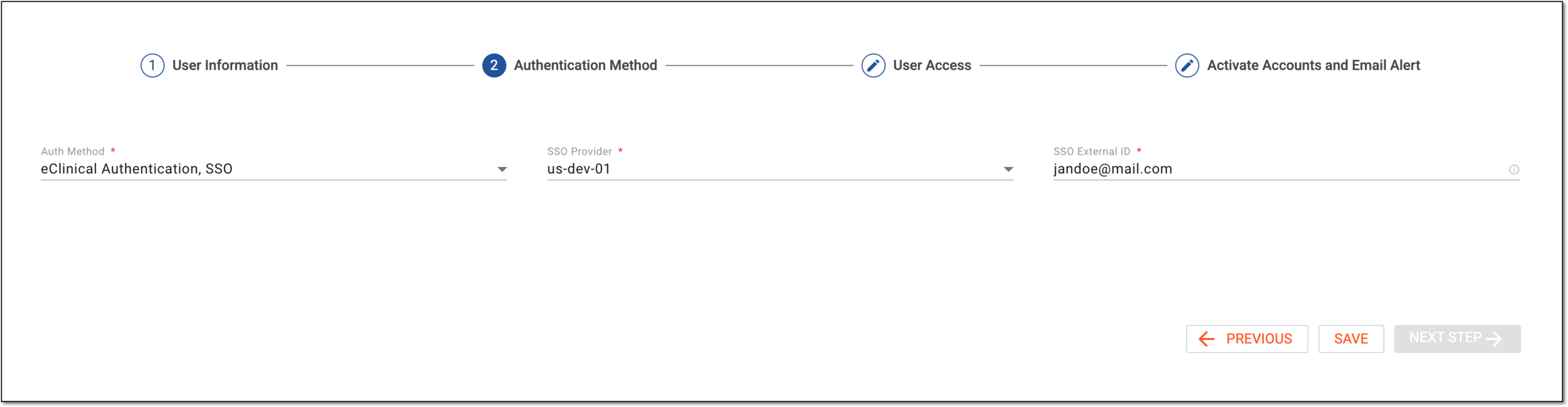 Figure 2. Specifying authentication method
-
Select
 to implement the changes.
Once saved, the selected authentication method becomes available for the user upon their next login into the system.