Review depot reconciliation list signature details
An inventory reconciliation at the depot is a practice mostly performed by the clinical research associate (CRA) to ensure the number of items to be destroyed is valid according to the quantity established at reconciliation by the site that returned items for destruction.
Once all the required reconciliation activities are performed at the depot, the CRA in charge must sign the reconciliation list to verify it. The details of the signature and the user who signed the reconciliation can be reviewed if required.
Important
With this functionality, you can review only the latest currently effective signature details.
If the reconciliation list was signed and then unsigned, you can review the details of such actions and their operators in the Unblind Logs report.
-
In the IWRS application header, select the DEPOT tab.
-
On the Depot List page that opens, in the table, select the depot code of your interest.
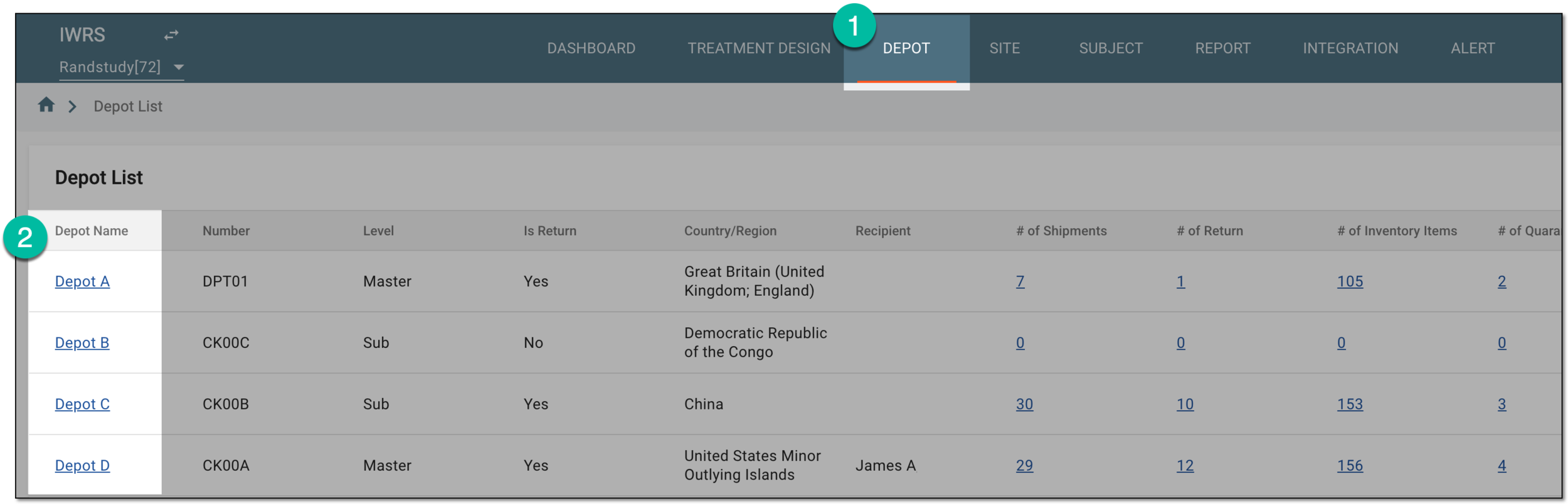 Figure 1. Selecting depot to open its details
-
On the page that opens, from the left pane, select Inventory.
-
On the inventory page, from the contents panel, select Reconciliation.
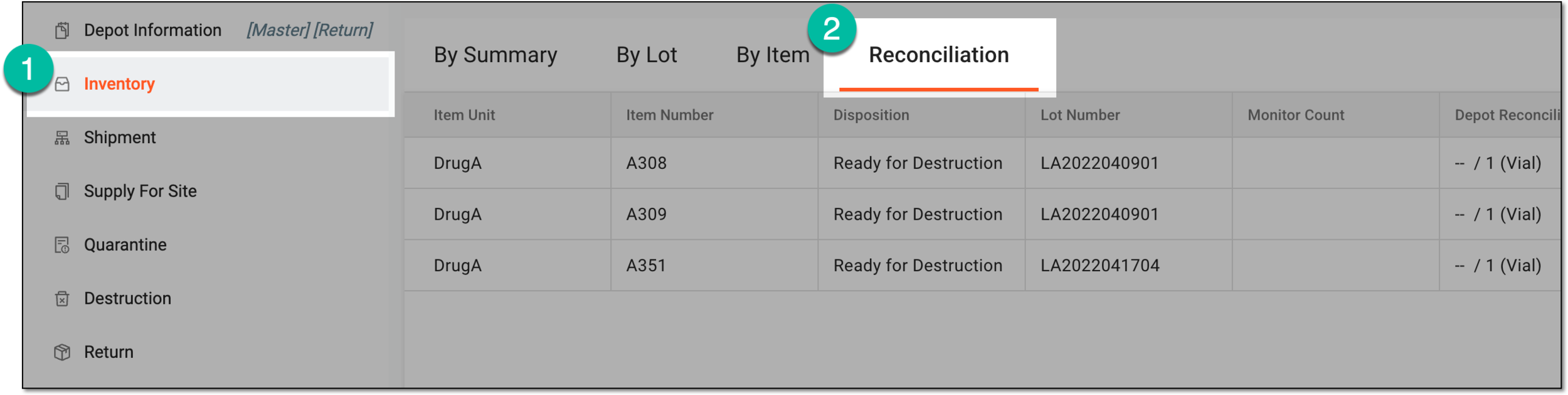 Figure 2. Accessing depot inventory reconciliation
Tip
Once you open the reconciliation page for a depot, you can use the breadcrumbs navigation to switch between different depots' reconciliation lists without returning to the Depot List page.
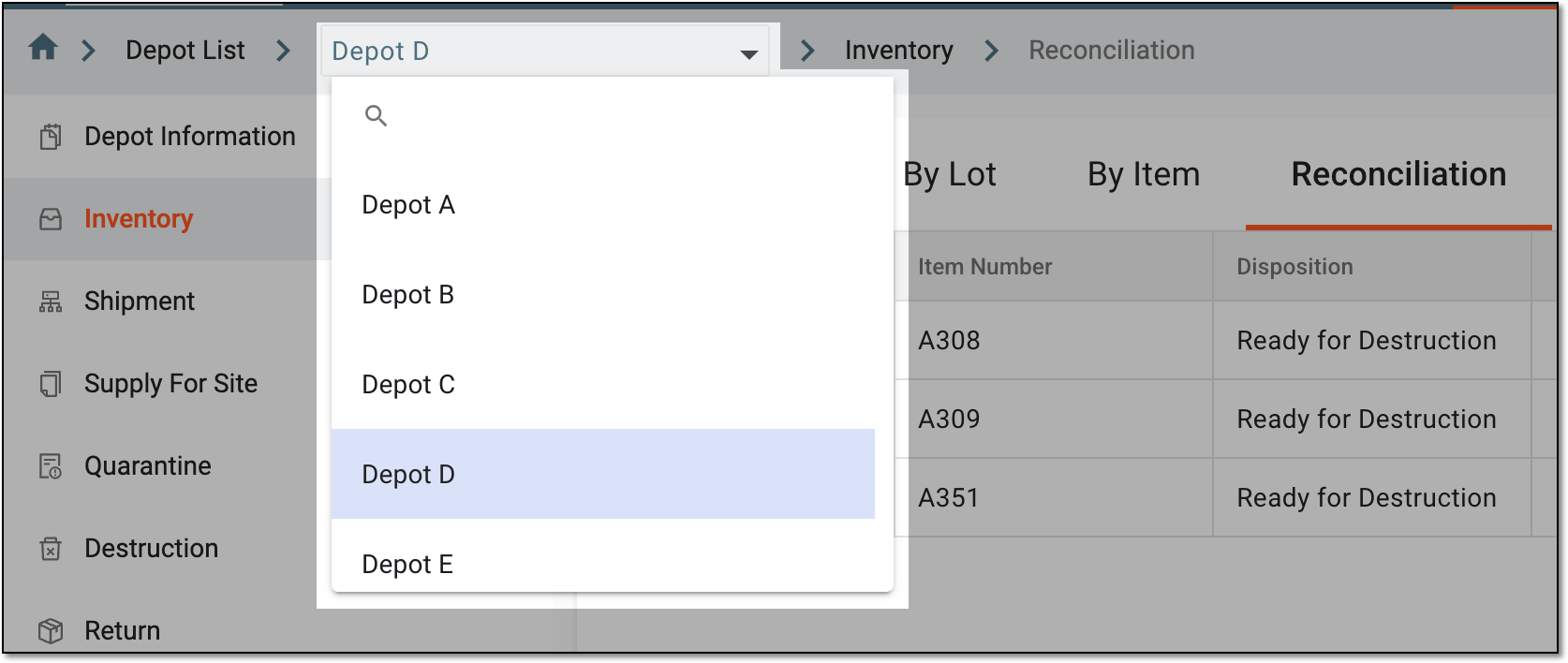 Figure 3. Switching depots from breadcrumbs
-
From the workspace toolbar of the Reconciliation page, select Signature
 .
. Figure 4. Accessing signature review
-
In the Signature dialog that appears, review the details of the user who signed the reconciliation list and the date when it was done.
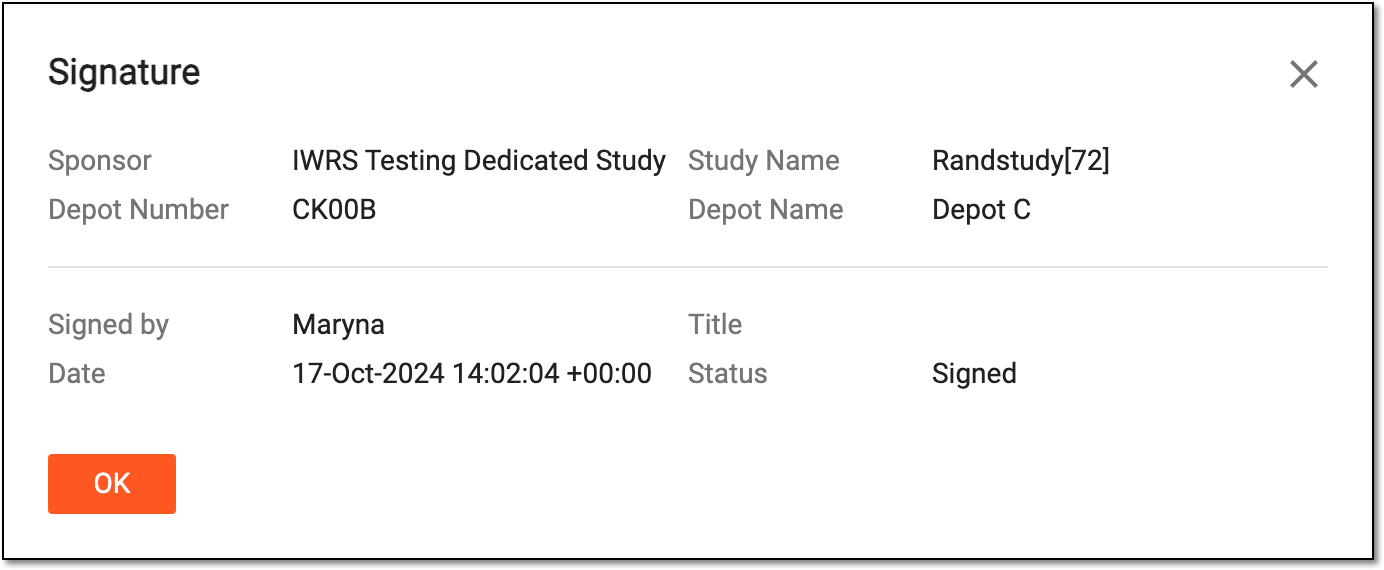 Figure 5. Reviewing depot reconciliation signature details
You have reviewed the details of the depot reconciliation list signature. Select  to close the dialog and return to the Reconciliation
page.
to close the dialog and return to the Reconciliation
page.