Review unblinded user logs
The Unblind Logs report of the IWRS application helps you learn about the operations that IWRS users perform and troubleshoot faults.
Important
To view this report, you must have the Unblind Logs permission granted to your user role via the ADMIN application.
-
In the IWRS application header, select the REPORT tab.
-
On the page that opens, in the left pane, select Unblind Logs.
-
In the Logs table that opens, view the details of the operation log as explained in the following table.
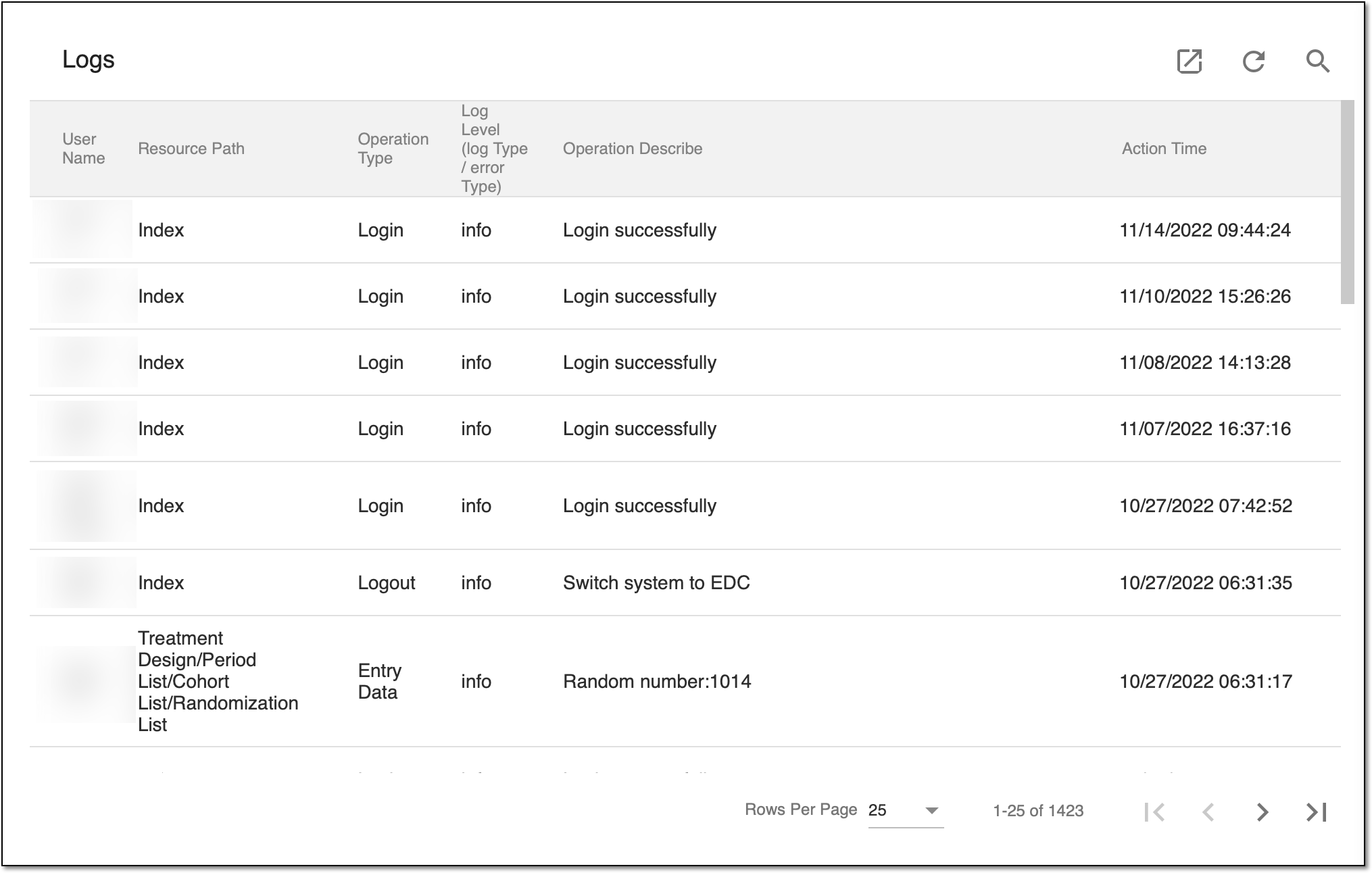 Figure 1. Viewing operations of IWRS users
Column
Details
User Name
Represents the login name of the user who has performed a certain operation.
Resource Path
Represents the IWRS resource path where the user has performed the operation. For example, if a user edited a recipient name or email address, the resource path is Site/Recipient.
Operation type
Represents the type of operation performed by the user, for example, Login, Change data, Entry data, and other types.
Log Level (log Type/error Type)
Represents the type of information the log informs you about. Currently, there is only one log level available in the system, info. This log level shows what operation the user has performed in the system. In the future, there will be more levels, such as error and others.
Operation Describe
Describes the operation performed by the user.
For example, if a user edits the recipient's name and email address, the system displays the following:
Edit Recipient "木槿". Name: from "木槿" to "Ria", Email: from "shreichristine@unair.nl" to "arapet@engine.com", Phone: from "null" to "null", Activate: from "Yes" to "Yes".
Action time
Represents the date and time when the user has performed the operation.
You have viewed the unblinded log report. You can also export the report data to work with it offline.