Depot inventory
Under the Inventory subtab, you can view the item statistics of the depot, as well as manage the disposition of these items.
In IWRS, items are products that can be investigational medicinal products (IMPs), placebos, or supplementary medications of your study. There are two approaches to handling your inventory in IWRS:
-
By product unit. Maintain your products as individual instances, such as a vial of infusion liquid, stick of powder, blister of tablets, and so on.
For instance, if your product is Aspirin in tablets packed in blisters, then a single blister of Aspirin is an accountable product unit in your depot inventory that you can store, ship to site, put into quarantine and otherwise manage.
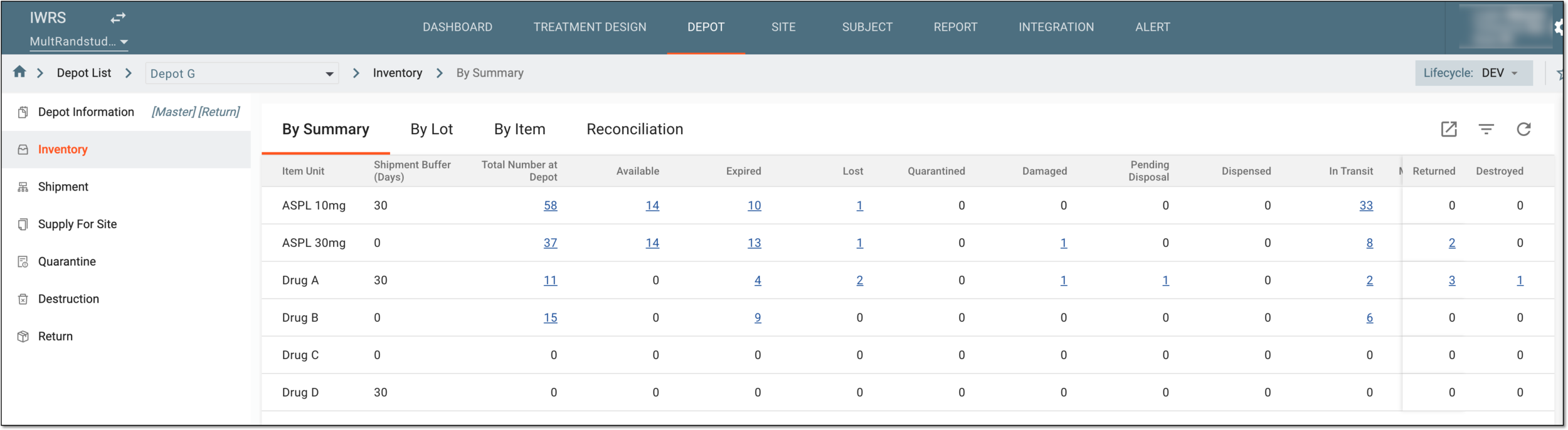 Figure 1. Depot inventory page by product unit
-
By container unit. Maintain your products in packages of product units, such as a box containing a specific number of product units.
For instance, if your product is Aspirin in blisters and you pack them into boxes of 10 blisters each, then a single box of Aspirin blisters is an accountable container unit in your depot inventory that you can store, ship to site, put into quarantine and otherwise manage.
Important
If no container units are configured in IWRS, then all operations in Inventory occur in product units.
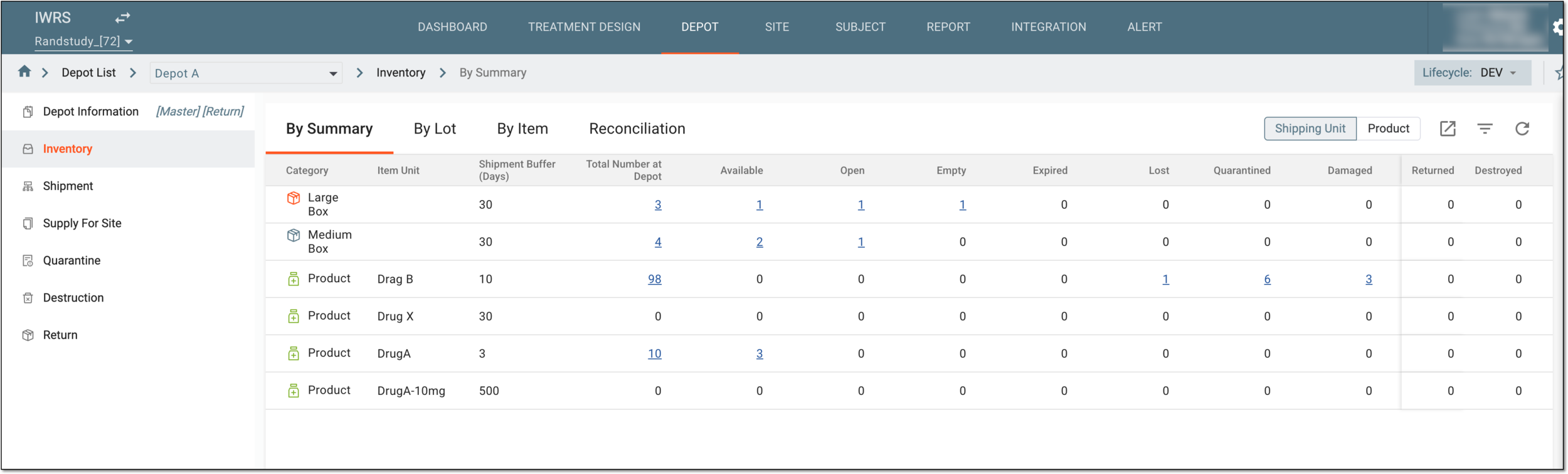 Figure 2. Depot inventory page by container unit
Tip
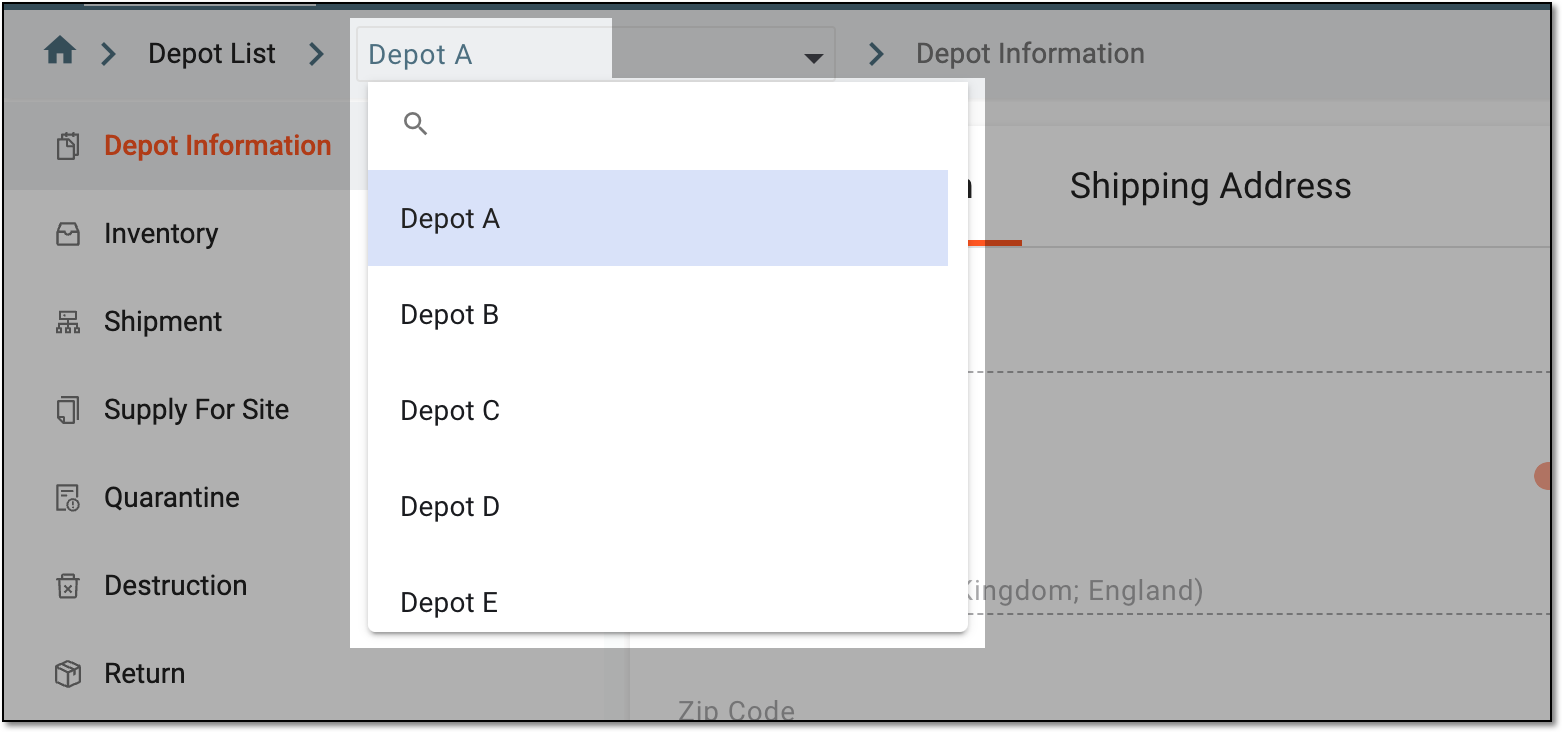
You can use the toolbar navigation to switch to another depot details without returning to the Depot List page.
 |
For your convenience and efficient management of inventories, the item statistics are given from three different perspectives: