Unblinded visit dispensing report
The Unblind Visit Dispensing report of the IWRS application helps you analyze information on all the completed dispensations for your study subjects. This comprehensive report provides insights into all completed dispensations and offers a glimpse into all future dispensations for study subjects.
Important
To view this report, you must have the Unblind Visit Dispensing permission granted to your user role via the ADMIN application.
-
In the IWRS application header, select the REPORT tab.
-
On the page that opens, in the left pane, select Unblind Visit Dispensing.
-
In the Unblind Visit Dispensing table that opens, view the details of all the completed dispensations explained in the following table.
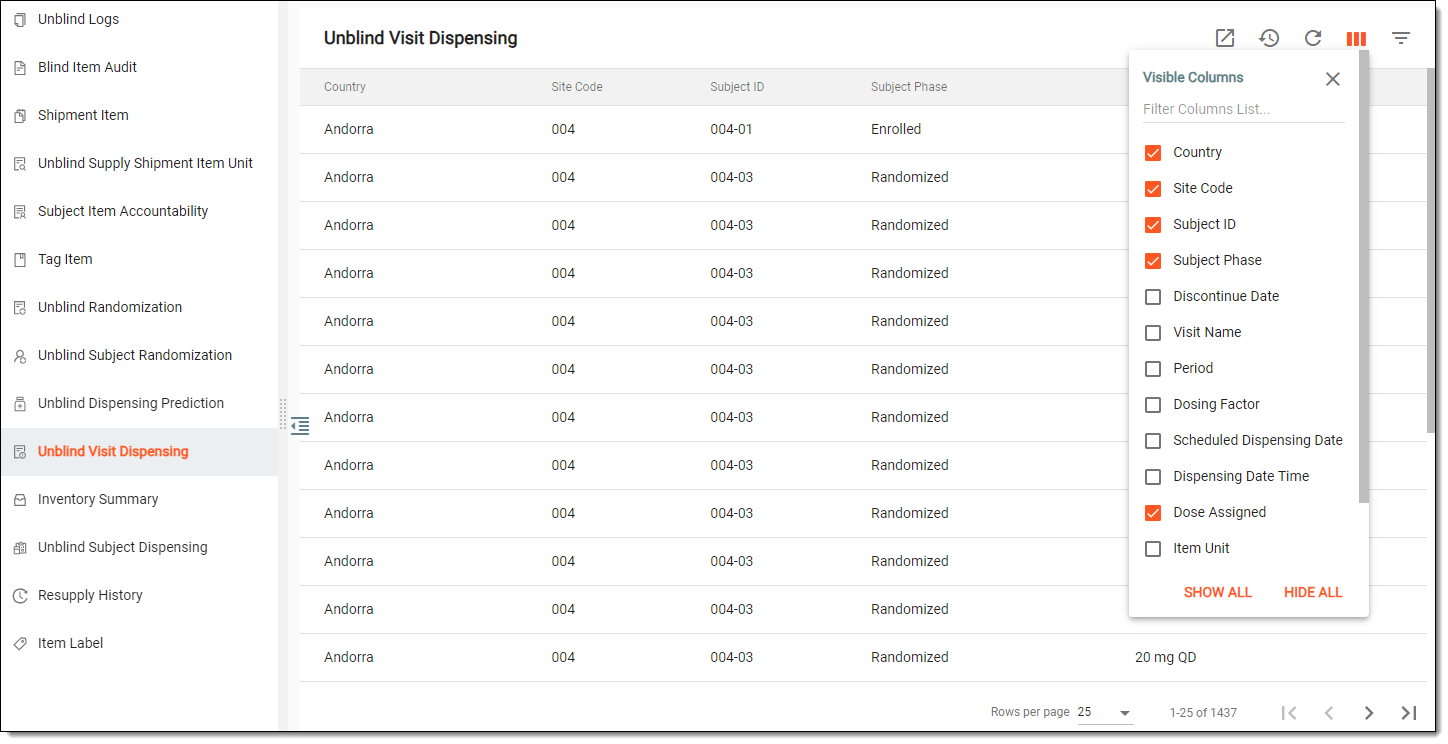 Figure 1. Viewing details of completed dispensations
Tip
From the workspace toolbar, select Visible Columns
 to choose the columns you want to show or hide
from the report before viewing it.
to choose the columns you want to show or hide
from the report before viewing it.Column
Details
Country
Represents the name of the site country where the dispensations are completed.
Site Code
Represents the unique code of the site where the dispensation occurred.
[Unique ID Label]
Represents the subject ID of the subject to whom the items are dispensed.
The column name depends on the unique ID label configuration of your study.Subject Phase
Represents the phase of the subject at which they were at the moment of dispensation.
Discontinue Date
Represents the date the subject has been discontinued. The value is empty if the subject has not been discontinued.
Visit Name
Represents the name of the visit at which the dispensation has been completed.
Period
Represents the name of a treatment period to which the dispensation visit belongs.
Dosing Factor
Represents the condition under which the dosage has been given.
Scheduled Dispensing Date
Represents the scheduled date when the dispensation should have occurred.
Dispensing Date Time
Represents the date and time of subject dispensation.
Dose Assigned
Represents the dose assigned to the subject to be dispensed at a specific visit.
Item Unit
Represents the name of the item unit (for instance, Aspirin 5mg, Aspirin 10mg, and so on).
Item Quantity
Represents the quantity of the item.
Item Numbers
Represents the identifiers of items that are dispensed at the visit to the subject.
Lot Number
Represents the identifier of the lot to which the particular item belongs.
Expiration Date
Represents the expiry date of the lot to which the particular item belongs.
You have viewed the unblinded visit dispensing report. You can also export the report data to work with it offline.
In eClinical, a process of providing a subject with medication at a visit to a site during their treatment in the course of a clinical trial.
An eClinical application that represents an administrative system used to manage users, authorities, and sponsors at the company level. It provides studies, sites, and sponsors with high-granularity role-based access management across all eClinical applications.
A unique identifier that is used to track and refer to the enrolled participants throughout the clinical trial.
See also: screening ID.
In eClinical, a unit of a drug that is being tested in a clinical trial is referred to as an item.
A specific phase that a subject has to complete in the course of a clinical trial to move further to the next phase. For instance, Screening, Enrolled, Randomized, and others.
 |
In eClinical, subject phases are designed individually for each study via the SD application, although they are referenced in others, like IWRS or EDC.