View shipment item report
The Shipment Item report of the IWRS application helps you analyze all the shipment details of a specific item within the item unit (the item unit represents the name of a single unit of the drug, such as Aspirin 5mg, Aspirin 10mg, and so on).
If you access the Shipment Item report from an unblinded role, the report reveals the name of the item unit whose shipment details are stored in the report, whereas if you access the report from a blinded role this data is hidden.
Important
To view this report, you must have the Shipment Item permission granted to your user role via the ADMIN application.
-
In the IWRS application header, select the REPORT tab.
-
On the page that opens, in the left pane, select Shipment Report > Shipment Item.
-
In the Shipment Item table that opens, view the shipment details of all items registered in the IWRS system as explained in the following table.
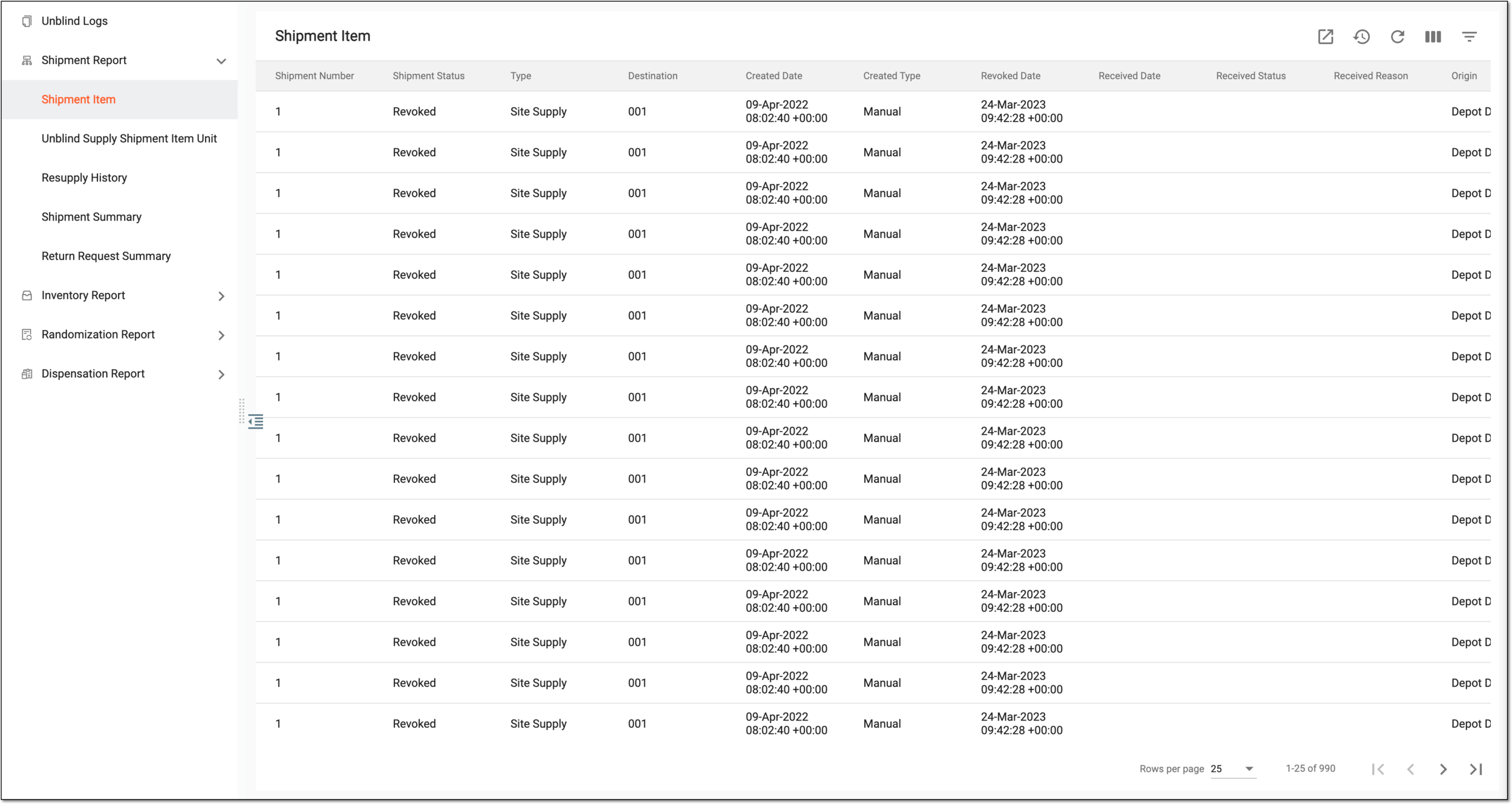 Figure 1. Viewing shipment details of item units
Tip
From the workspace toolbar, select Visible Columns
 to choose the columns you want to show or hide
from the report before viewing it.
to choose the columns you want to show or hide
from the report before viewing it.Column
Details
Shipment Number
Represents the shipment number against which the shipment details are displayed.
Shipment Status
Represents the shipment status, such as Requested, Revoked, Partially Received, In transit, and others.
Type
Represents the shipment type, such as:
Destination
Represents the destination to which the item must be shipped.
Apply by
Represents the institution that requested the shipment. It can be either a depot, a subject, or a specific site.
Created Date
Represents the date when the shipment has been requested.
Created Type
Represents by whom the shipment is initiated:
-
Manual: the shipment is initiated by a specific user.
-
System: the shipment is triggered by the system according to the supply plan.
Revoked Date
Represents the date when the shipment has been revoked (cancelled).
Received Date
Represents the date when the shipment must be received.
Received Status
Represents the status of the item (drug) when received:
-
Lost: the item has been lost during shipment.
-
Available: the item unit has been successfully shipped and received.
-
Ready for Destruction: the item (or parts of it) is ready for destruction after the return.
-
Damaged: the shipped item is damaged.
Received Reason
Represents the reason why the item must be shipped.
Origin
Represents the origin from where the item is being shipped.
Item Unit
Represents the name of the item being shipped.
Lot Number
Represents the identifier of the lot to which the particular item belongs.
Item Number
Represents the number of the item being shipped.
Expiration Date
Represents the expiry date of the lot to which the particular item belongs.
Expiry Buffer (Days)
Represents the number of buffered days before the item expires.
For example, if an item expires in N days, which is less than the expiry buffer days, the system does not use the item for dispensing and shipping.
Tracking ID
Represents the ID number by which the item being shipped can be tracked.
Service
Represents the name of the express service vendor that performs the shipment.
Actual Receipt Date
Represents the actual date when the item has been received.
Item Status at Receipt
Represents the status of the item at receipt.
-
You have viewed the shipment item report. You can also export the report data to work with it offline.