Delete domain
The purpose of deleting a domain is to remove outdated or unnecessary domains from the CODING application, ensuring a well-organized and up-to-date database of domains for accurate medical coding.
Important
If the domain is system-created (that is, created in Study Designer), it has the System label next to it and cannot be deleted. In this case, the Delete option is not available.
-
In the Medical Coding application header, select the CONFIGURATION tab.
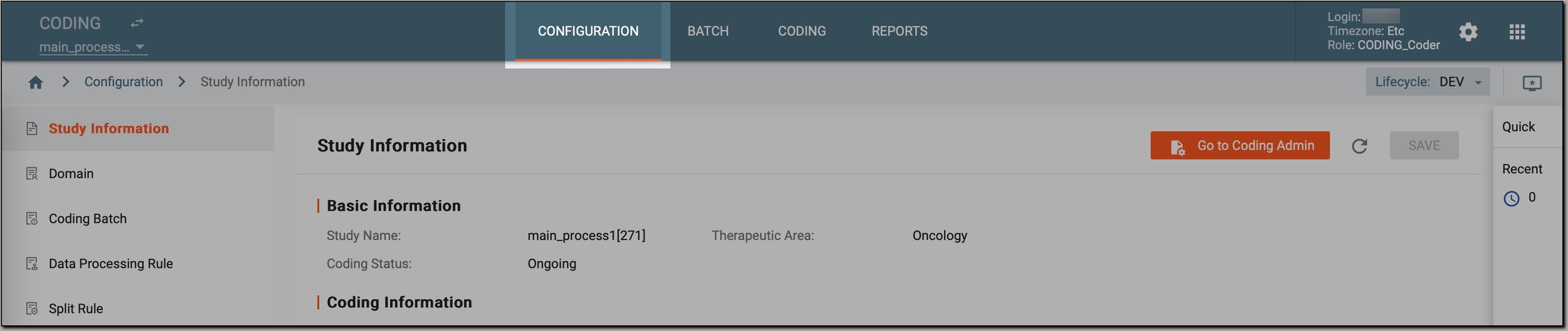 Figure 1. Accessing coding configurations
-
In the left pane, select Domain.
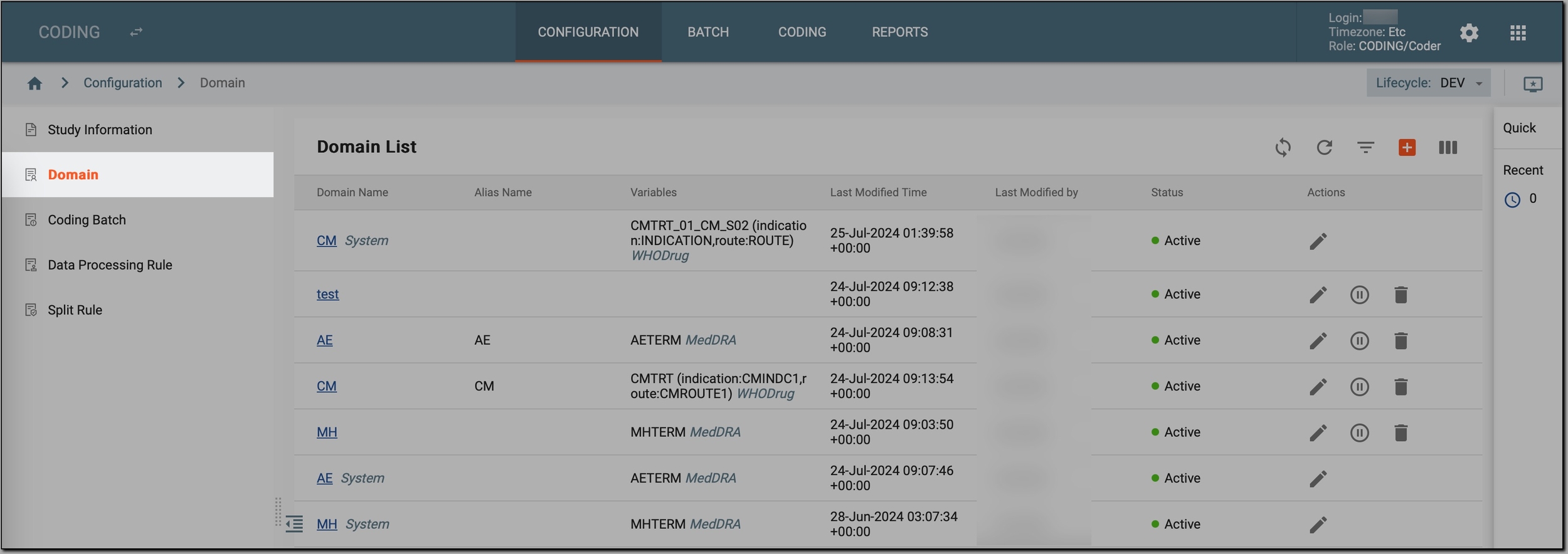 Figure 2. Accessing study domains
-
In the Domain List table that appears, go to the domain that you want to delete and select Delete
 next to it.
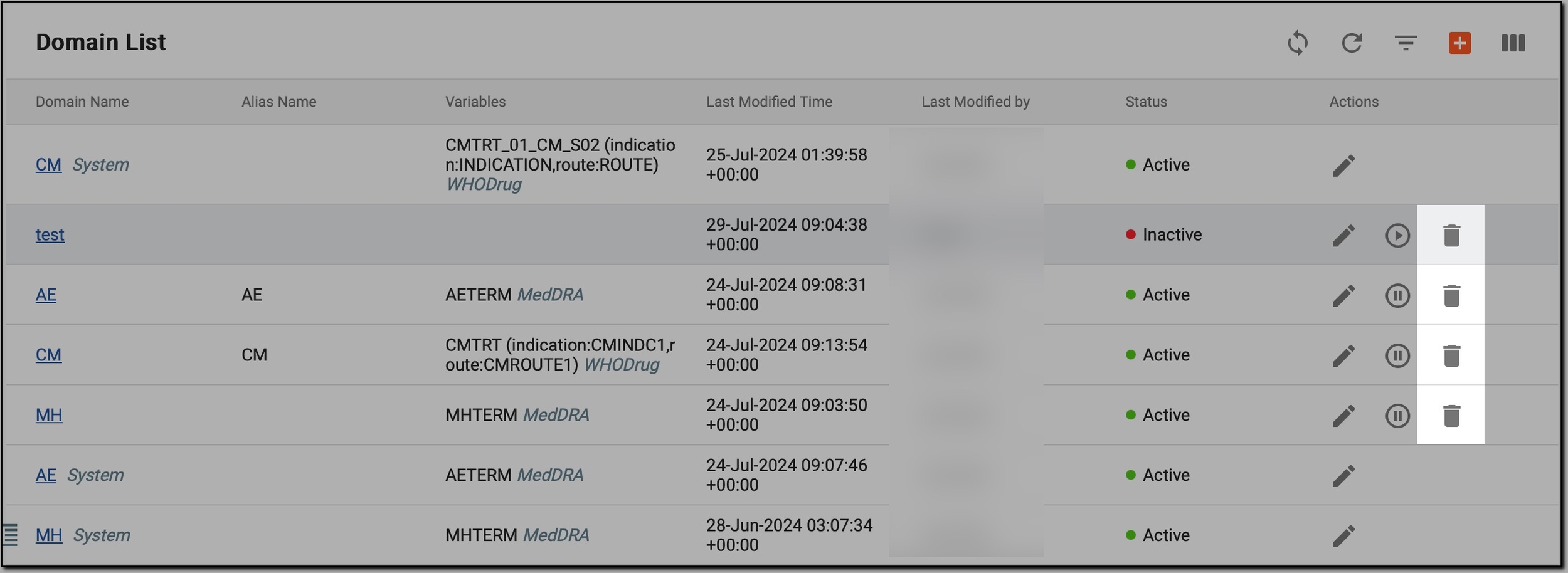 Figure 3. Initiating domain deletion
-
In the Delete Item confirmation dialog, select
 .
.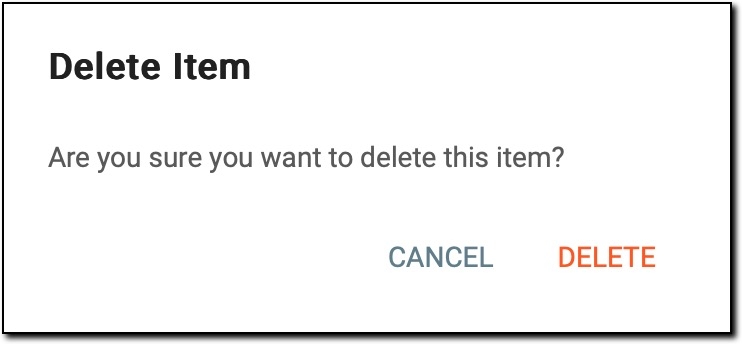 Figure 4. Deleting domain
Important
You cannot delete the domain if any ongoing coding activities for this domain are in progress.
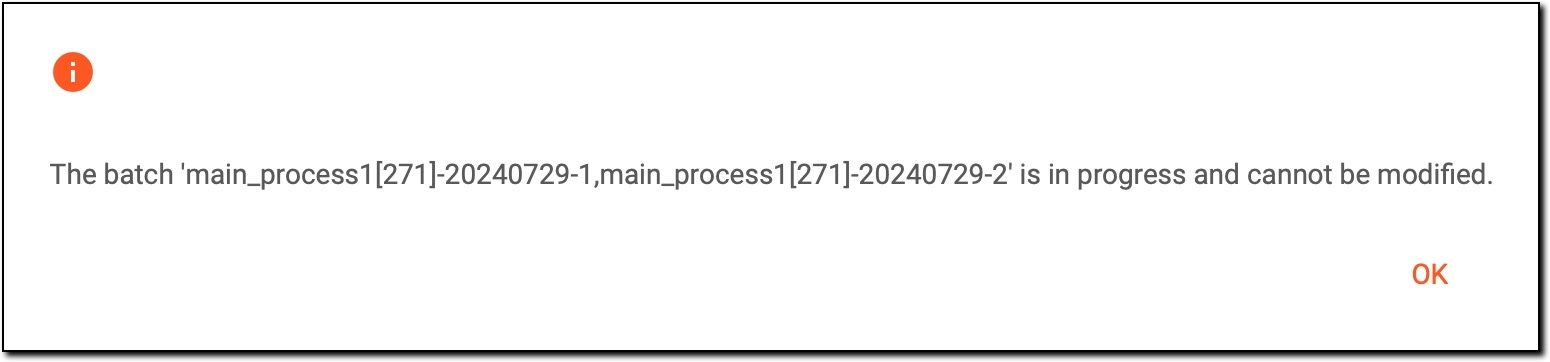 Figure 5. Deletion error
To solve the issue, wait until the coding activities are completed and try again.
Once done, the selected domain is permanently removed from the CODING application and can no longer be used for coding medical terms.