Create coding batch name
In the CODING application, in the Medical Coding module, the Coding Batch feature helps you automate and standardize the naming of coding batches in the medical coding process. This feature defines a consistent naming convention for batches, eliminating the need for coders to manually name each batch, which helps maintain uniformity and reduces potential errors.
-
In the Medical Coding application header, select the CONFIGURATION tab.
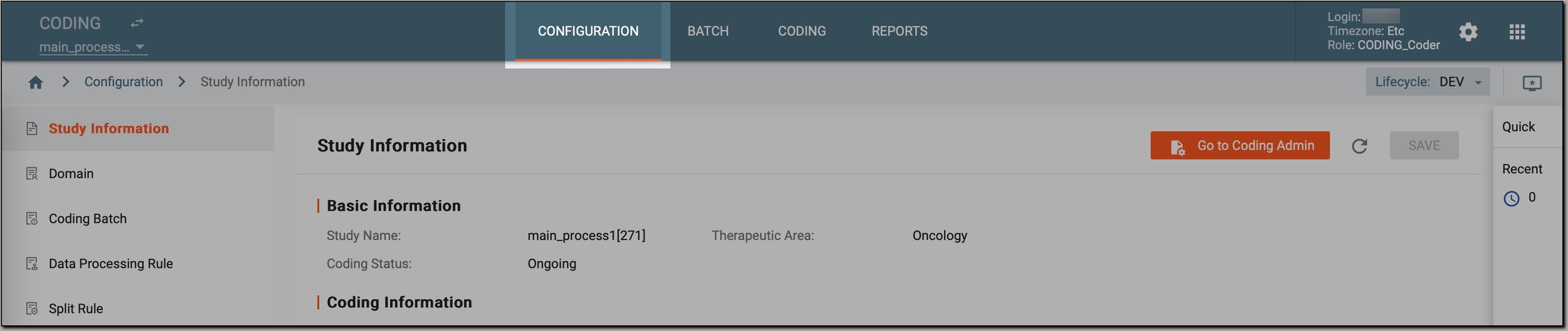 Figure 1. Accessing coding configurations
-
In the left pane, select Coding Batch.
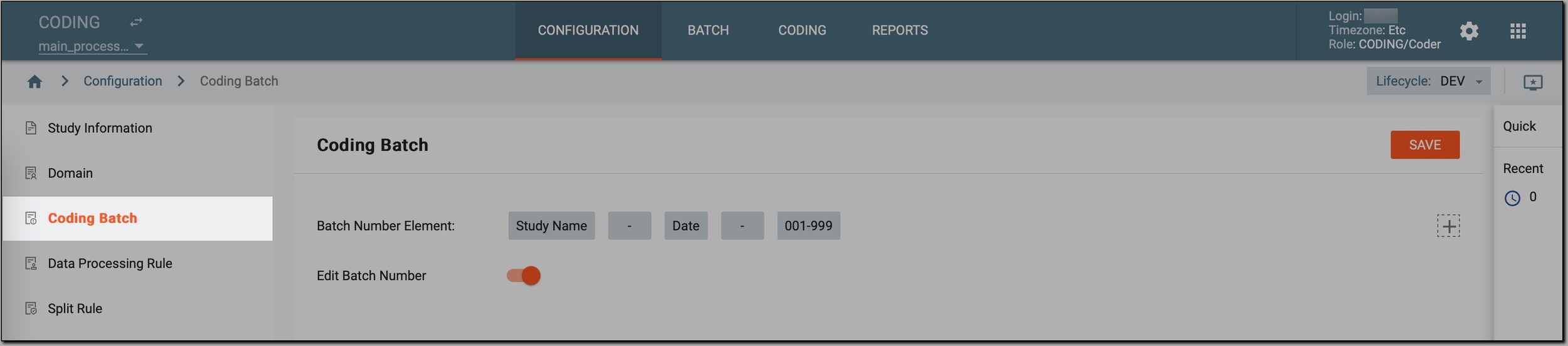 Figure 2. Accessing coding batches
-
In the Coding Batch page that opens, view the default naming convention defined for the coding batches of the study. The default naming convention is Study name - Date - 001-999.
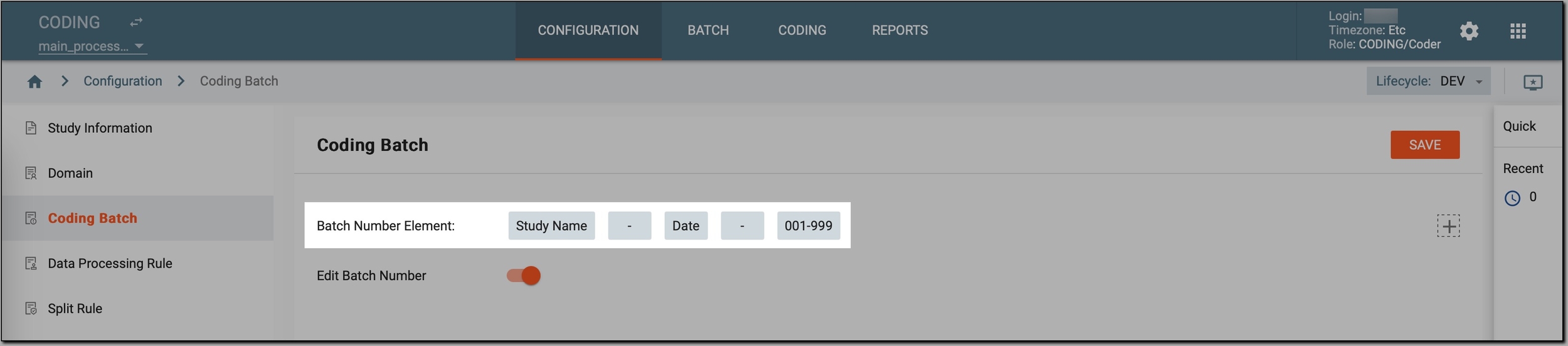 Figure 3. Viewing coding batch convention
-
If needed, you can change the default naming convention by doing the following:
-
Drag the boxes to change the order of the naming convention elements.
 Figure 4. Dragging naming convention elements
-
Hover over and select the x icon in the upper right corner of the convention element to remove it.
 Figure 5. Removing naming convention element
-
Create another element and make it a part of the naming convention. To do it, on the upper right corner of the page, select the plus icon
 and select one of the
following:
and select one of the
following: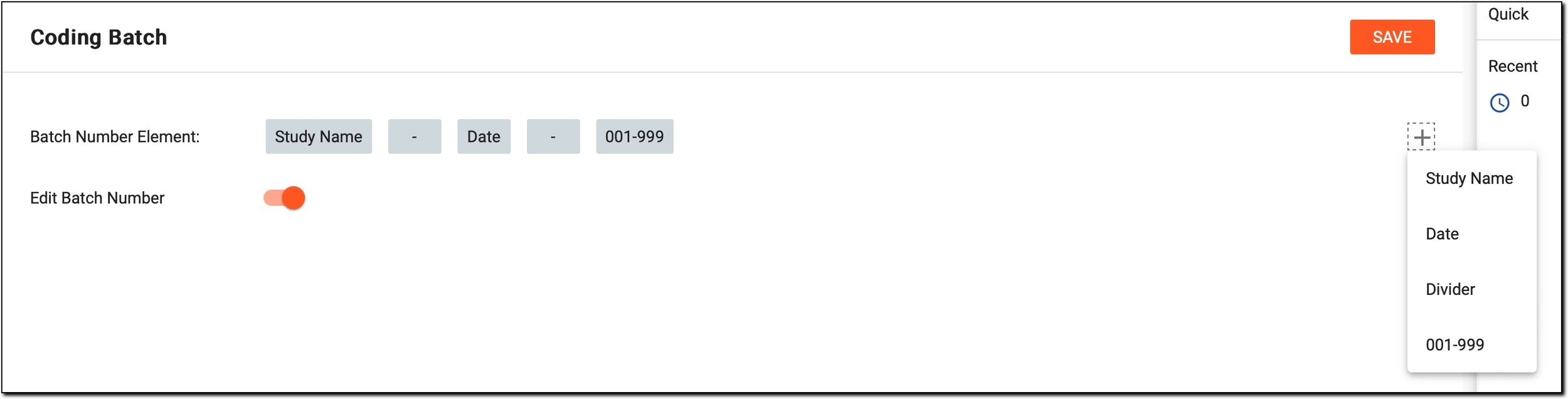 Figure 6. Changing naming convention
-
Study Name: represents the name of the study.
-
Date: represents the date of the batch creation.
-
Divider: represents a separator used to distinguish between different elements included in the coding batch name.
-
001–999: represents an incremental number that helps to differentiate multiple batches created on the same day.
-
-
-
If needed, switch the Edit Batch Number toggle on or off to permit or restrict users to edit the batch number in the batch list (BATCH tab > Batch List page).
-
To apply the changes, in the upper-right corner, select
 .
.
Once saved, the coding batches are to be named automatically according to the naming convention defined here, streamlining the batch identification process and reducing manual input errors.
-
Batch management