Upgrade synonym list
Upgrading a synonym list facilitates updating the coding results of verbatim terms (VTs) to a new MedDRA or WHODrug dictionary version, ensuring coding accuracy and compliance with the latest standards. For audit purposes, the upgrade history is recorded in the system.
-
In the Coding Admin application header, select the SYNONYM tab.
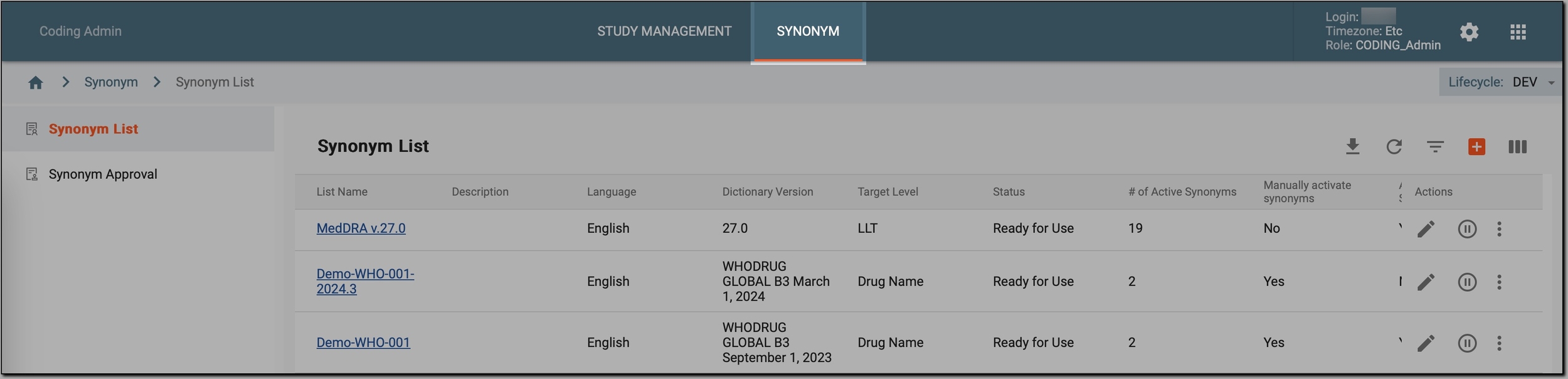 Figure 1. Accessing synonym configurations
-
In the left pane, select Synonym List.
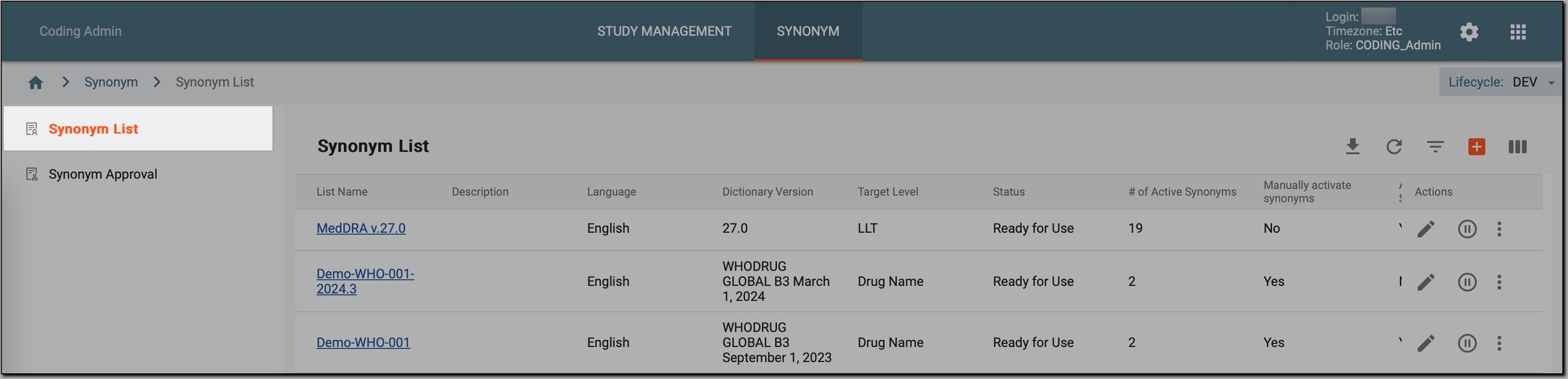 Figure 2. Accessing synonyms
-
In the Synonym List table that appears, go to the synonym list that you want to upgrade, select
 and then Upgrade
  .
.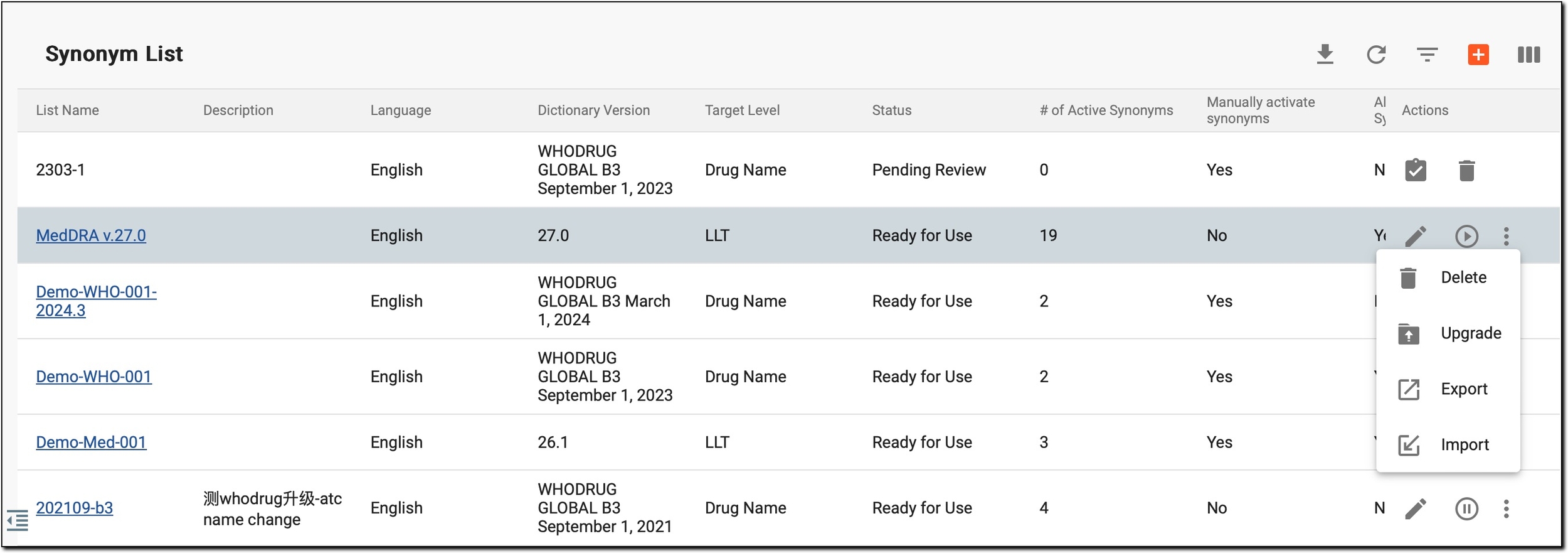 Figure 3. Initiating synonym list upgrade
-
In the Upgrade dialog, in the Target Dictionary Version field, view the target version of the dictionary to which the synonym list is being upgraded (this version is autopopulated by the system and cannot be selected manually).
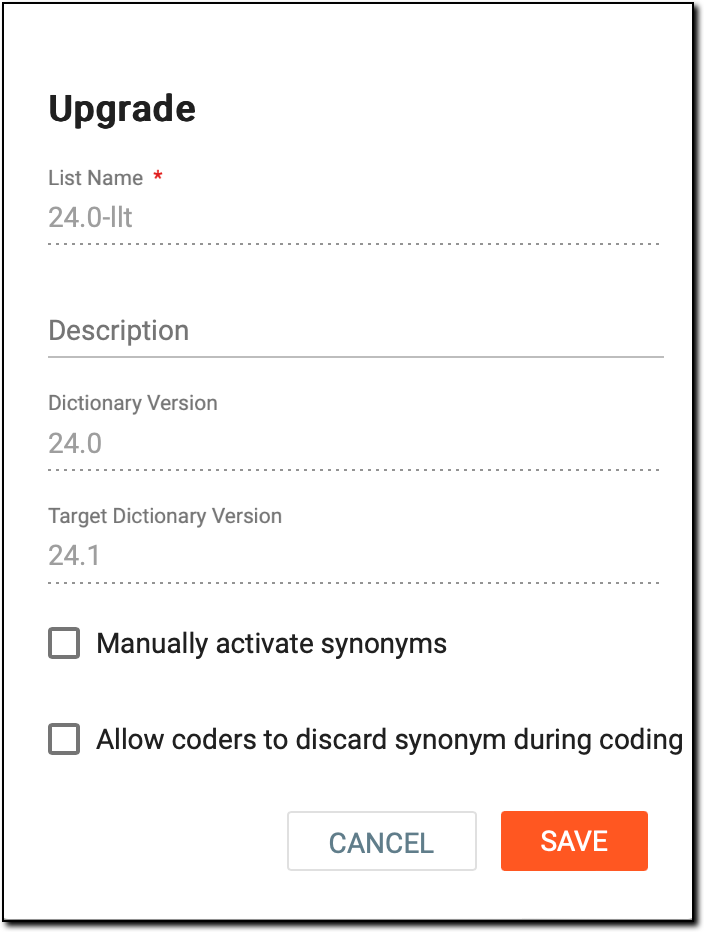 Figure 4. Upgrading synonym list
Important
-
A synonym list cannot be upgraded if it already uses the latest MedDRA/WHODrug dictionary version.
-
You cannot upload the next MedDRA/WHODrug dictionary version into the CODING application yourself. This task is performed by an EDETEK administrator whenever a new version is released and is accessible only to the EDETEK internal team.
-
You cannot skip versions during an upgrade. The upgrade always proceeds to the next available version only. Therefore, the Target Version field is autopopulated.
-
-
If needed, during the upgrade, in the Upgrade dialog, you can also update the other parameters of the synonym list, such as the list name or its description as explained in the following table.
Element
Details
List Name*
A read-only field that represents the name of the synonym list you are currently upgrading.
The field is inactive to prevent the creation of multiple synonym lists with different names when only the dictionary version changes, maintaining a structured and manageable list repository.Description
Modify the brief description of the upgraded synonym list and its purpose, if needed.
Dictionary Version
A read-only field indicating the current dictionary version from which the synonym list is being upgraded to the next version.
Manually activate synonyms
Select it if you want to activate the synonyms added to the upgraded synonym list manually. If left cleared, the synonyms become active immediately once they are added.
Allow coders to discard synonym during coding
Select it to allow coders to discard synonyms during the coding process.
Imagine a coder is presented with a list of synonyms for a specific medical term. They may find that one of the synonyms does not accurately reflect the context or specificity needed for the coding task. By checking this checkbox, coders can discard (not use) such synonyms during their coding process, ensuring that the final coded data accurately represents the medical information being recorded.
SAVE
Select
 to create an upgraded synonym list.
CANCEL
Select
 to cancel the upgraded synonym list creation and dismiss the changes.
Once saved, the following happens:
-
The system creates a new synonym list (with the same name) and transfers the synonyms from the original list to the new one.
-
The new synonym list appears at the top of the table and is not clickable, indicating the upgrade is not yet finished.
-
A dedicated user reviews and addresses the changes introduced in the upgraded list via the Reconcile feature.
-
Only after the review (reconciliation) is done, the synonym list becomes upgraded (appearing as a new synonym list), ensuring that a study can use the most current terminology, thereby enhancing the accuracy and relevance of the coding process. And for audit purposes, the old synonym list remains in the system.