Import synonym list
The Import feature is designed to simplify the addition of new synonyms from external sources into existing synonym lists, helping you to enhance your lists with updated terminology without creating entirely new lists. This means that you are not adding a brand new list but rather adding synonyms to an existing one.
Important
Before importing, ensure that the structure of the file with the new synonyms you plan to import complies with the format required by the CODING application. This can be achieved by doing one of the following:
-
Export any random synonym list (download it to your computer as an XLSX file), clear its existing data, and fill it in with new data.
-
Download a synonym list template and fill it in with the necessary data.
-
In the Coding Admin module application header, select the SYNONYM tab.
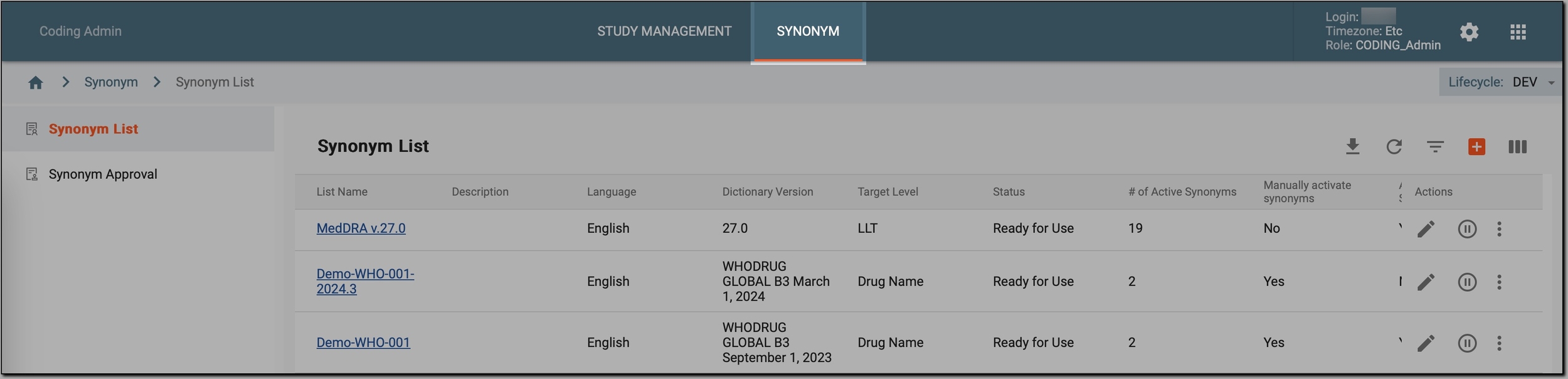 Figure 1. Accessing synonym configurations
-
In the left pane, select Synonym List.
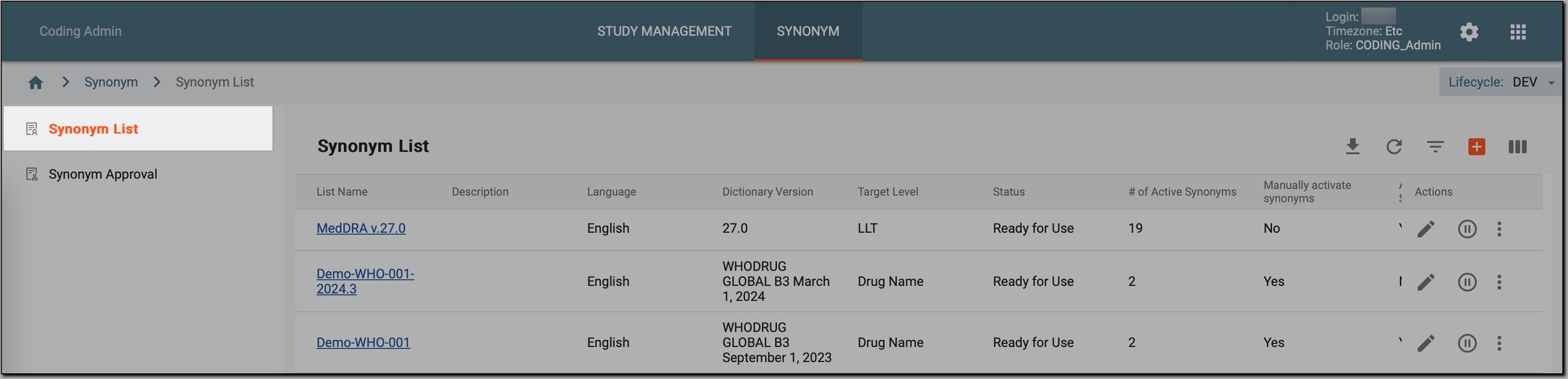 Figure 2. Accessing synonyms
-
In the Synonym List table, go to the synonym list where new synonyms should be added and select
 . Then, in the menu that appears,
select Import
. Then, in the menu that appears,
select Import  .
.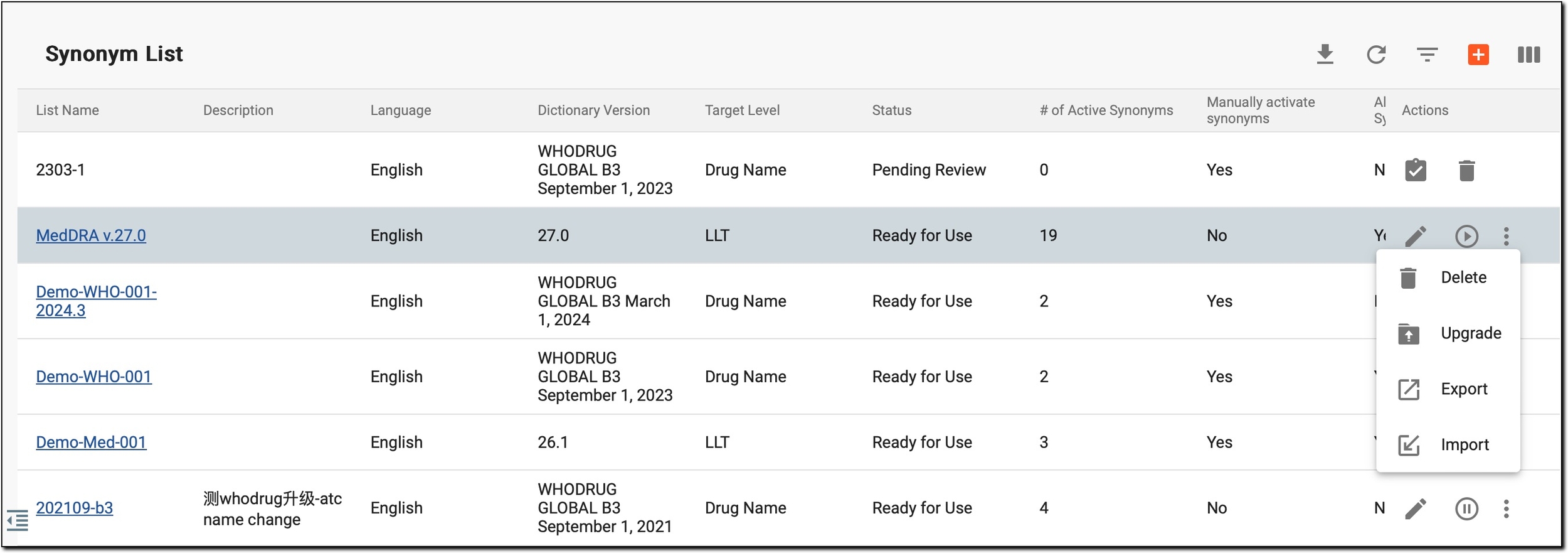 Figure 3. Initiating synonym list import
-
In the Import dialog that opens, click anywhere within the grey area or drag the file with new synonyms into this area, and select
 .
.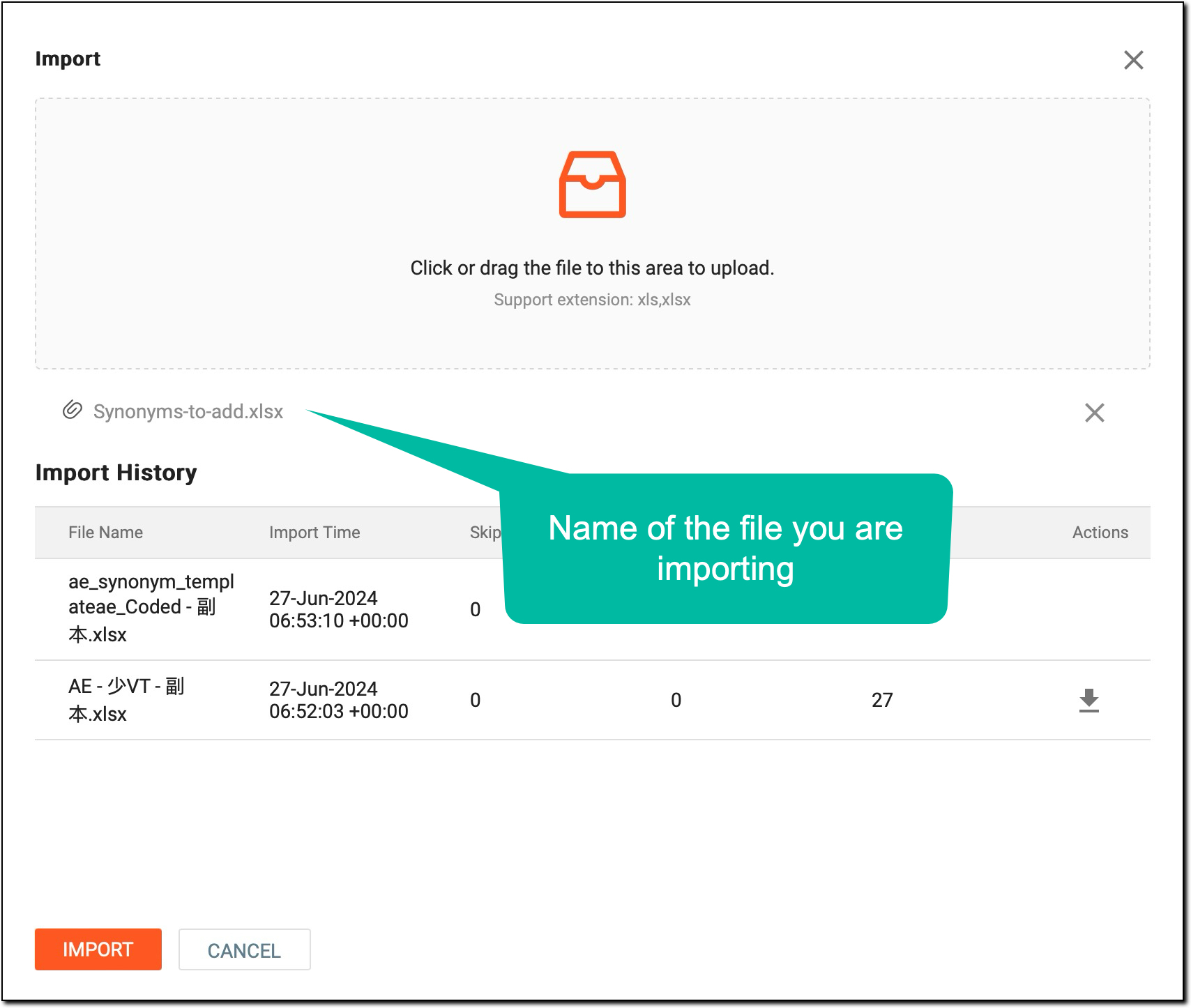 Figure 4. Importing new synonyms
-
Once done, in the Import History table, view the details of the import process as explained in the following table.
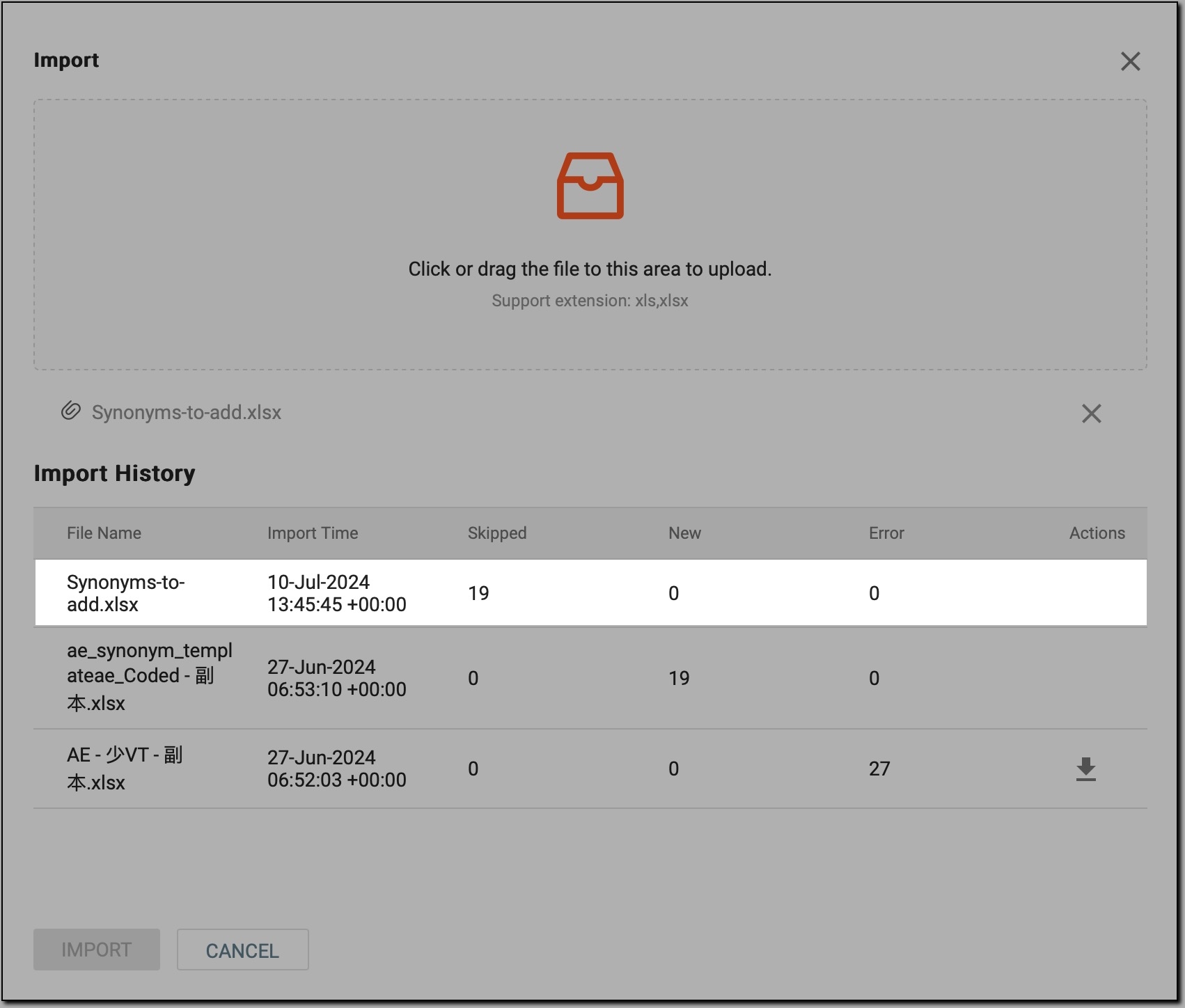 Figure 5. File imported
Column
Details
File Name
Displays the name of the file with new synonyms.
Import Time
Indicates the timestamp when the file was imported.
Skipped
Shows the number of entries skipped during the import process.
New
Displays the number of new entries successfully imported.
Error
Indicates the number of errors that occurred during the import process.
Actions
The only option available here is Download
 . It appears only for files that failed to import, helping you to
download the file, review the errors, and reupload (reimport) it.
. It appears only for files that failed to import, helping you to
download the file, review the errors, and reupload (reimport) it.
The file has been imported, and the synonym list now includes the newly added synonyms. Now, you can proceed to use it for coding and analysis purposes in a specific study or project.