Delete SDV result record
Source Data Verification (SDV) involves the review and comparison of data recorded in the source documents such as laboratory results, medical history, adverse event records, and so on against the data captured on the case report forms (CRFs).
Once you have selected the SDV type for your study and configured either global, general, or target SDV settings, the planning stage may be considered complete. You can now start to verify the CRF data against the source documentation and then track the outcomes under the SDV Result tab.
For Global and General SDV procedures, you can track the SDV completion status for the subject data on various forms and CRF items. If some of the previously added SDV result records are now irrelevant, you can delete them from the SDV Result list at any time to keep the result list up-to-date. Upon deletion, these records are moved to the Form Level Removed list, from where you can also permanently delete them.
Important
For the studies with a global SDV model set to less than 100%, the forms added to the SDV Result list become obligatory for SDV. The form that is deleted from the list becomes optional for SDV and it is added to the random SDV system algorithm.
-
In the EDC application header, select the STUDY INFO tab.
-
In the left pane of the page that opens, expand SDV and select the SDV Result tab.
-
In the SDV Result table that appears, under the Form tab, select the checkboxes next to the SDV result records that you want to remove.
-
Then from the workspace toolbar, select Delete
 .
.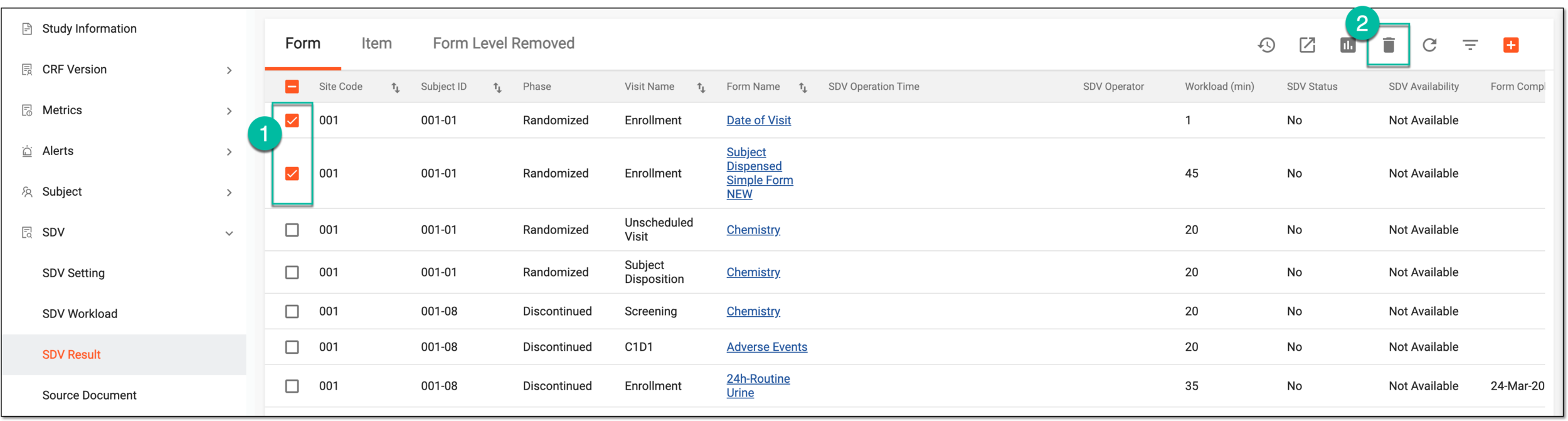 Figure 1. Selecting Delete option
-
In the Delete Item confirmation dialog that appears, select
 to delete SDV result records from the list.
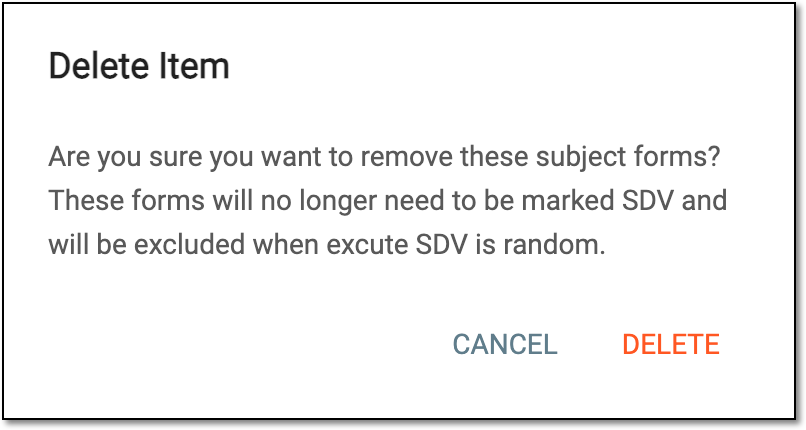 Figure 2. Deleting SDV result record
Once confirmed, the selected SDV result records are deleted from the list and moved to the Form Level Removed list, from where you can also permanently delete them.
Permanently delete SDV result record
Source Data Verification (SDV) involves the review and comparison of data recorded in the source documents such as laboratory results, medical history, adverse event records, and so on against the data captured on the case report forms (CRFs).
For Global and General SDV procedures, you can track the SDV completion status for the subject data on various forms and CRF items. If some of the previously added SDV result records are now irrelevant, you can delete them from the SDV Result list at any time to keep the result list up-to-date. Upon deletion, these records are moved to the Form Level Removed list, from where you can also permanently delete them.
-
In the EDC application header, select the STUDY INFO tab.
-
In the left pane of the page that opens, expand SDV and select the SDV Result tab.
-
On the page that opens, select the Form Level Removed tab.
-
In the table that appears, select the checkboxes next to the SDV result records that you want to permanently delete. Then from the workspace toolbar, select Delete
.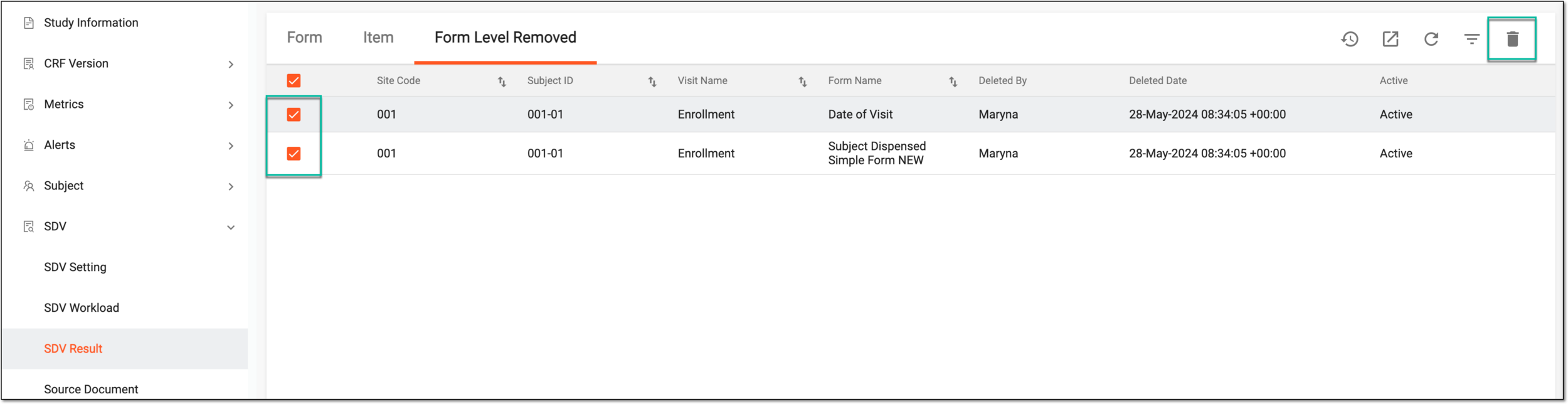 Figure 1. Deleting SDV result records
-
In the Delete Item confirmation dialog that appears, select
to delete the selected SDV result records permanently.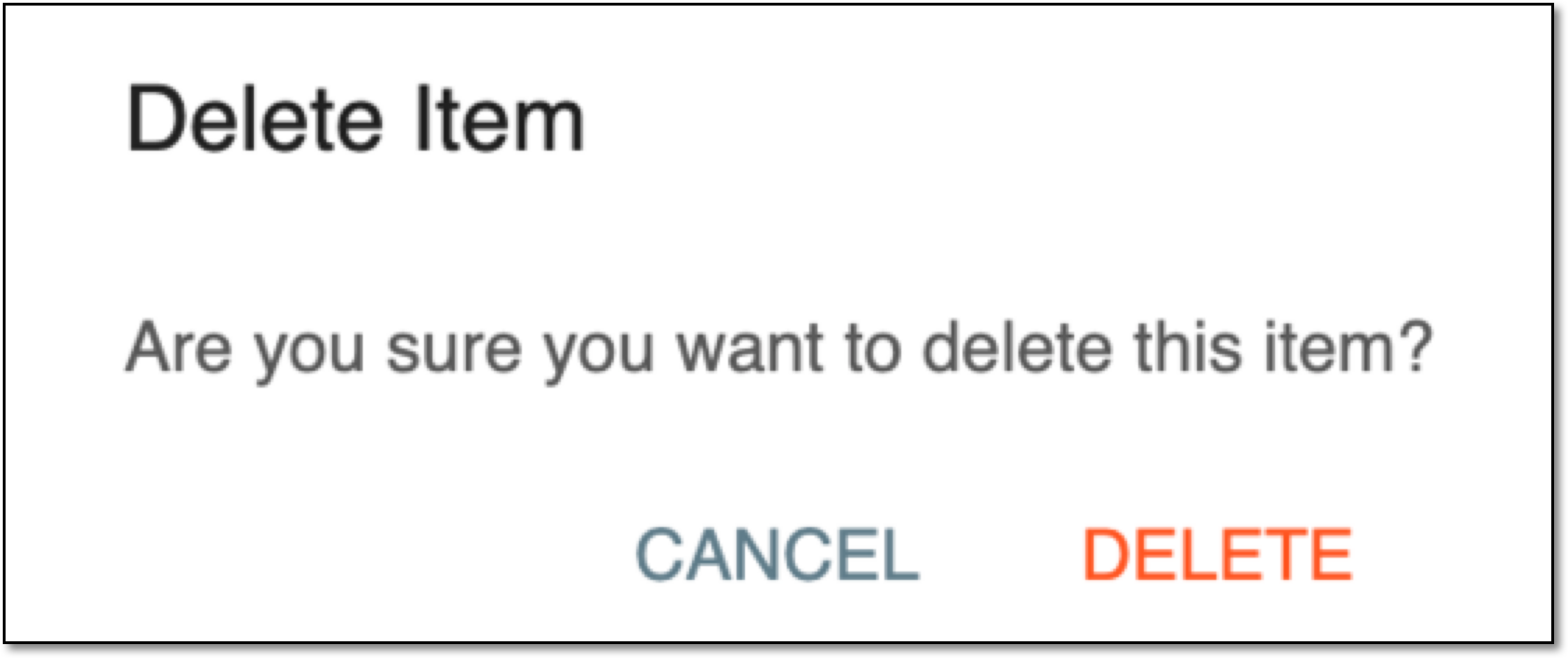 Figure 2. Confirming SDV result records deletion
Once confirmed, the selected SDV results are permanently deleted from the EDC system.