View subject site transfer report
In EDC, you can manually change the subject site if there is a reason for it, such as subject relocation or else. For traceability and compliance reasons, the details of all such site transfers are recorded by the system and can be reviewed via a dedicated report.
-
In the EDC application header, select the REPORTS tab.
-
On the page that opens, in the left pane, select the CRF Status subtab to expand the list of available reports and select Subject Site Transfer.
-
In the Subject Site Transfer table that appears, view the details of all subject site transfers for your study as explained in the following table.
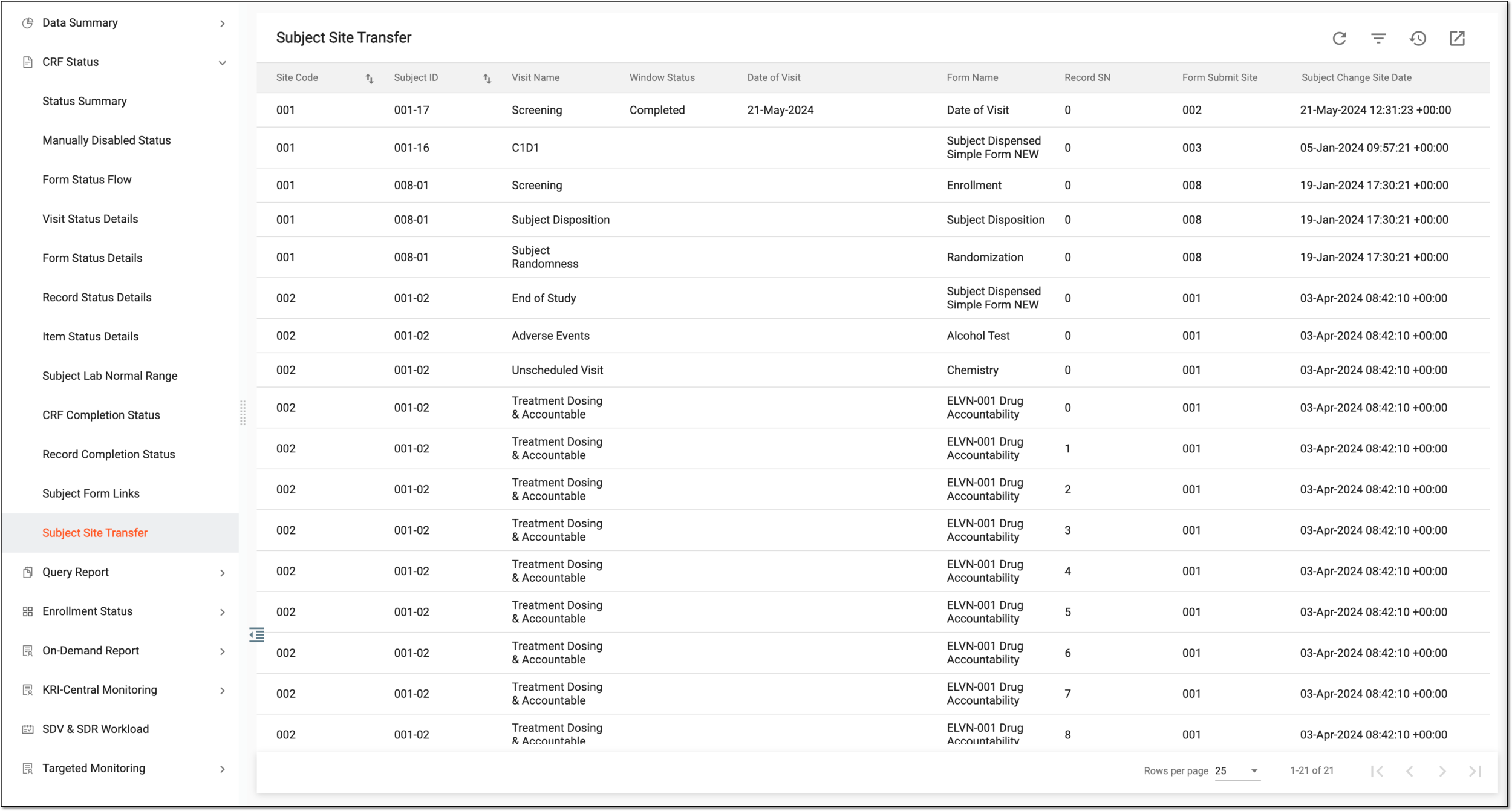 Figure 1. Viewing subject site transfer details
Column
Details
Site
Represents the site from which the subject is transferred.
[Unique ID Label]
Represents the unique identification of a subject who transferred sites.
The column name depends on the unique ID label configuration of your study in IWRS.Visit Name
Represents the name of the latest visit that took place for a transferred subject.
Window Status
Represents the status of a visit window for the transferred subject.
Date of Visit
Represents the date of the latest visit of the transferred subject.
Form Name
Represents the CRF that is the latest completed one for the transferred subject.
Record SN
Represents the serial number of a record within the CRF that is the latest completed one for the transferred subject.
This is only applicable to log forms.
Form Submit Site
Represents the site at which the latest subject CRF is completed at a visit.
Subject Change Site Date
Represents the date, time, and the timezone of the site transfer operation recorded in the EDC system.
You have analyzed the details of all site transfer operations for subjects of your study.