View dispatch file transfer history for integration setting
The integration enables the automation of data transfers between IWRS and various vendor data providers. Currently, the shipment data exchange is supported via integration. To establish the shipment data providers for your study, you add the respective vendors to the list of integrations and configure their integration settings.
One such integration type is dispatch integration based on which the system extracts the dispatch file on the shipments from the vendor's server and populates the data in IWRS for further shipment management. For each dispatch integration setting, you can review the complete history of file extractions.
-
In the IWRS application header, select the INTEGRATION tab.
-
From the left pane, select the Integration Setting subtab.
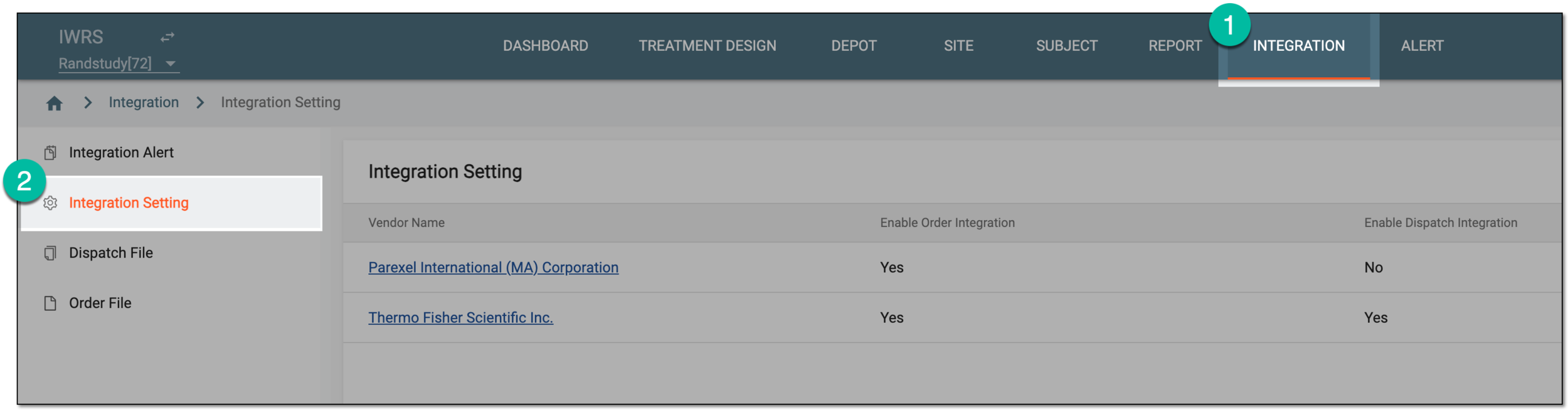 Figure 1. Accessing integration setting
-
In the Integration Setting table that appears, locate the vendor of your interest. Then from the Vendor Name column, select the hyperlink.
 Figure 2. Selecting vendor to access integration settings
-
On the page that opens, select the Dispatch Integration Setting tab.
-
In the Dispatch Integration Setting table that opens, locate the setting for which you want to view the file transfer history. Then from the Actions column next to it, select More
 > File Transfer History
  .
. Figure 3. Accessing file transfer history
-
In the File Transfer History dialog that opens, view the complete history of file extractions from the vendor's server according to this dispatch integration setting.
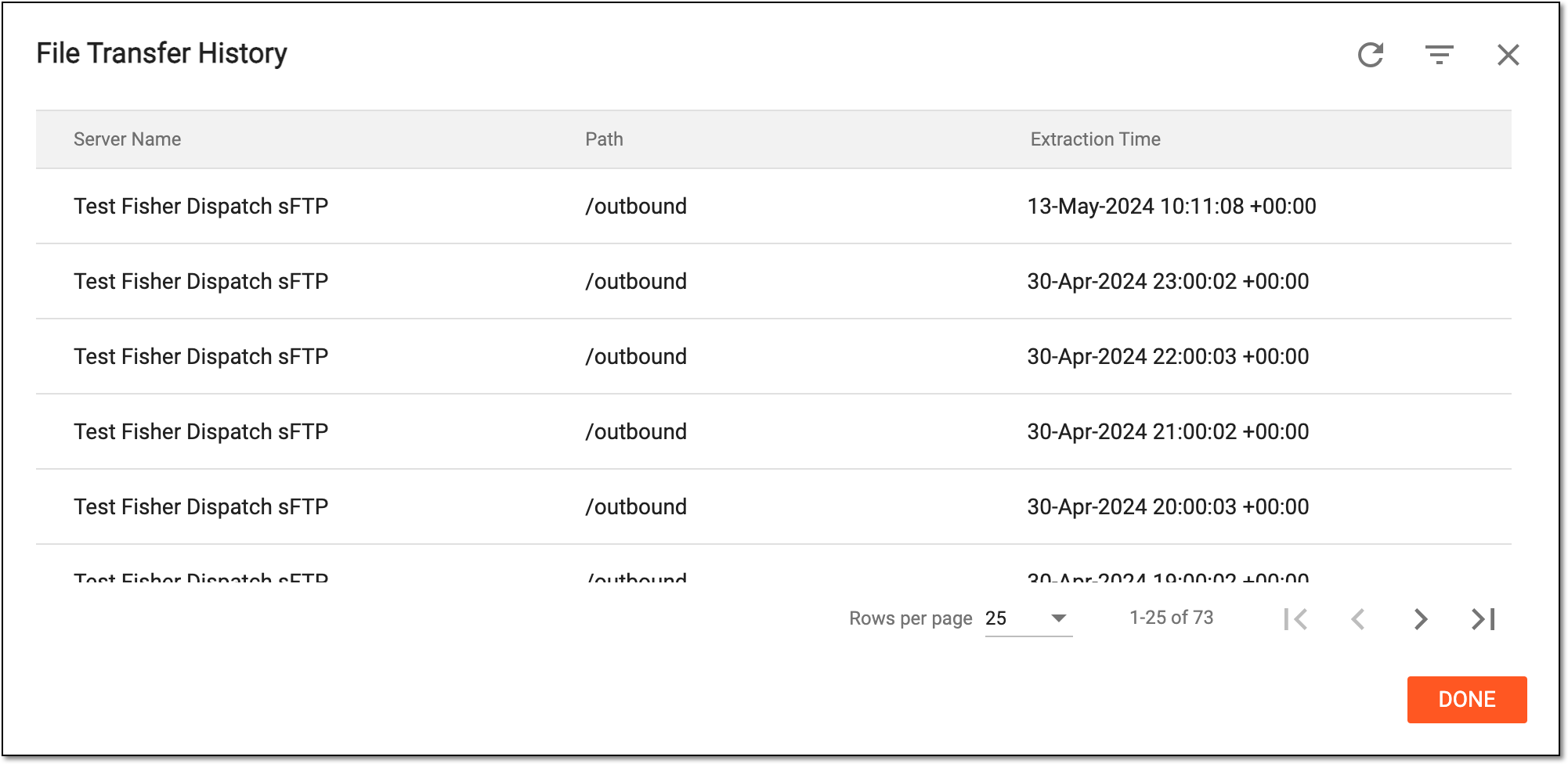 Figure 4. Accessing file transfer history
-
Select
 to close the dialog and return to the Dispatch Integration Setting list.
You have viewed the history of file transfers according to a specific dispatch integration setting.