Delete dispatch integration setting
In IWRS, you can configure integrations with various vendors with whom you have shipment relations and require constant data exchange. This allows for automated data export and import. For the data import, the dispatch integration setting is configured. However, during your study, you might need to delete some previously configured dispatch integration settings if they are no longer relevant.
-
In the IWRS application header, select the INTEGRATION tab.
-
From the left pane, select the Integration Setting subtab.
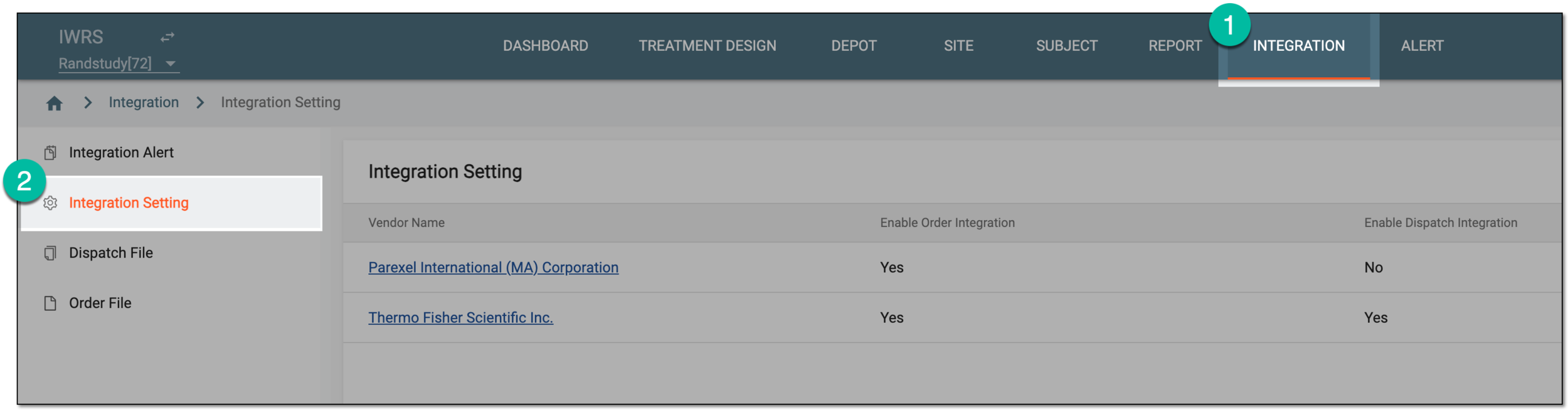 Figure 1. Accessing integration setting
-
In the Integration Setting table that appears, locate the vendor for whom you want to delete dispatch integration and from the Vendor Name column, select the hyperlink.
 Figure 2. Selecting vendor to access integration settings
-
On the page that opens, select the Dispatch Integration Setting tab.
-
In the table that appears, locate the dispatch integration you want to delete. Then from the Actions column next to it, select Delete
 .
. Figure 3. Deleting order integration setting
-
In the confirmation dialog that appears, select
 to proceed with deletion.
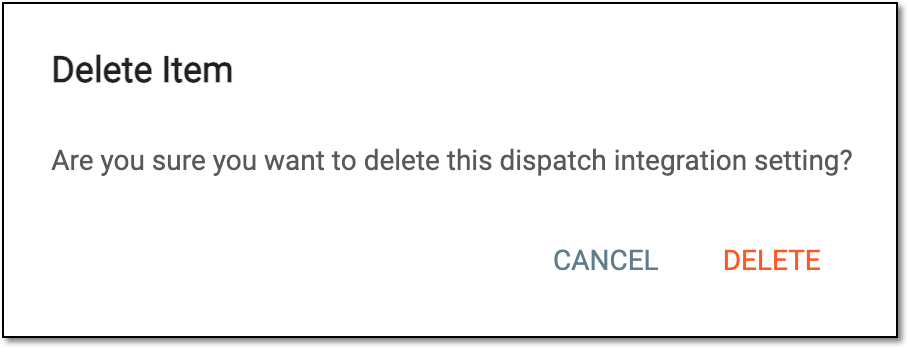 Figure 4. Confirming order integration setting deletion
Upon confirmation, the dispatch integration setting is deleted.