Add new vendor integration setting
The integration enables the automation of data transfers between IWRS and various vendor data providers. Currently, IWRS supports the exchange of shipment data with the vendors' SFTP file servers.
To establish the shipment data providers for your study in IWRS, you add the respective vendors to the list of integrations and enable the order or dispatch file exchange with them.
-
In the IWRS application header, select the INTEGRATION tab.
-
From the left pane, select the Integration Setting subtab.
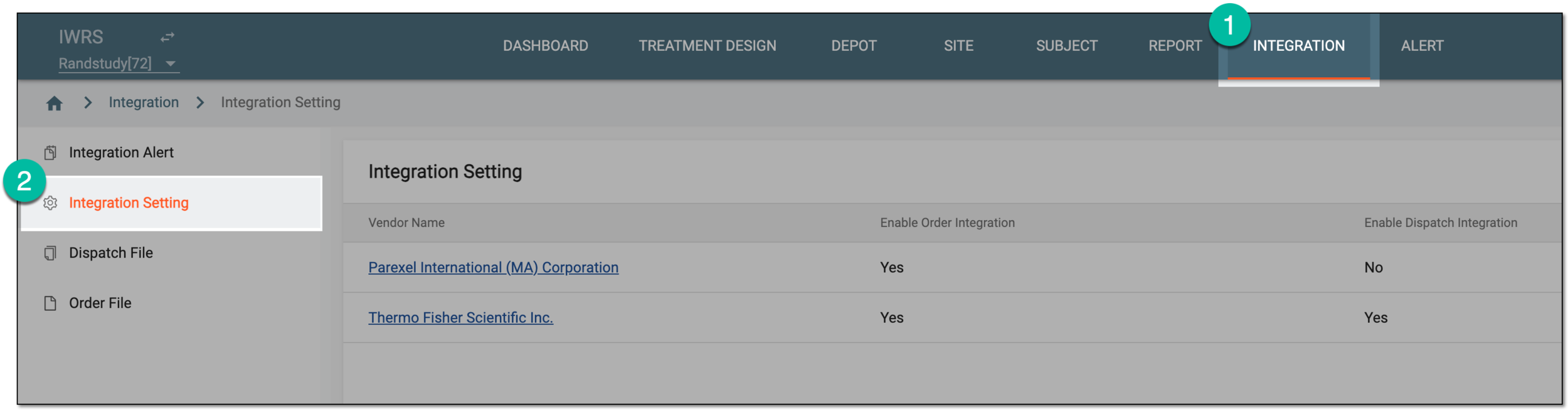 Figure 1. Accessing integration setting
-
On the Integration Setting page that opens, from the workspace toolbar, select New Item
 .
. Figure 2. Adding new integration setting
-
In the New dialog that appears, complete the vendor configuration as explained in the following table.
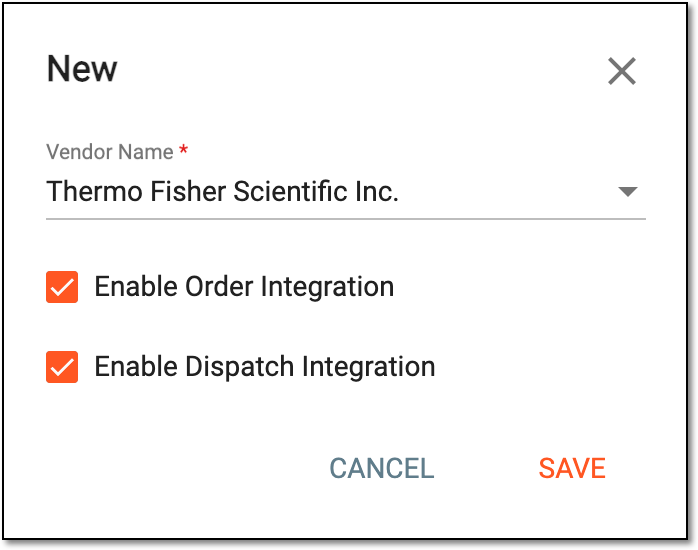 Figure 3. Adding new vendor details for integration
Tip
In the following table, mandatory elements are marked with an asterisk (*).
Element
Details
Vendor Name*
Select the vendor with whom you want to establish data exchange integration.
The vendors available for integration are configured by EDETEK administrators. Contact your administrator if you need to establish an integration with the vendor who is not on the list.Enable Order Integration
Select or clear the checkbox as follows:
-
Select the checkbox to establish the order integration with the vendor for the system to send the order file generated for all the supply shipments in IWRS to the vendor's server.
-
Clear the checkbox if you do not want to establish the order integration with the vendor.
Enable Dispatch Integration
Select or clear the checkbox as follows:
-
Select the checkbox to establish the dispatch integration with the vendor for the system to extract the dispatch file on the depot shipments from the vendor's server.
-
Clear the checkbox if you do not want to establish the dispatch integration with the vendor.
SAVE
Select
 to apply the implemented changes.
CANCEL
Select
 to discard the changes without saving, close the dialog, and return to the Integration
Setting page.
to discard the changes without saving, close the dialog, and return to the Integration
Setting page. -
Once saved, the new vendor is added to your study in IWRS. You can now configure the order integration setting or the dispatch integration setting for this vendor.