Edit permuted block randomization scheme details
In IWRS, you can select the randomization method—permuted block or dynamic—per cohort. If you select to use the permuted block (PB) randomization method for a cohort, a randomization scheme must be configured.
A randomization scheme is a plan according to which subjects enrolled in a study are randomized and receive their treatment. Once the scheme is configured, you might need to update its details, such as the name, type, method, and so on.
-
In the IWRS application header, select the TREATMENT DESIGN tab.
-
On the page that opens, in the left pane, select the Period subtab.
-
In the Period List table that appears, locate the period of your interest. Then in the Period Name column, select the value to open the period configurator.
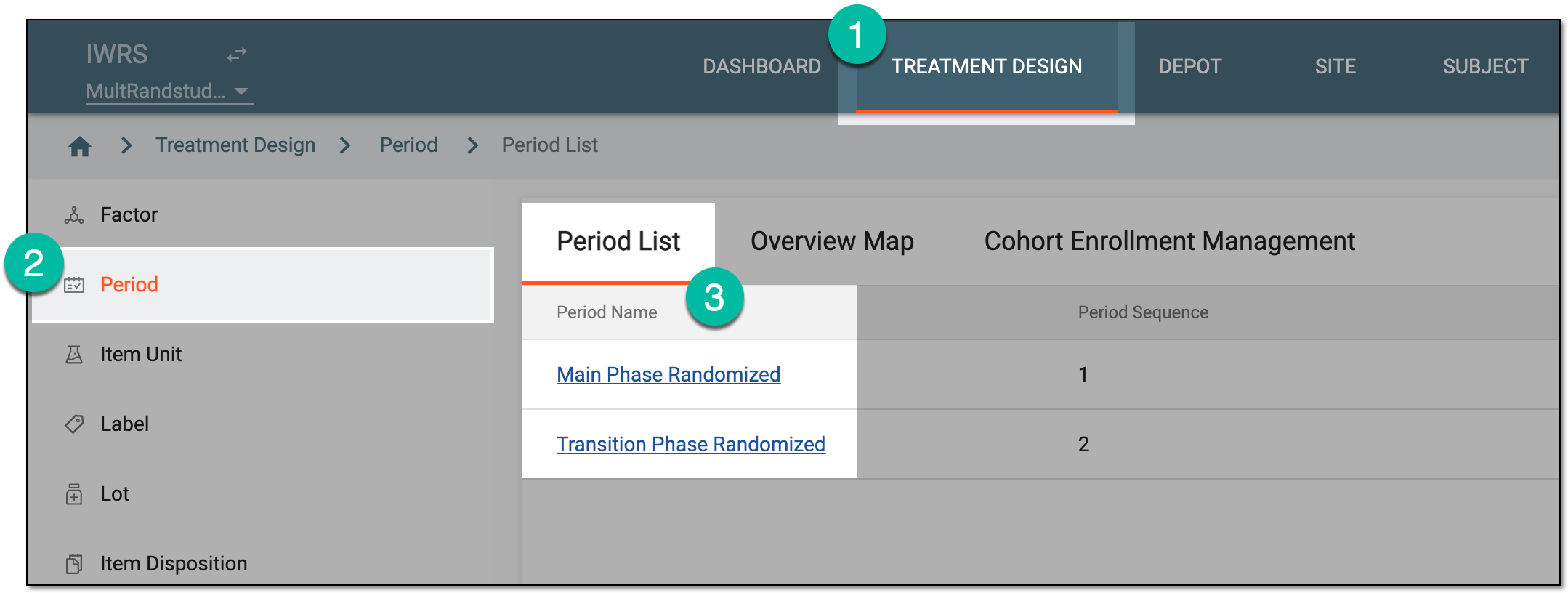 Figure 1. Selecting period to configure
-
In the period configurator, drill down the explorer tree and select Randomization List.
-
In the Randomization List table that appears, go to the randomization scheme that you want to update and next to it, select Edit
 .
.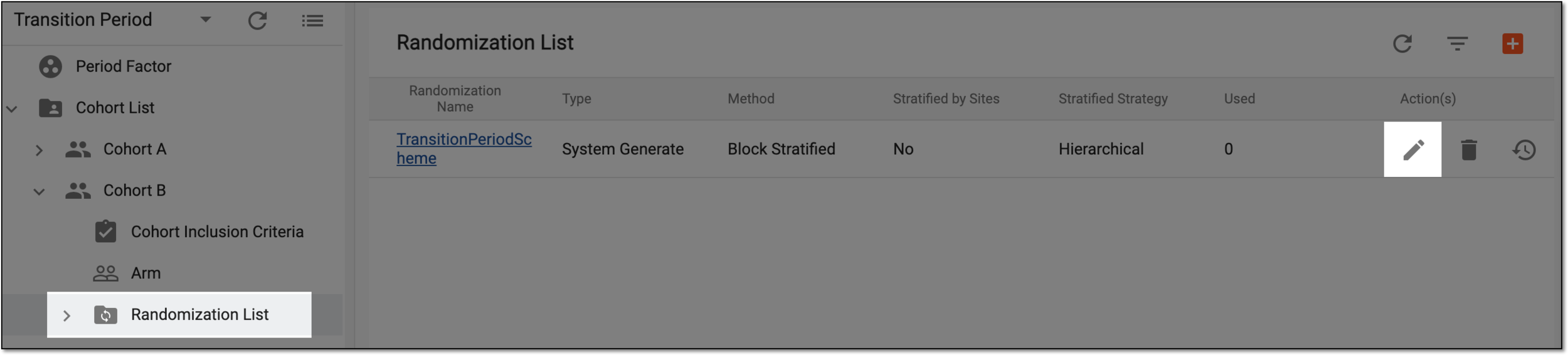 Figure 2. Edit randomization scheme option
-
In the Edit dialog that appears, update the fields as explained in the following table.
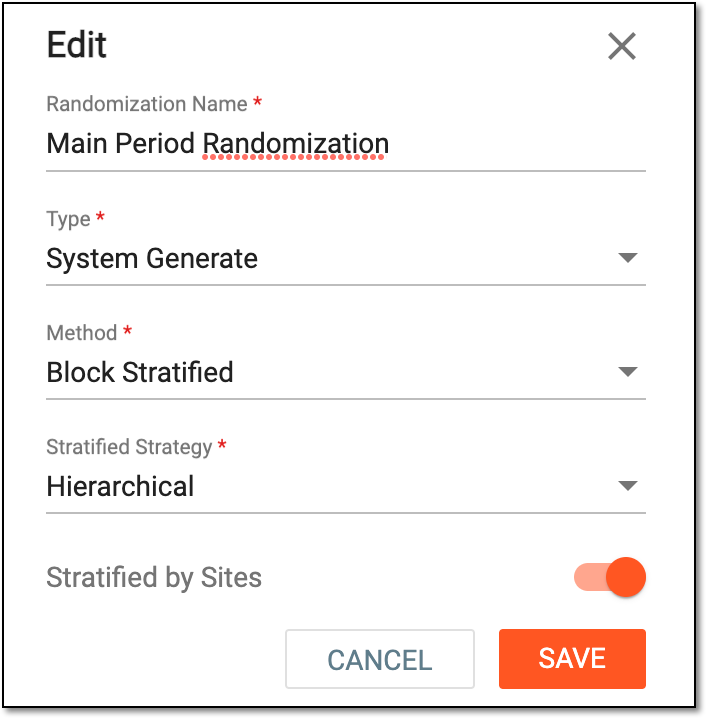 Figure 3. Updating randomization scheme
Tip
In the following table, mandatory elements are marked with an asterisk (*).
Element
Details
Randomization Name*
Enter a unique name of the randomization scheme you create.
Type*
Select one of the following randomization scheme types:
-
System Generate: select this option if the randomization scheme is to be configured via entering all the needed configuration parameters from scratch directly in the IWRS system.
-
Manual Upload: select this option if you want to configure the randomization scheme by uploading a configuration file from your computer and then mapping the fields in the file to the fields available in the IWRS system.
Method*
Select the method of your randomization scheme:
-
Block: this randomization method involves dividing participants into blocks or groups, with each block containing a predetermined number of participants. The treatment allocation is randomized within each block.
-
Block Stratified: this randomization method is similar to block randomization but incorporates an additional factor called stratification. Stratification involves dividing participants into subgroups based on certain factors such as age, gender, disease severity, or other relevant characteristics. In IWRS, for this method, you also need to select the stratification strategy.
-
Complete: this randomization method is the simplest and most basic and involves a random allocation of participants to treatment groups without any specific blocking or stratification. Each participant has an equal chance of being assigned to any treatment group.
Stratified Strategy*
Select the stratification strategy for your randomization. This selection is only available for the Block Stratified method. The values can be the following:
-
Hierarchical: select this strategy if you need to arrange your stratification factors into hierarchical levels.
For instance, the first level of stratification is by age, and the subjects are divided into two groups of 1-45 and 46-80 years old. The second level is by sex, and the subjects of each age group are divided into two groups—male and female. Then, each of the resulting four groups—1-45 male, 1-45 female, 46-80 male, and 46-80 female—are randomized into the respective arms of your study.
-
Parallel: select this strategy if you want to consider your stratification factors as parallel equipollent values.
For instance, one stratification factor is age, and another is sex. The subjects are divided into two groups by age—1-45 and 46-80 years old—and into two groups by sex—male and female. These stratified groups are not interconnected in any way. If the randomization ratio is satisfied by one of the stratification factors (for instance, by age), the subjects are randomized within these stratified groups regardless of the other ones (which, in our case, are stratified by sex).
Stratified by Sites
Turn the toggle on so that the site is automatically used as the stratified factor with the highest priority.
SAVE
Select
 to save the implemented changes.
CANCEL
Select
 to discard the changes, close the dialog, and return to the randomization scheme list of the Period configurator.
Important
If you are trying to update an ongoing or completed randomization scheme, the system gives you the respective error.
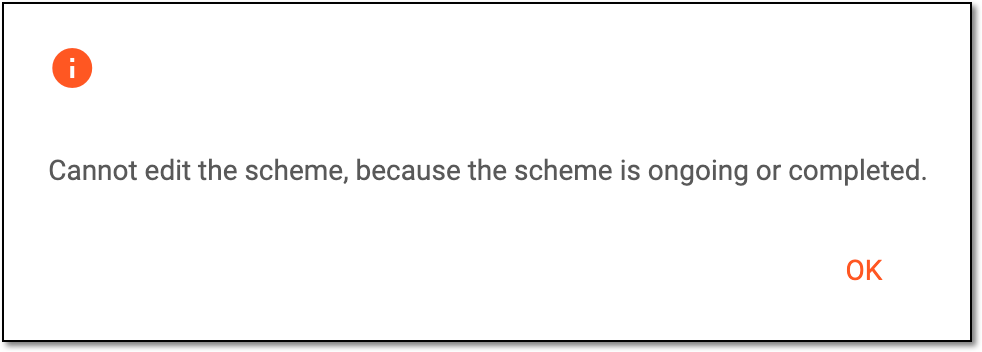 Figure 4. Receiving editing error
-
Once the changes are saved, your randomization scheme is been updated and a confirmation message appears at the bottom of the screen. All the changes performed are recorded by the system and traceable via the operation history.