Sync codelist to forms
A codelist is a predefined list of standardized codes representing specific responses or data points. The codelists are essential in the CRF design as they ensure consistency in data collection, making the data comparable across different subjects or time points.
In the Study Designer application, you can add new codelists to your study. Each codelist contains a collection of codes to be used as response items for specific questions in any form. Furthermore, you have the flexibility to add items to each codelist. Once these items are added, it is essential to ensure that the most current item responses are accessible on forms where the corresponding codelists are applied. To maintain this up-to-date alignment, you can use the Sync feature.
The codelist synchronization can be done in two different ways: when managing codelists or working with items.
Important
Before initiating the following procedures, ensure to select the latest unlocked CRF version from the toolbar of the CRF DESIGN tab, otherwise, you cannot sync the codelists in your study. The CRF version remains unlocked until it is submitted to EDC for data entry.
-
In the Study Designer application header, select the CODELIST tab.
 Figure 1. Accessing codelist management
-
In the Code List Setting table that appears, select Sync
 next to the codelist you
want to synchronize.
next to the codelist you
want to synchronize. Figure 2. Selecting option to sync codelist
-
In the Reference Item dialog that appears, check the list of variables that are associated with the selected codelist. These variables represent form questions whilst the codelist serves as a reference to response items.
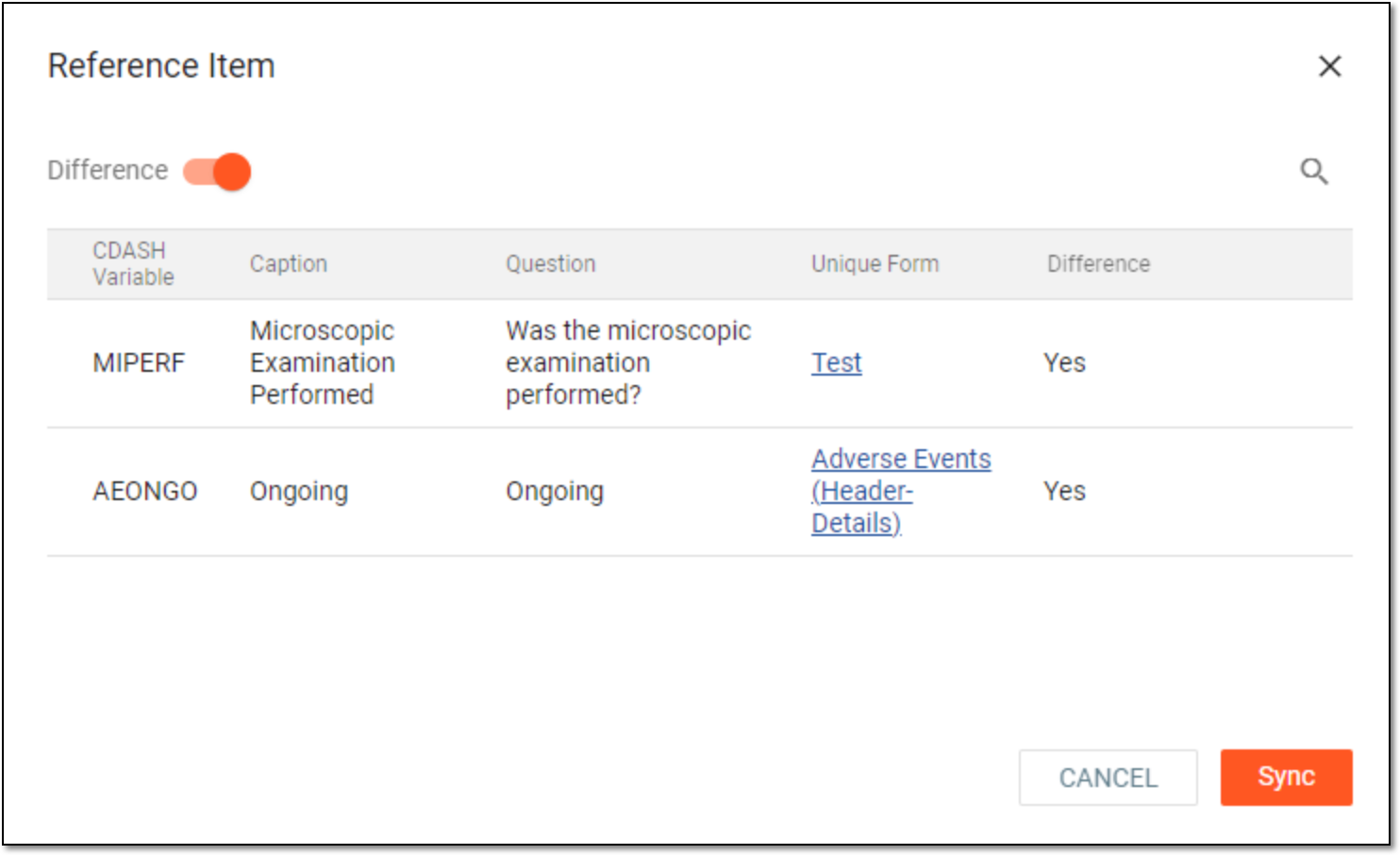 Figure 3. Syncing codelist items
Tip
Turn the Difference toggle on to view only the list of variables that are not updated with the most actual response items. Refer to the Difference column to see if the variable requires synchronization (Yes) or not (No).
-
Select
 to synchronize the codelist.
Once synchronized, the corresponding questions are updated with new response items.
-
In the Study Designer application header, select the CODELIST tab.
Figure 4. Accessing codelist management
-
In the Code List Setting table that appears, select a codelist whose code items you need to synchronize with variables.
 Figure 5. Selecting codelist
-
On the codelist details page that opens, from the workspace toolbar, select
 to view the list of variables that are not synchronized.
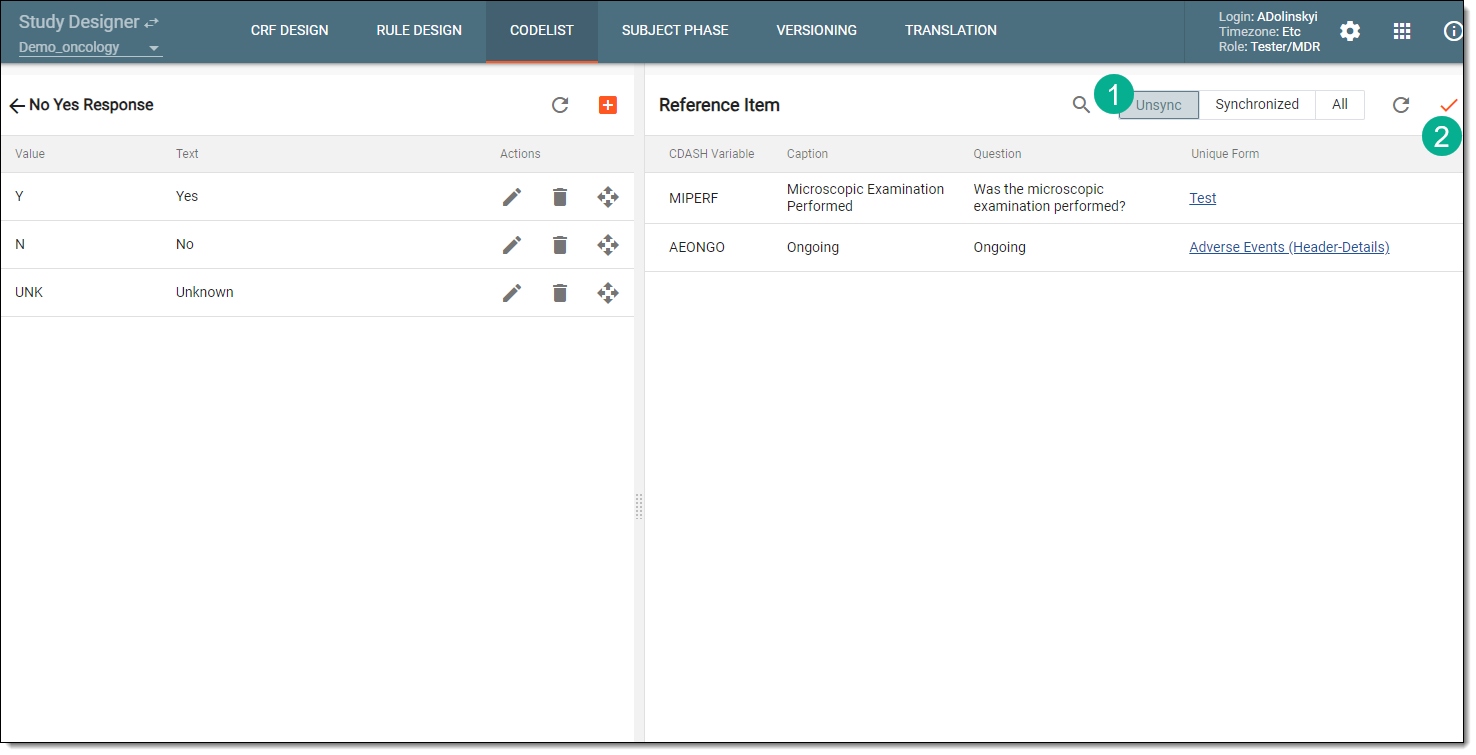 Figure 6. Syncing codelist items
-
Then select
 to synchronize the codelist.
Once synchronized, the corresponding questions are updated with new response items.