Create query reminder
A query reminder is a type of CTMS alert that can be customized to generate an email intended for the notification of dedicated users about pending queries in the application. These reminders can be used to update users on requests in monitoring visit trip reports, protocol deviation records, or ICF tracking log records.
By creating a query reminder, you automate the system to send an email to the CTMS user(s) whenever a new request that needs resolution opens or expires and awaits action. This automation streamlines communication and ensures the timely resolution of existing issues.
Important
Before creating a query reminder, make sure that the appropriate email template is set up. Even though you can configure reminder recipients and frequency, the email's subject and content are sourced directly from the predefined email template.
-
Access the study management page in one of the following ways:
-
In the CTMS application header, select the DASHBOARD tab and then select the study dashboard of your interest.
 Figure 1. Accessing study management from dashboard
-
In the CTMS application header, select the STUDY MANAGEMENT tab. Then from the Study Data List table, select the study name of your interest.
 Figure 2. Accessing study management from study data list
-
-
On the study page that opens, in the left pane, select Alerts > Query Reminder.
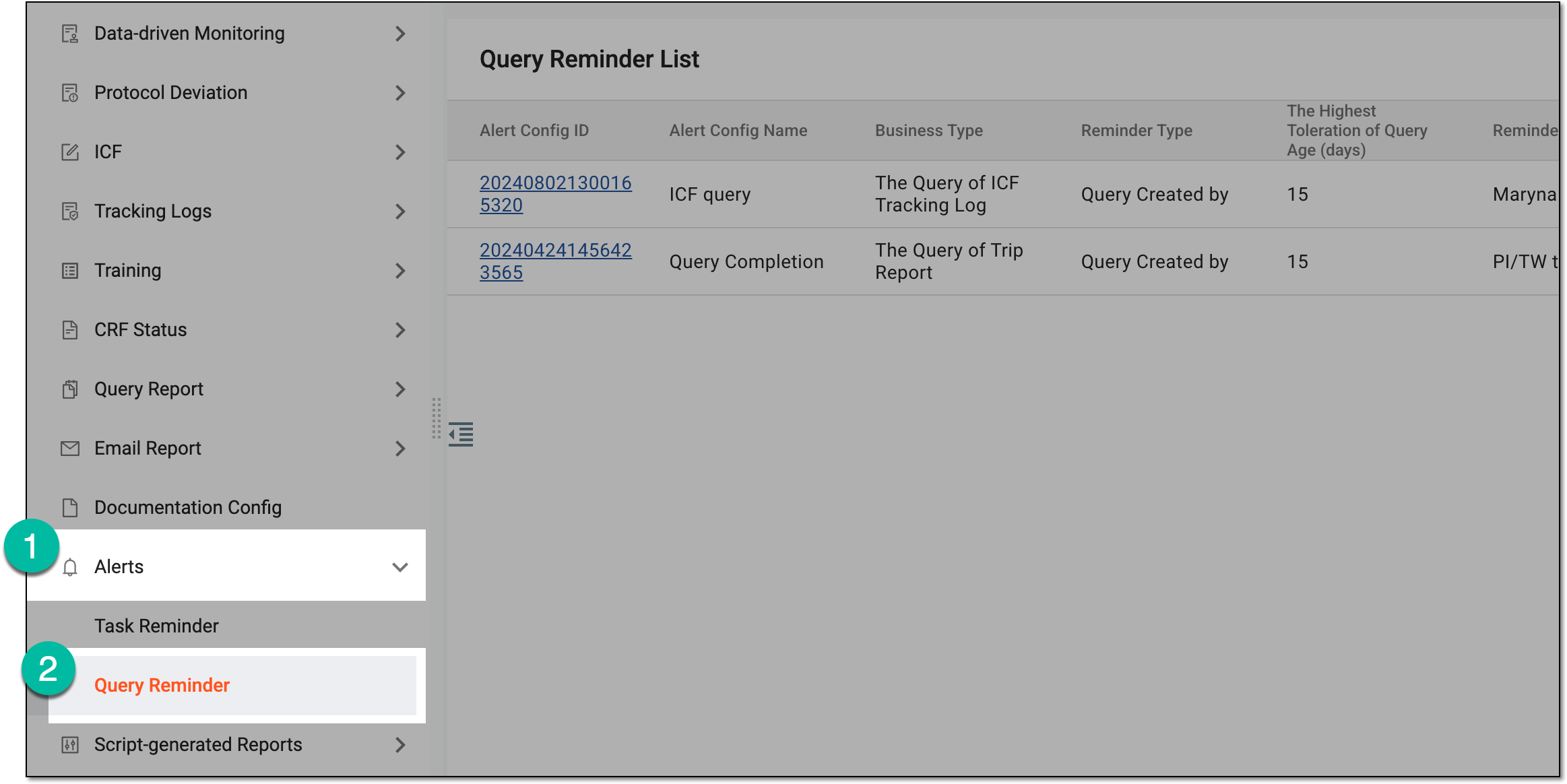 Figure 3. Accessing query reminders
-
From the workspace toolbar of the Query Reminder List table that appears, select New Item
 .
. Figure 4. Selecting option to create query reminder
-
On the page that opens, provide query reminder details as explained in the following table.
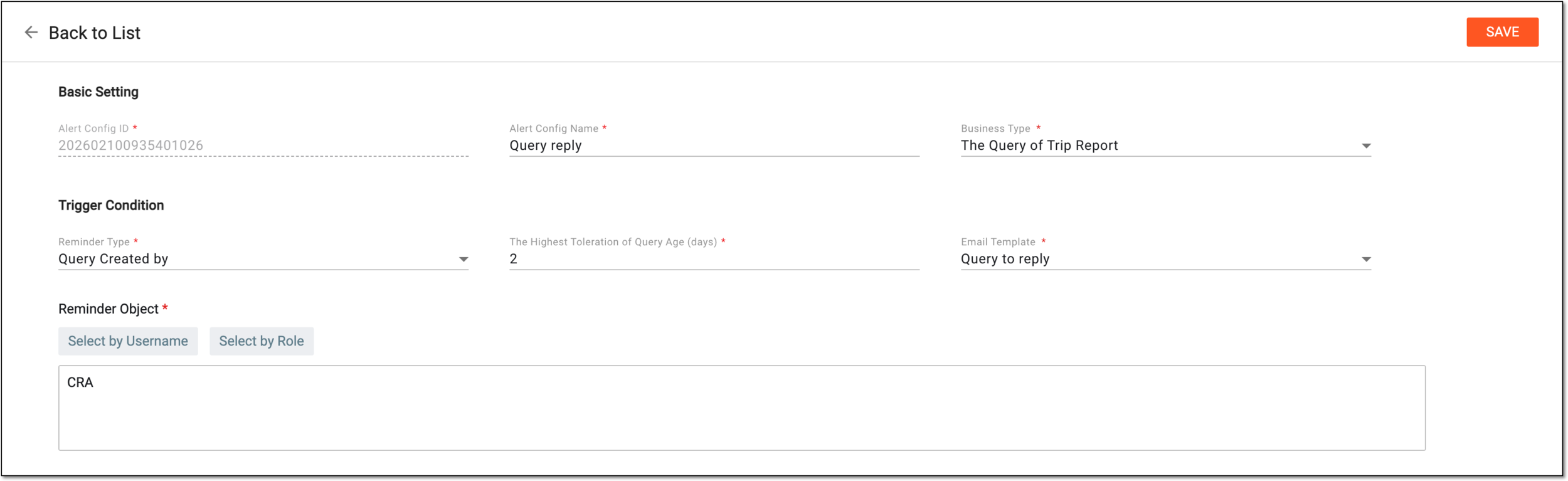 Figure 5. Creating query reminder
Tip
In the following table, mandatory elements are marked with an asterisk (*).
Element
Details
Alert Config ID
Represents a system-generated unique identifier for the query reminder you create and it cannot be changed.
Alert Config Name*
Enter a unique name for the query reminder you create.
Business Type*
Select one of the following options:
-
The Query of Trip Report: to remind about pending resolution queries in trip reports of monitoring visits.
-
The Query of PD Record: to remind about pending resolution queries in protocol deviation records.
-
The Query of ICF Tracking Log: to remind about pending queries in ICF tracking log records.
Reminder Type*
Select the Query Created by or Query Holding by option depending on whether you want the reminder to be sent to the query creator or assignee.
The Highest Toleration of Query Age (days)*
Enter the number of days that the query can be pending if there is no response from the query assignee.
Email Template*
Select the email template that is to be the source of the email subject and content for the query reminder.
Reminder Object*
Select either
 to assign users or
  to assign user roles who are to become recipients of query reminders.
SAVE
Select
 to create a query reminder.
 -
Once saved, a query reminder is created. Indicated recipients start receiving query reminders via email.