View form completion timeliness report
The form completion timeliness refers to the measurement of the time taken to complete the case report form (CRF). In the course of a clinical trial, it is crucial to collect data in a timely and accurate manner to ensure that the results of the study are reliable and valid. Therefore, measuring the timeliness of completing CRFs is essential to track the progress of the study and identify any potential issues that may impact the data quality.
The statistics presented in the Form Completion Timeliness report are pulled from the CTMS application based on the number of KRIs created with the Data Entry Timeliness category and have the risk indicator related to the form completion. These statistics include the data on the total number of completed forms, the average elapsed days required for the form completion, and so on.
-
In the EDC application header, select the REPORTS tab.
-
In the left pane of the page that opens, expand the KRI-Central Monitoring tab to see the list of available reports.
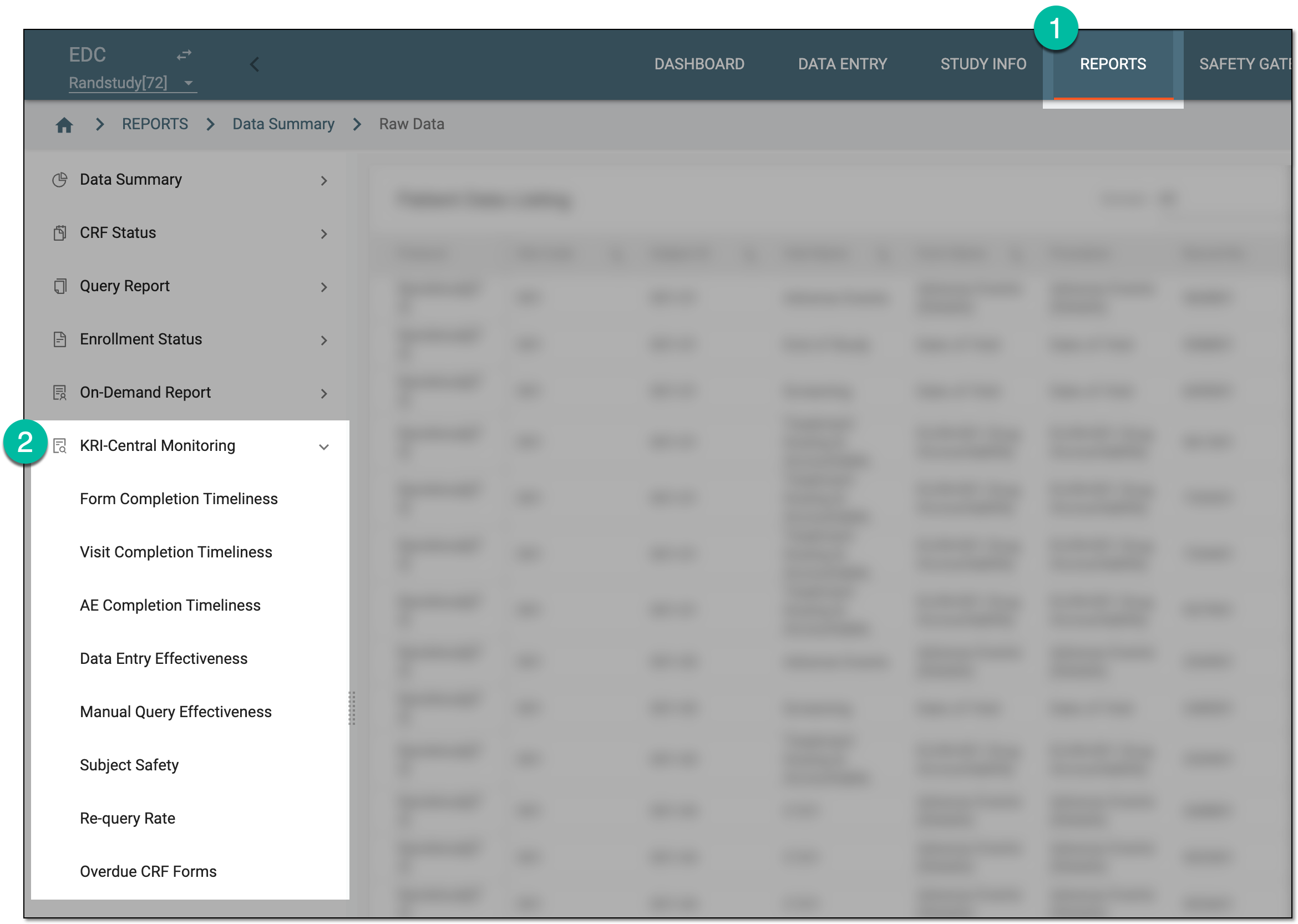 Figure 1. Accessing KRI report group
-
From the list that appears, select Form Completion Timeliness.
-
In the Summary tab that opens, view the summary statistics on form completion timeliness as explained in the following table.
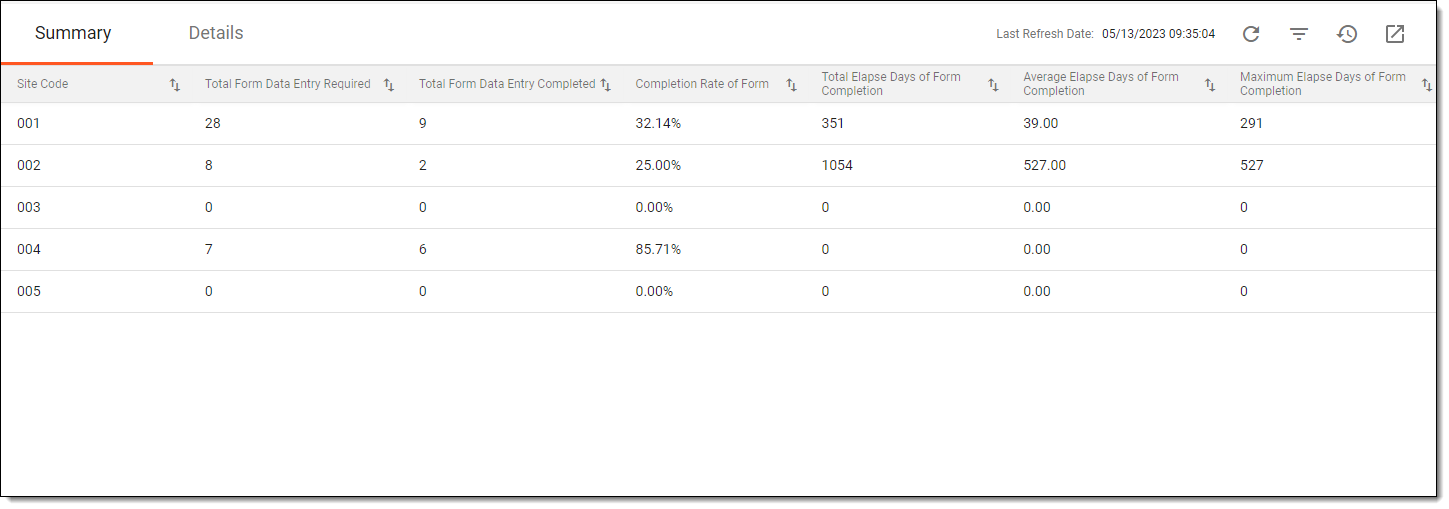 Figure 2. Viewing summary of form completion timeliness
Important
There may be no data available in the report or if the data is not the latest, then from the workspace toolbar, select Refresh
 to to pull the most recent data from CTMS.
Element
Details
Site Code
Represents the code of the site for which you are analyzing the information related to completed forms.
Total Form Data Entry Required
Represents the total number of forms at a particular site that need electronic data capture in the DATA ENTRY module.
Total Form Data Entry Completed
Represents the total number of forms at a particular site whose entire data is achieved.
Completion Rate of Form
Represents the completed forms rate based on the total number of forms that require data completion and the total number of forms whose data is completed.
The rate is calculated using the following formula:
Total forms whose data entry is completed in a particular site / Total forms whose data entry is required in a particular site
Total Elapse Days of Form Completion
Represents the total number of days it took to complete all the forms at a particular site. It counts the days passed since the forms were generated and made available to the day they were completed and submitted.
For example, at site 001, there are three forms: "Chemistry," "Enrollment," and "Demographics." The completion times are as follows: "Chemistry" took 3 days, "Enrollment" took 0 days, and "Demographics" took 5 days. To calculate the total elapsed days for completing all forms at site 001, sum up these individual times:
3 days (Chemistry) + 0 days (Enrollment) + 5 days (Demographics) = 8 days
Therefore, the total elapsed days for form completion at site 001 would be 8 days.
Average Elapse Days of Form Completion
Represents the mean of the number of days it took to complete and submit all the forms.
The average is calculated using the following formula:
Total number of elapsed days of all the forms completion of a particular site / Total number of completed forms of a particular site
Maximum Elapse Days of Form Completion
Represents the highest number of days a form took for its completion.
-
Then, switch to the Details tab to view the detailed statistics on form completion as explained in the following table.
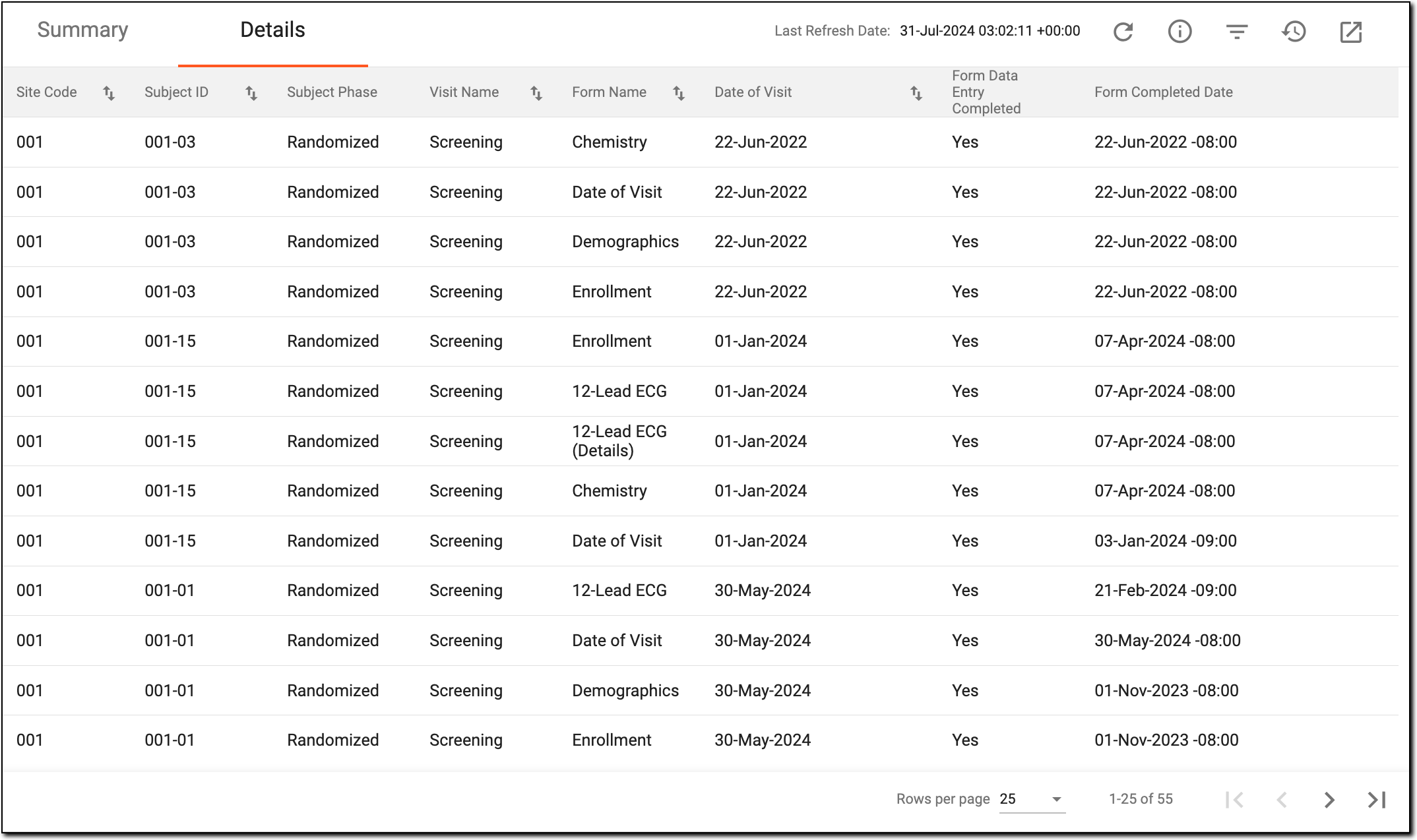 Figure 3. Viewing details of form completion timeliness
Element
Details
Site Code
Represents the unique identifier of the site at which the form is completed.
[Unique ID Label]
Represents the unique identifier of the subject to whom the form belongs.
The column name depends on the unique ID label configuration of your study in IWRS.If there are additional IDs configured for your study, you see as many such columns as there are IDs.Subject Phase
Represents the subject phase at which the form is completed, for example, Enrolled, Randomized, Completed, and so on.
Visit Name
Represents the name of the visit at which the form is completed.
Form Name
Represents the name of the form whose completion is analyzed.
Date of Visit
Represents the date when the visit occurred and the form was completed.
Form Data Entry Completed
Indicates whether the data is fully captured via CRF.
Form Completed Date
Represents the date when the form is completed. If the form is not completed, then this field remains blank.
Elapse Days of Form Completed
Represents the number of days it took for the form to be completed.
The days are calculated using the following formula:
The date form is completed - The date the visit entered the form
If the form completed date is less than the date of visit, then the elapsed days are zero, and if the form is not completed, then this field remains blank.
You have viewed the form completion timeliness report. You can also export the report as an XLSX file and work with it offline on your computer.
A specialized document in a clinical trial designed to collect the subject data.
See also eCRF.
An eClinical application that is mainly used to manage and control the personnel, communication, budget, progress, expenses, documents, and declaration involved in the entire clinical trial. It provides study and site management, study quality control, study progress tracking, project management, risk management, reports, and a visualized dashboard.
Get to know all the possibilities of the app with the comprehensive CTMS User Guide.
An eClinical application that represents unified and configurable subject randomization and trial supply management tool for subject grouping, drug inventories, shipments, and dispensations, as well as other vital processes during a clinical trial.
Get to know all the possibilities of the app with the comprehensive IWRS User Guide.
A specific phase that a subject has to complete in the course of a clinical trial to move further to the next phase. For instance, Screening, Enrolled, Randomized, and others.
 |
In eClinical, subject phases are designed individually for each study via the SD application, although they are referenced in others, like IWRS or EDC.