View sites added to CTMS
All sites added to the CTMS system are displayed in the Site List table.
-
In the CTMS application header, select the ENTITY MANAGEMENT tab.
-
On the page that opens, in the left pane, leave the Site tab selected.
-
On the Site List page, view all the sites added to the CTMS system.
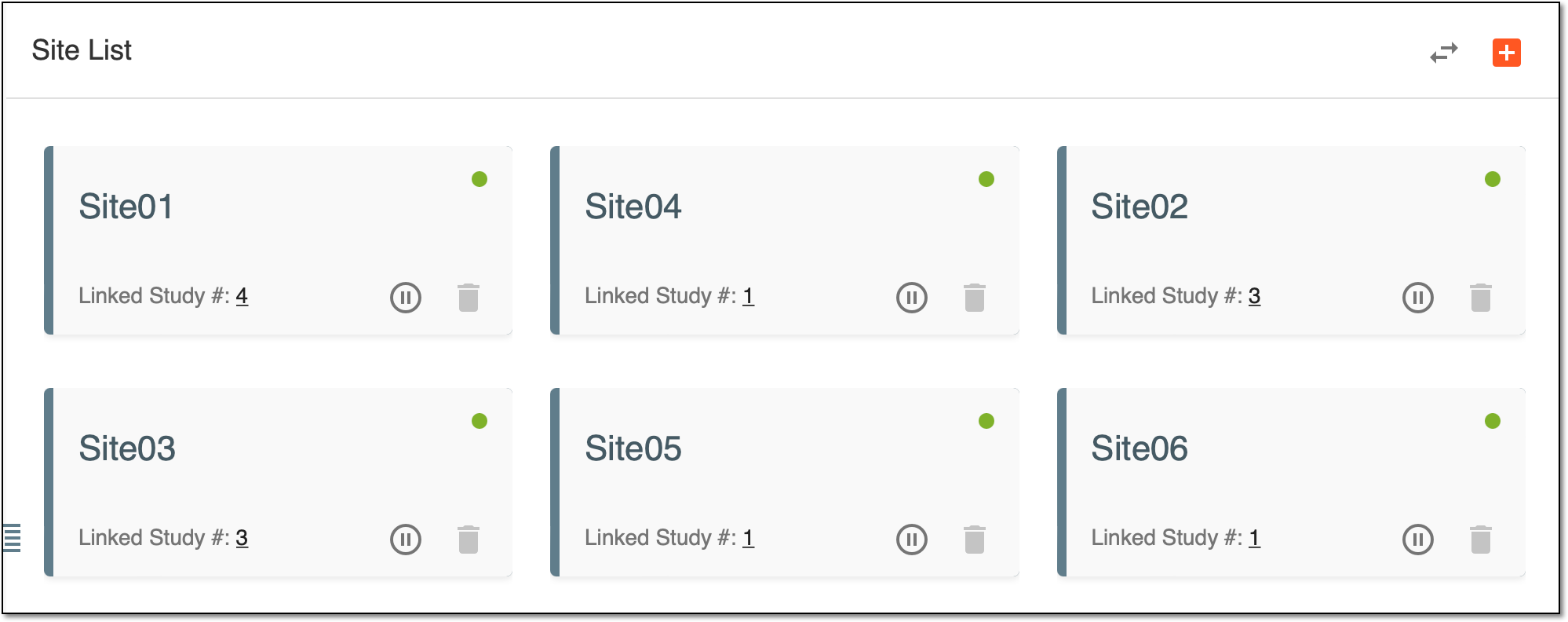 Figure 1. Observing sites added to CTMS
Each site is displayed in a separate tile providing you with some basic information about it.
|
Tile element |
Details |
|---|---|
|
|
Represents the site name. |
|
|
Represents the site status.
|
|
|
Indicates the number of studies this site is linked to. For example, if you see "4", it means that this site is used as the research location for four studies at a time. Click the number and view the detailed information about the studies the site is linked to. |
|
|
|
|
|
Select
|






To view more detailed information about a certain site (such as the site address or site location), simply select the tile you need. Then on the page that opens, check the site details.
Tip
You can also view the sites in a list mode. To do so, above the tiles, select  . For more information, see Change view of Site List table.