Check code list reference details
In CTMS, you can view the exact location of where the code list is used in the protocol deviation or monitor template. This may be required if you want to modify (such as edit or delete) a code list but the system is either hindering the action or creating a new version of the code list. Thus, you need to check which templates use the code list to fix the issue.
-
In the CTMS application header, select the LIBRARY tab.
-
On the page that opens, from the left pane, select the Code List subtab.
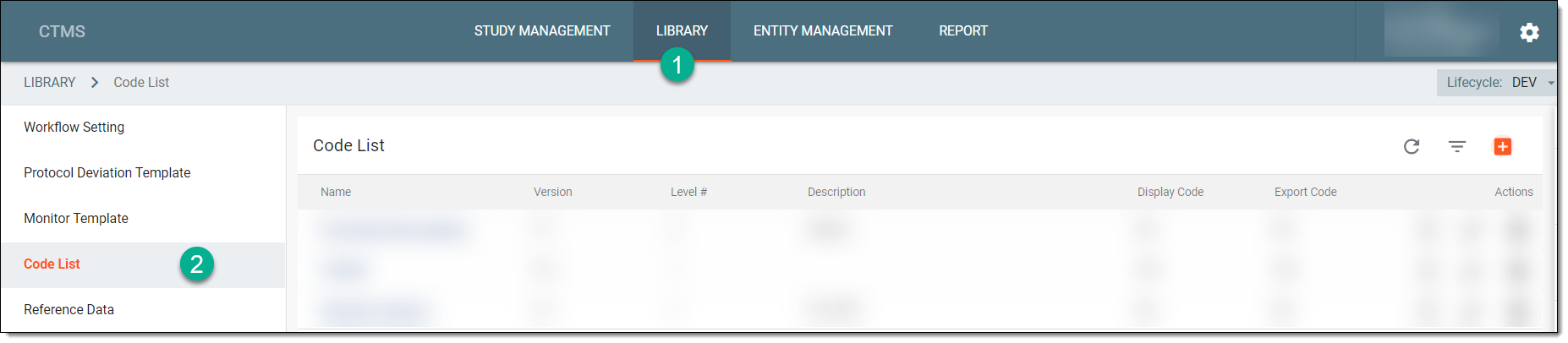 Figure 1. Accessing code list
-
From the Code List table, locate the needed code list, and next to it, from the Action(s)
column, select More
 > Reference Item
  .
.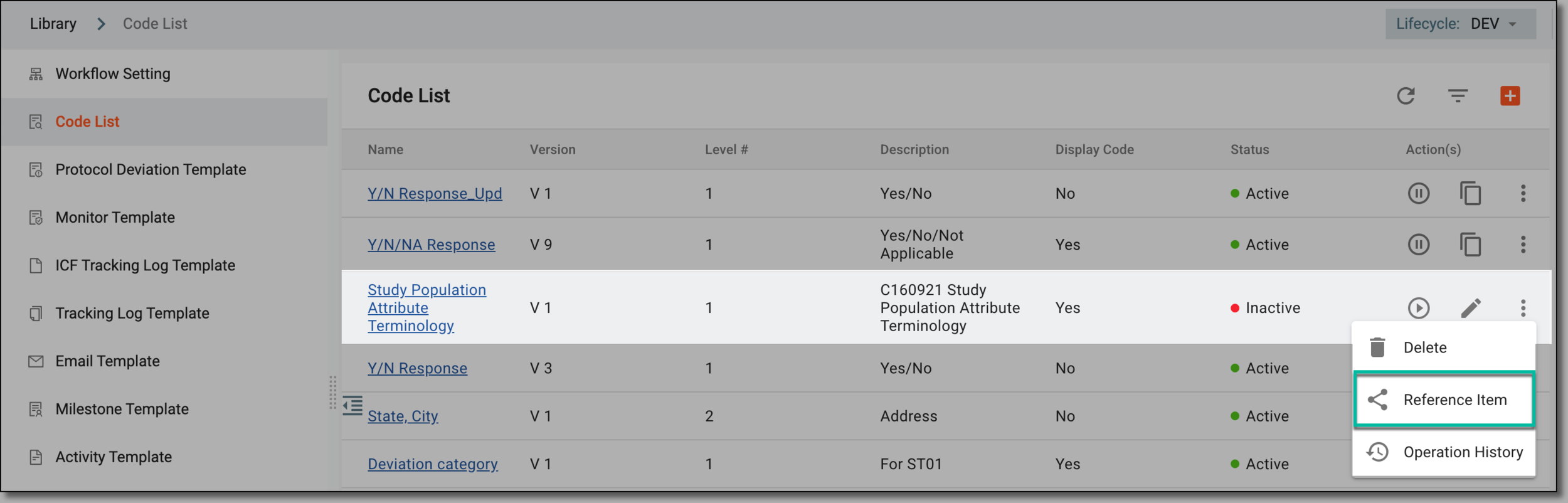 Figure 2. Selecting to check code list references
Tip
Alternatively, select the name of the code list, and on the Details page that opens, from the right pane that displays basic information about the code list, select Reference Item
.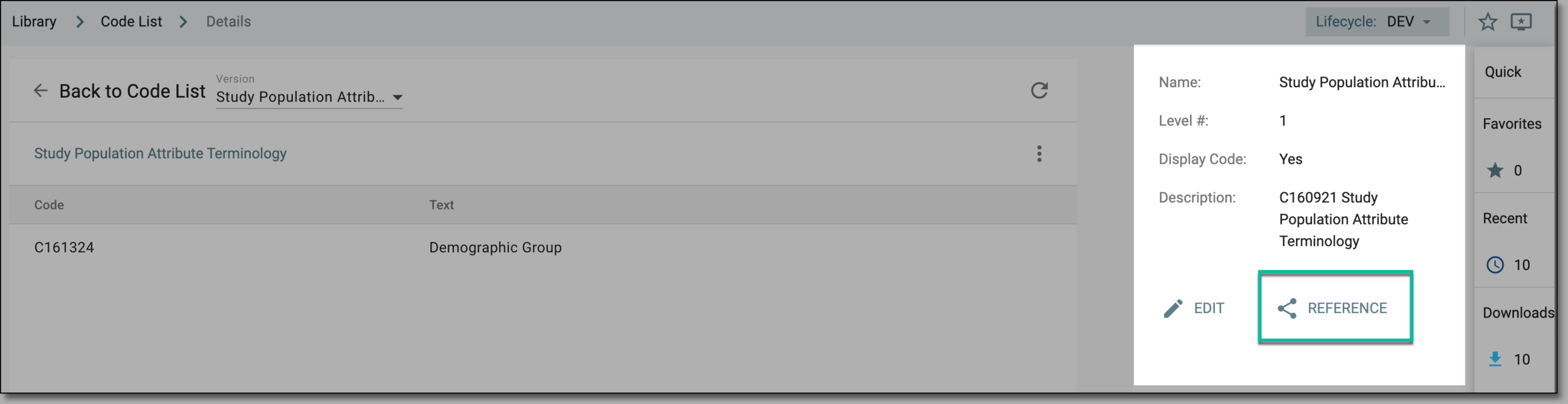 Figure 3. Accessing alternate option to check code list references
-
In the Reference Item dialog that appears, view the details as explained in the following table.
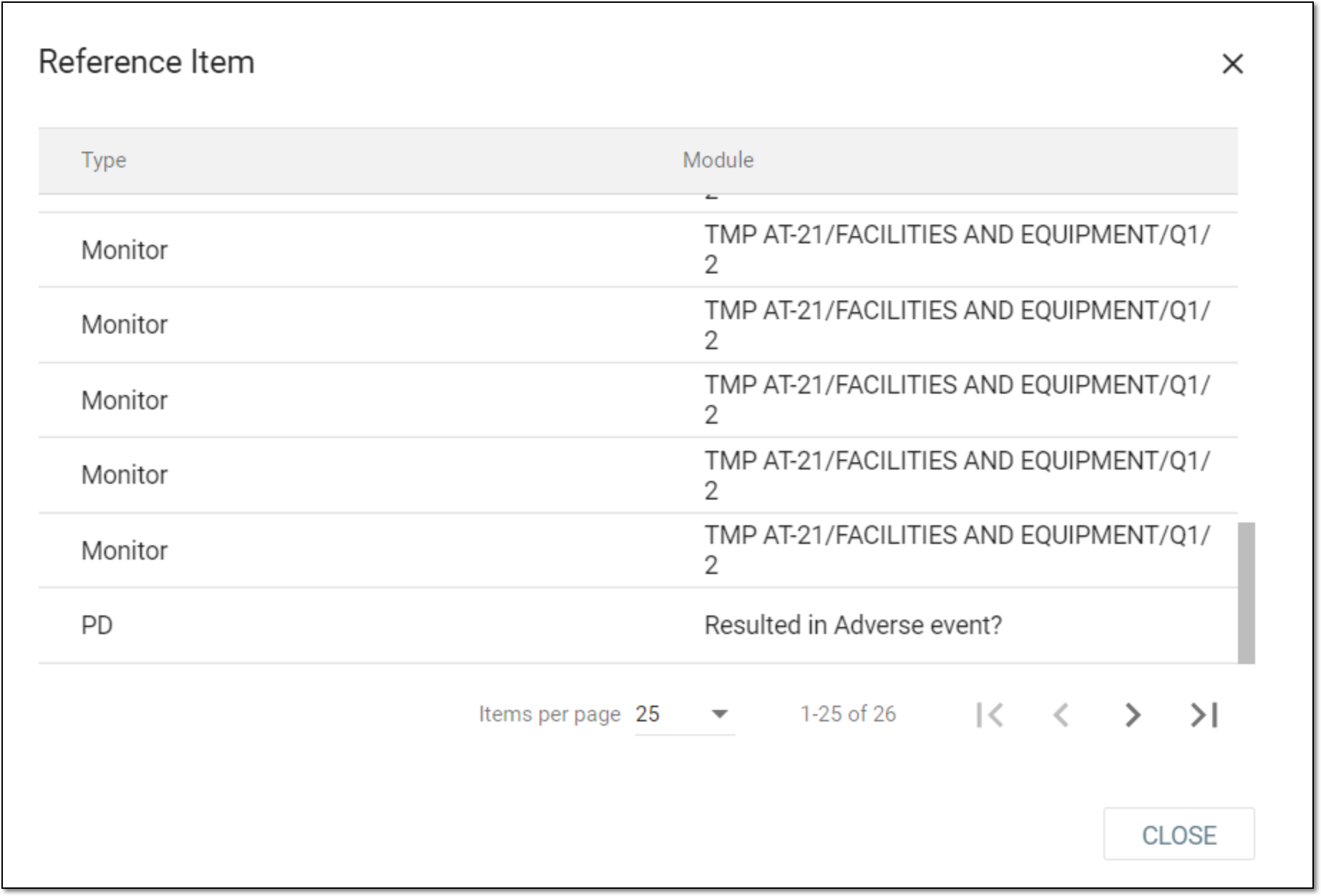 Figure 4. Viewing code list referencing details
Element
Details
Type
Displays the template where the code list is used, such as Monitor for monitor template or PD for protocol deviation template.
Module
Represents the question (or data item) in which the code list is used.
CLOSE
Select
 to close the dialog.
Upon closing the Reference Item dialog, you are redirected to the Code List page.