Add questions to protocol deviation template
Once you have created the protocol deviation template, you can start adding questions and items to it. This template can then be used for the generation of protocol deviation records for the study.
-
In the CTMS application header, select the LIBRARY tab.
-
From the left pane of the page that opens, select Protocol Deviation Template.
 Figure 1. Accessing protocol deviation templates
-
From the PD Template List table, select the needed protocol deviation template.
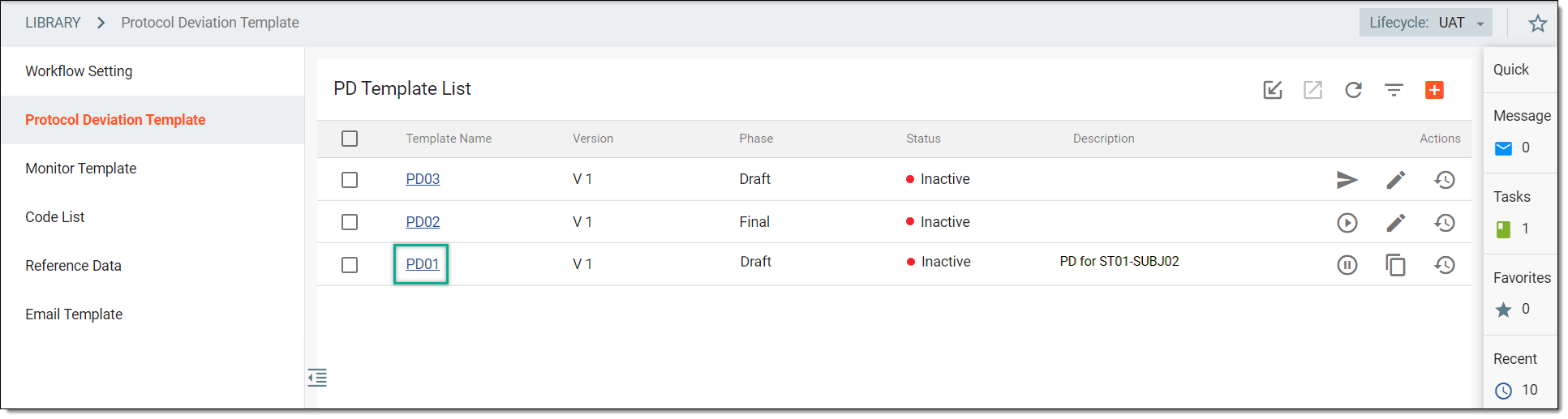 Figure 2. Selecting protocol deviation template
-
On the page that appears, next to the protocol deviation template name, select the latest version of the template.
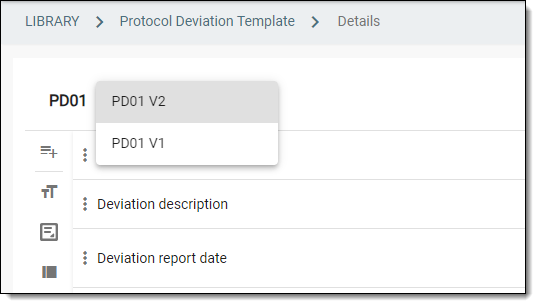 Figure 3. Selecting protocol deviation template version
Important
You can select another version of the protocol deviation template to view the questions added to the selected version. However, you cannot add or modify data in the previous versions of the template if the particular version of the template is in use.
-
Now start adding the questions to the template using any of the following options:
-
From the list of question types available on the left panel, select the needed one to add a question to the template. The definition and purpose of each item type is explained in the following table.
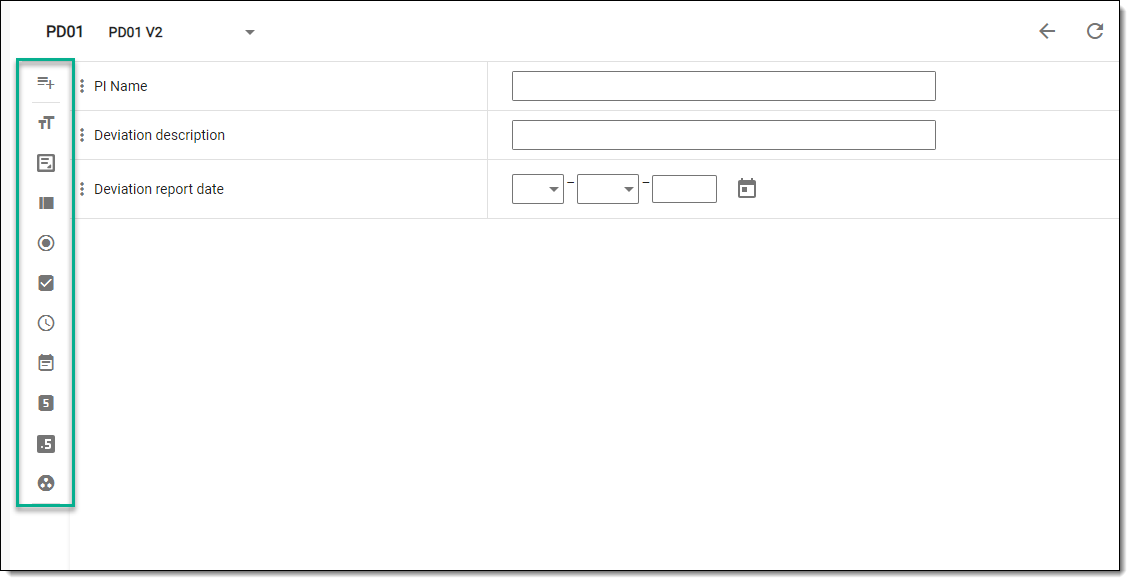 Figure 4. Selecting item type
Element
Details
Question

Represents a custom question that can be added to the form whenever a clarification or a tip is needed. The custom questions may or may not be associated with items.
Label

Represents a short text field for titles, names, or labels.
Select this type for questions inquiring about protocol deviation name, principal investigator (PI) name, and so on.
Text

Represents a text field for a brief description.
Select this type to create questions, such as "What were the actions taken by the site for the occurrence of protocol deviation?", "Who reported the deviation?", and so on.
TextArea

Represents a larger text field for long descriptions.
You can select this type to acquire a detailed description of the protocol deviation occurrence.
ListBox

Represents a dropdown list from which the user can select only one option to answer the question. The list of options is fetched from Code List. Therefore, prior to creating such questions, the code list must be prepared.
You can select the ListBox option to add questions inquiring about the category of the deviation, deviation code, or others.
Radio

Represents multiple options in the form of option buttons from which the user can select only one to answer the question. This data type is usually used for displaying up to 5 options. If your questions have more options, then the ListBox is recommended.
The multiple options displayed in the form of option buttons are fetched from Code List. Therefore, prior to creating such questions, the code list must be prepared.
Select the Radio data type to add questions like: "Was the incident reported to IRB?".
CheckBox

Represents multiple options from which the user can select one or more options to answer the question. The multiple options displayed are fetched from Code List. Therefore, prior to creating such questions, the code list must be prepared.
Use the CheckBox data type to add questions like: "Select the type of safeguards utilized by research personnel".
Time

Represents fields to enter time in various formats, such as hour/minutes, hour/minutes/seconds, and others.
You can select this option to inquire about the time at which the deviation has been identified, or reported, and so on.
Date

Represents fields to enter a date in various formats, such as date/month/year, month/year, and others.
You can select this option to inquire about the date on which the deviation has been identified, or reported, and so on.
Integer

Represents a numeric field to enter a number only.
This type can be selected to include questions, such as "Enter the total number of subjects participating in the study".
Float

Represents a numeric field that allows entering a number with a decimal point.
Select this type to include questions in the protocol deviation template that inquire about the amount of drug used in a study.
Code list Group

Represents a combination of dropdown lists. In order to answer the question, the user must select one option from each of the dropdown lists provided. The combination of the dropdown lists and the items displayed in the lists are created and fetched from Code List. Therefore, prior to creating such questions, the code list must be prepared.
You can select the Code list Group option to add questions inquiring about the site address, where one dropdown list includes provinces, the second includes cities, and the last one may include a list of streets.
-
After selecting the required question type, in the panel that expands, enter the question and item information as explained in the following table.
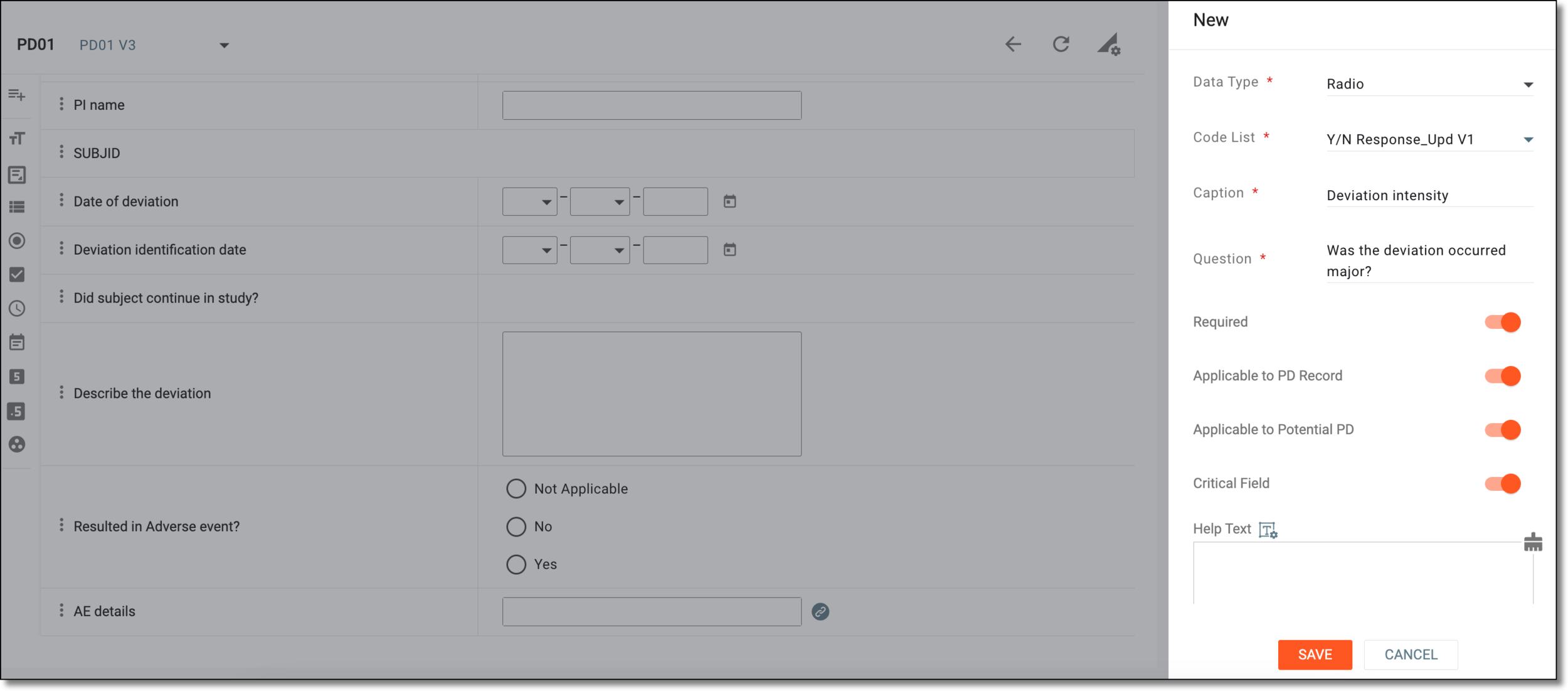 Figure 5. Adding question to protocol deviation template
Tip
In the following table, mandatory elements are marked with an asterisk (*).
Element
Details
Field Label*
Enter the text of your question that is to be displayed in a form in the final output.
This option is only displayed for the Question type.Data Type*
While adding the question, if you wish to change the data selected from the one that you have selected before, then from this dropdown list, select a different data type.
Code List*
Select the code list that includes the options from which you want the user to select an answer.
This option is only displayed if you have selected the following data types: ListBox,
                                              Radio, CheckBox, Code list Group.
Caption*
Enter a short label or title that helps users quickly understand what information is being requested or recorded, without reading the full question.
Question*
Enter a unique question text that you want to include in the protocol deviation template.
Format*
Select the format in which you want the user to provide their answer, such as month/date/year, hour/minutes/seconds, and so on.
This option is only displayed for the Date and Time data types.Precision
Enter a precision value up to which you want the user to provide a decimal value in the answer field.
For example, if you set the precision value to 2, then the user can enter the value "2.02" in the answer field.
This option is only displayed for the Float data type.Required
Turn the toggle on if you want the question to be mandatory in the protocol deviation template.
Applicable to PD record
Turn the toggle on if you want to indicate that the question is applicable only to the confirmed or occurred protocol deviations.
Applicable to Potential PDs
Turn the toggle on if you want to indicate that the question is also applicable to the potential or unconfirmed protocol deviations.
Critical Field
Turn the toggle on to mark the question as critical for monitoring or compliance. This often highlights it in reports or triggers validation rules.
Help Text
Enter additional information, instructions, or clarification about the item. It may include details on how to answer a corresponding question or what data is collected in the field.
You can also select Rich Text
 to open the text editor where you can format the text with a variety
of styling options. The rich text editor provides a wide range of formatting capabilities such as adding bulleted or numbered lists, making a text bold or italicized, and more.
to open the text editor where you can format the text with a variety
of styling options. The rich text editor provides a wide range of formatting capabilities such as adding bulleted or numbered lists, making a text bold or italicized, and more.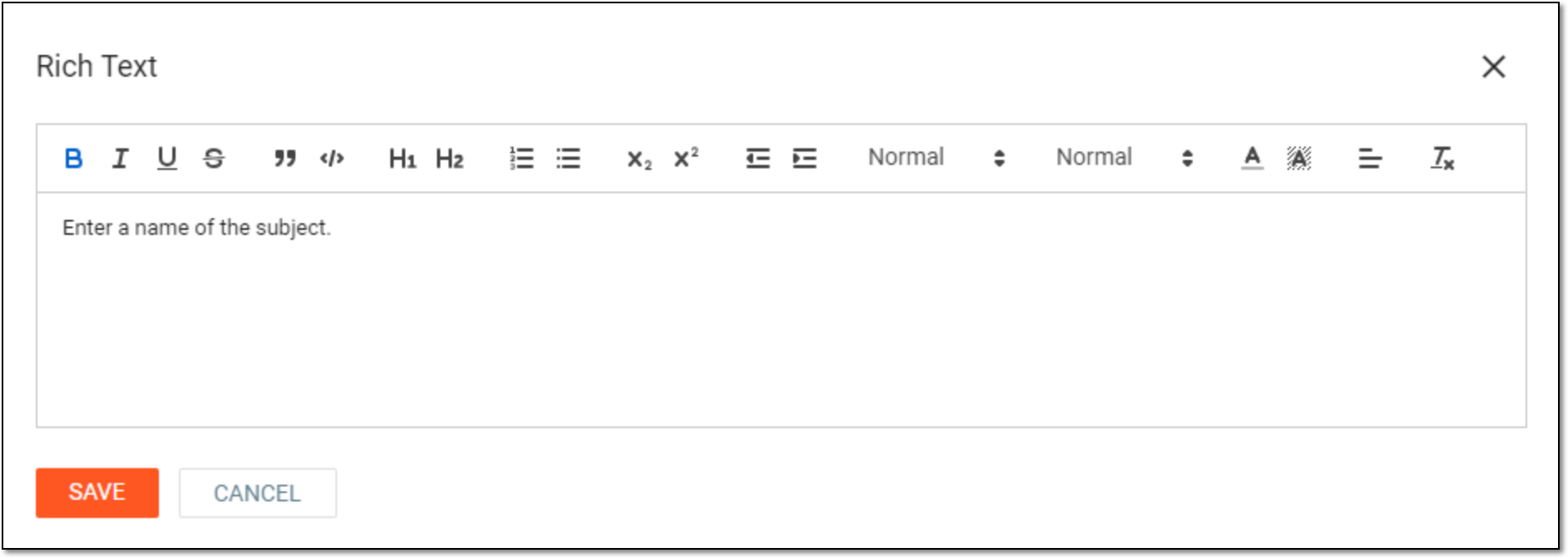 Figure 6. Entering text in rich text editor
SAVE
Select
 to save your changes.
CANCEL
Select
 to discard your changes.
-

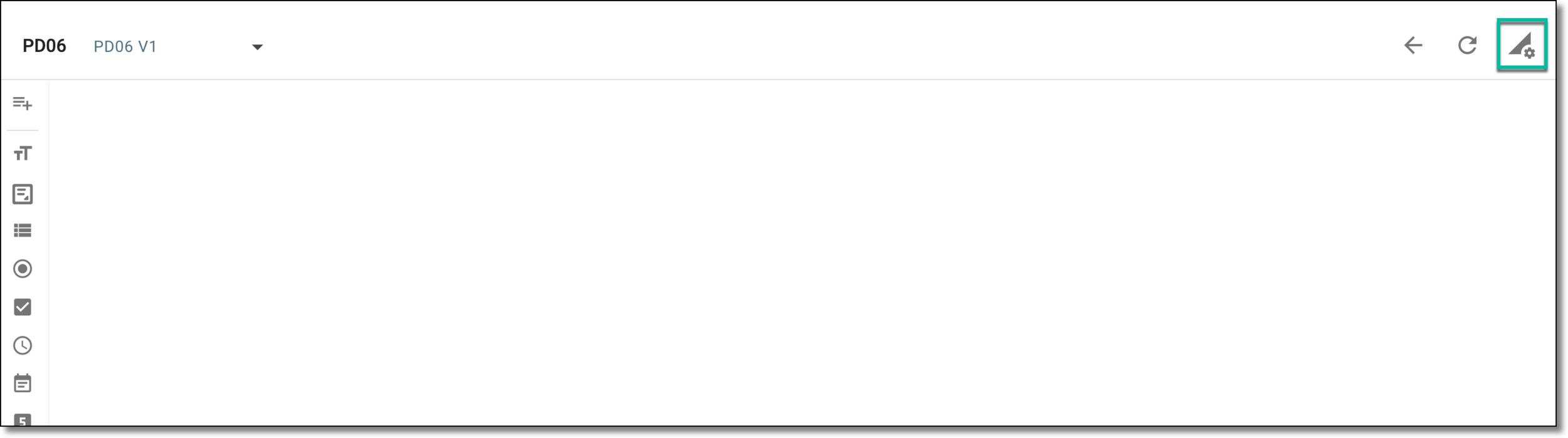
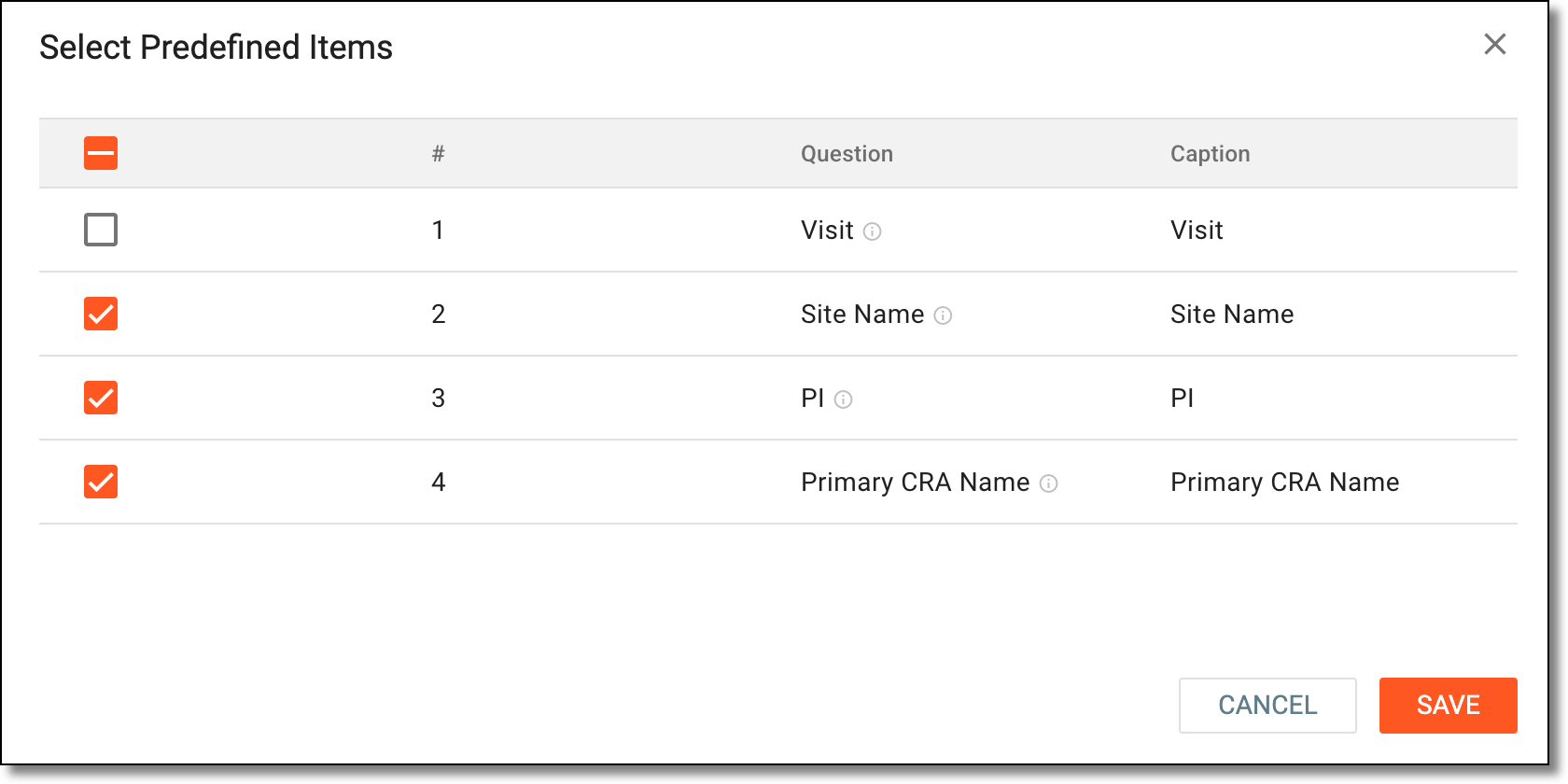
Upon saving, the questions and items are added to the protocol deviation template. You can now proceed to submitting the template.