Delete code list
In CTMS, you can delete a code list. This may be required if you no longer require a code list for your protocol deviation or monitor template, the data items of the code list are already present in another code list.
Prior to deleting a code list, make sure that:
-
The code list is not being used by any CTMS process.
To delete a code list
-
In the CTMS application header, select the LIBRARY tab.
-
On the page that opens, from the left pane, select the Code List subtab.
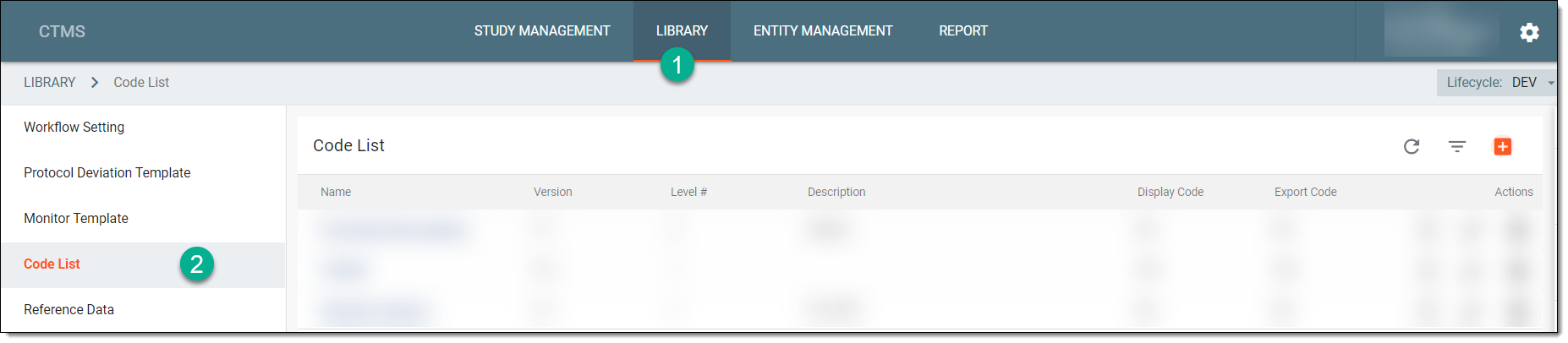 Figure 1. Selecting Code List subtab
-
From the Code List table, locate the needed code list, and next to it, from the Action(s) column, select Delete
 .
.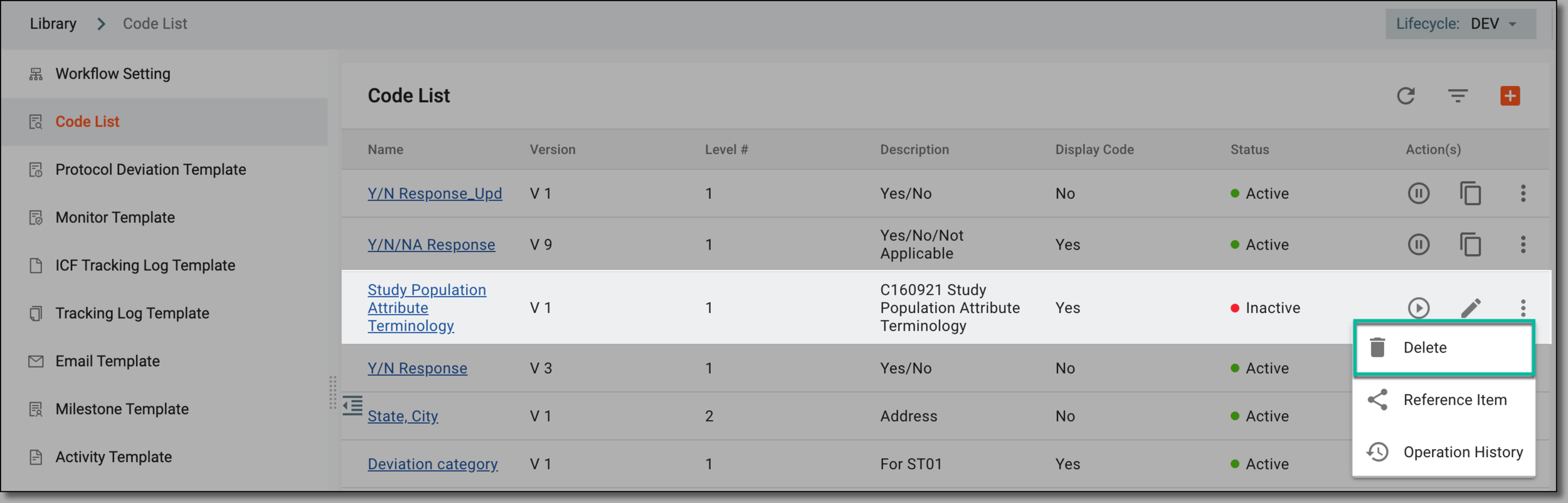 Figure 2. Selecting to delete code list
-
In the Reason dialog that opens, enter the reason for deleting the code list. Then select SAVE.
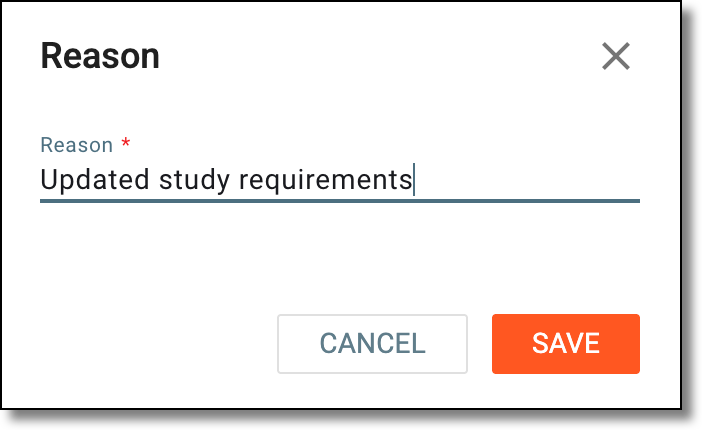 Figure 3. Deleting code list
Upon confirmation, the code list is deleted.