Edit code list
In CTMS, you can edit a code list. This may be required if you want to edit the general specifications of a code list, such as its levels or level names, or based on the changed requirements of your protocol deviation or monitor template, you may want to include codes with the data items, and so on.
-
In the CTMS application header, select the LIBRARY tab.
-
On the page that opens, from the left pane, select the Code List subtab.
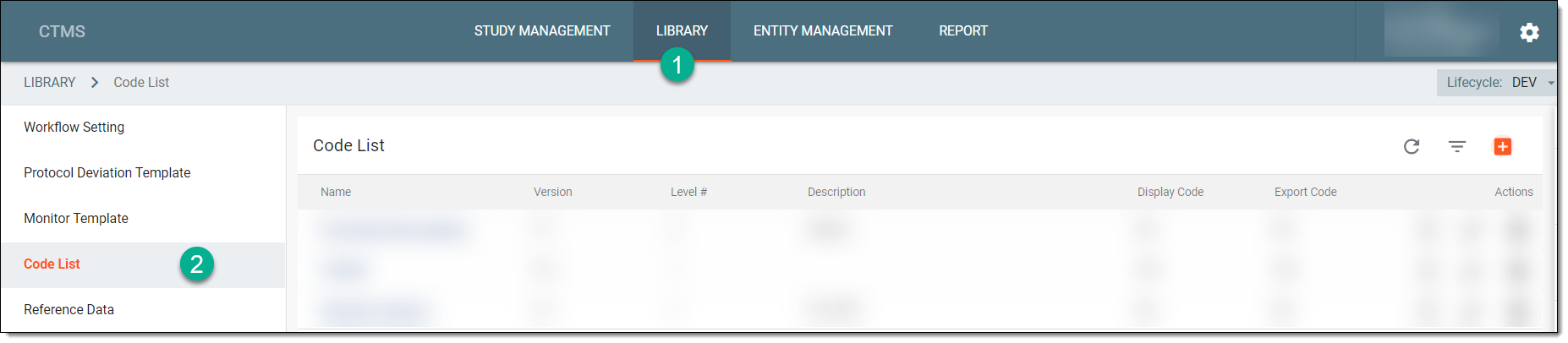 Figure 1. Selecting Code List subtab
-
From the Code List table, locate the code list that you want to edit, and next to it, from the Action(s) column, select Edit
 .
.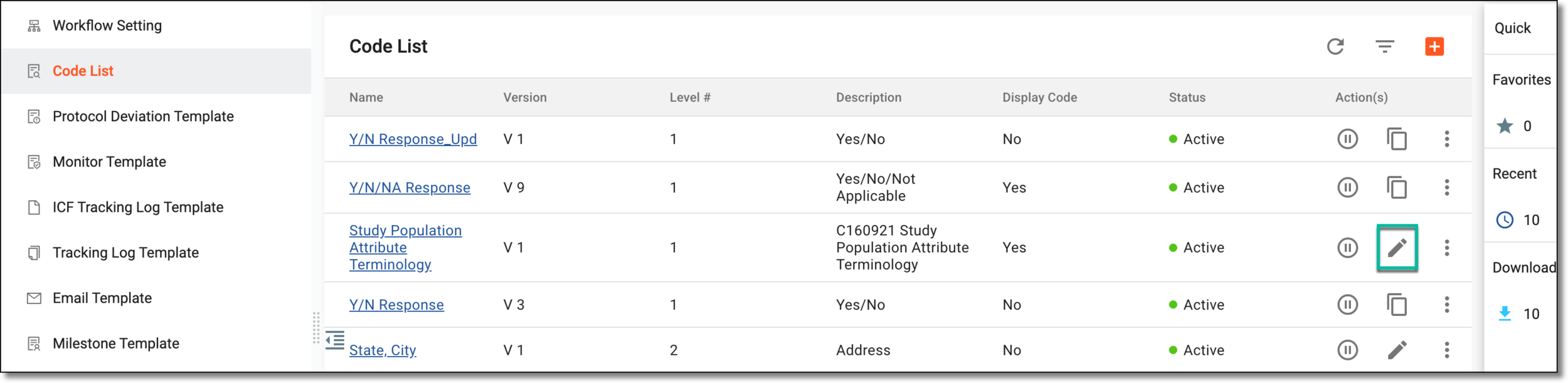 Figure 2. Selecting to edit code list
Tip
Alternatively, select the name of the code list, and on the Details page that opens, from the right pane that displays basic information about the code list, select Edit
.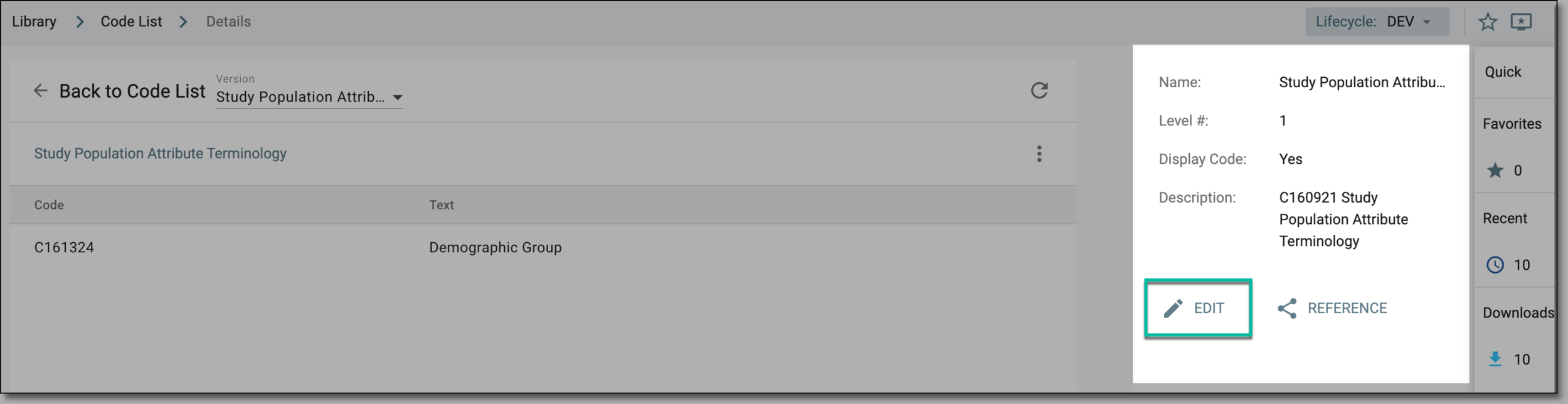 Figure 3. Accessing alternate option to edit code list
-
In the Edit dialog that appears, edit the details as explained in the following table.
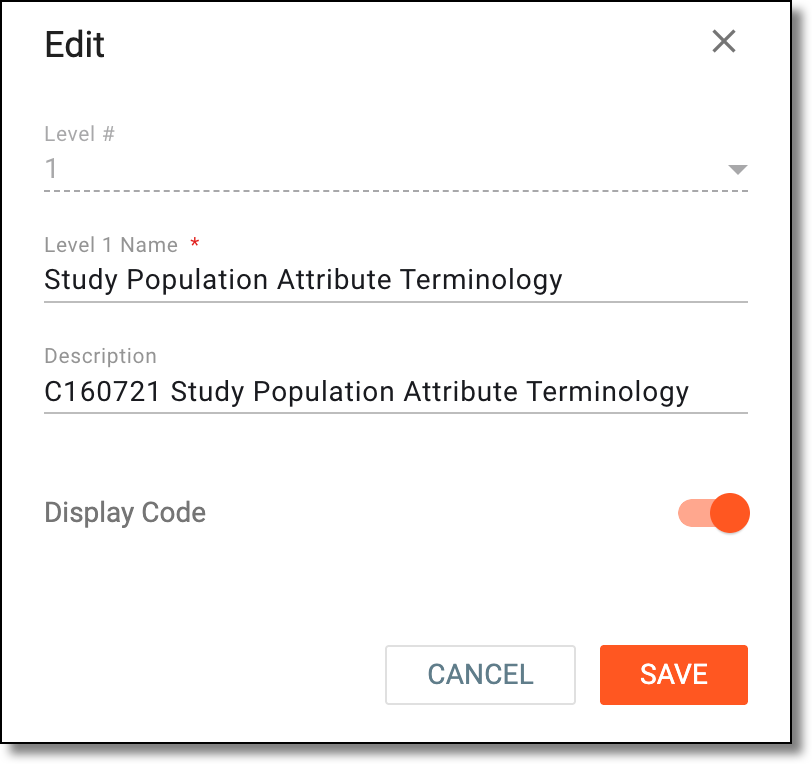 Figure 4. Editing code list
Tip
In the following table, mandatory elements are marked with an asterisk (*).
Element
Details
Level 1 Name*
Edit the name of the level that represents the data items present at the particular level.
Description
Edit the brief description explaining the purpose of creating the code list or the overall data items present in the code list.
Display Code
Turn the toggle on if your data items have codes associated with them.
For example, if you are creating a code list for Biological Sample Attribute Terminology, then you may want to mention the associated National Cancer Institute (NCI) codes with the data items.
SAVE
Select
 to save your changes.
CANCEL
Select
 to discard your changes and return to the Code List page.
Upon saving, the code list is edited and a new version of the code list is created (if the code list is being used by a template). You may now use the latest version of the code list in your protocol or monitor template.