View form status flow report
In a clinical trial, as data is captured and put in case report forms (CRFs), each CRF undergoes status changes. In EDC, you can easily track each CRF status flow in a comprehensive Form Status Flow report. This helps you estimate the upcoming data collection and review activities at all or some specific sites of your study.
For example, first, the CRF is in the Initial status; after it is filled and submitted, it goes to Completed. Then the specific set of audits and reviews has to be performed, so the status changes respectively (Softlocked, Signed, or else). The whole status flow for each CRF created for the study is graphically depicted and updated in real-time in the Form Status Flow report.
-
In the EDC application header, select the REPORTS tab.
-
On the page that opens, in the left pane, select the CRF Status subtab to expand the list of available reports and select Form Status Flow.
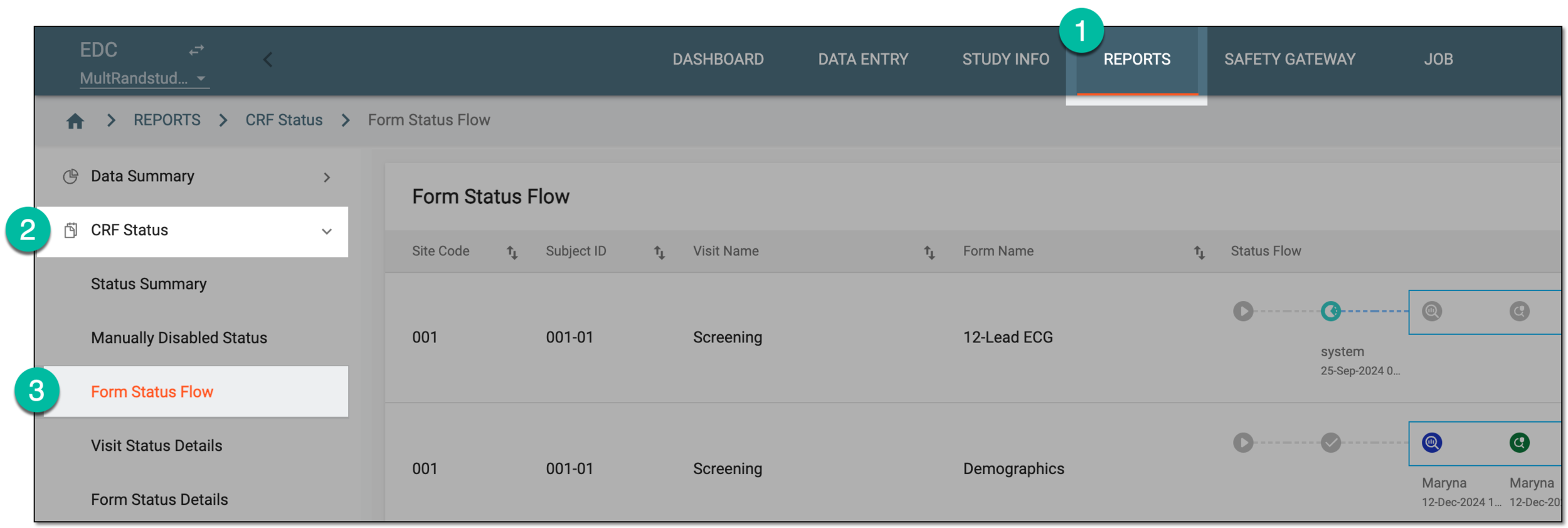 Figure 1. Accessing form status flow report
-
In the Form Status Flow table that opens, analyze the data as explained in the following table.
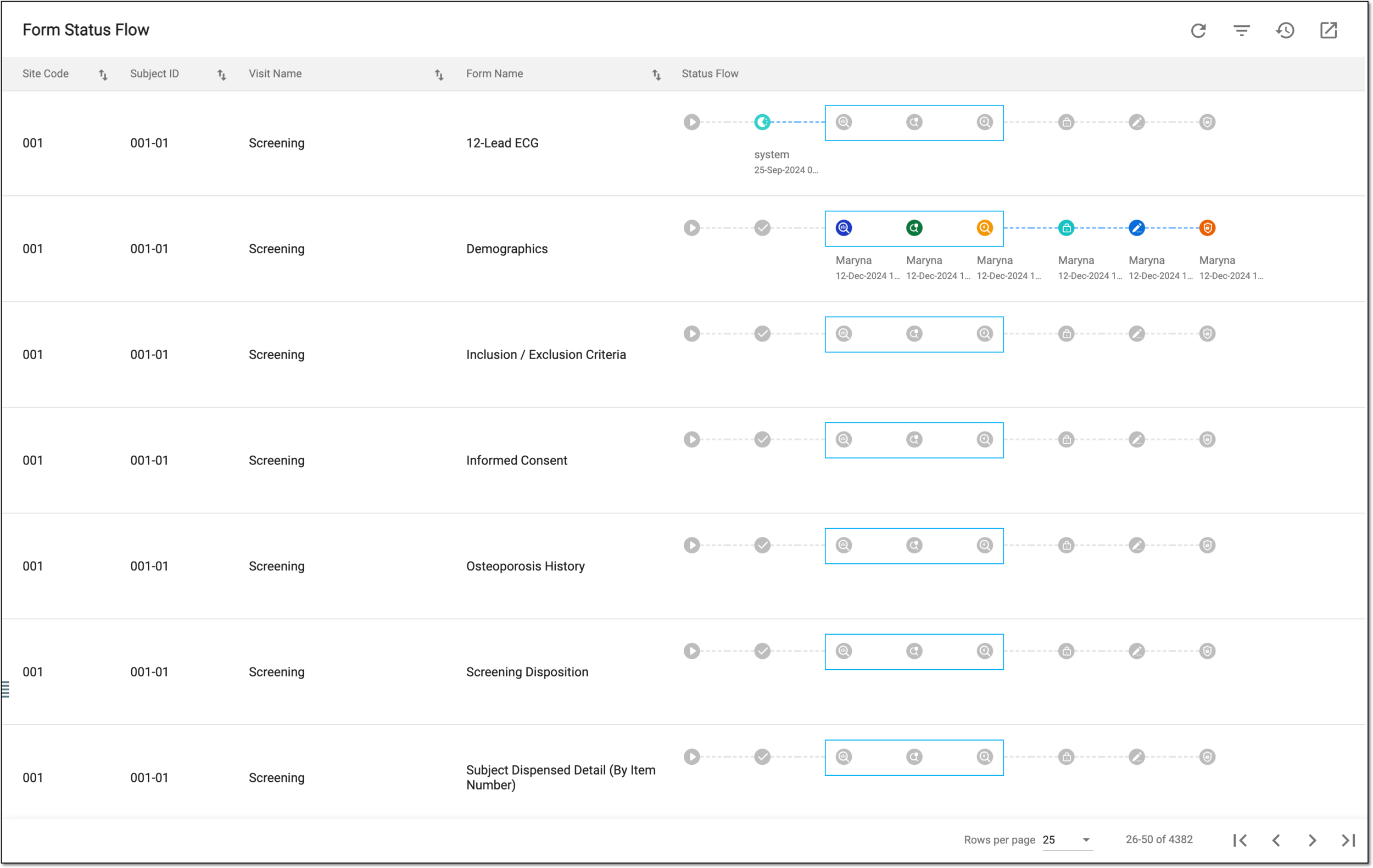 Figure 2. Analyzing form status flow report
Column
Details
Site Code
Represents the code of the site where the data collection occurs.
[Unique ID Label]
Represents the unique identifier of the subject for whom the data collection occurs.
The column name depends on the unique ID label configuration of your study in IWRS.Visit Name
Represents the name of the subject visit at which the data collection occurs.
Form Name
Represents the name of the CRF into which the subject visit data is entered.
Status Flow
Represents the graphic representation of all the stages of data collection and review activities that the CRF must go through in the course of the study.
For enhanced visual perception of current CRF progress, the statuses that are already acquired by the form are colored, while expected statuses remain grayed out.
The statuses available here depend on the review and approval stages configured for your study via EDC and SD. The review stages configured from SD are enclosed in a rectangular shape for visual diversification.
Once the report details are studied, you can leave the page or perform other suggested manipulations.