Analyze visit data report
In EDC, the Visit Data report serves as a centralized log for tracking the subject visits at all the sites of your study.
-
In the EDC application header, select the REPORTS tab.
-
On the page that opens, in the left pane, select the Data Summary subtab to expand the list of available reports and select Data Metrics.
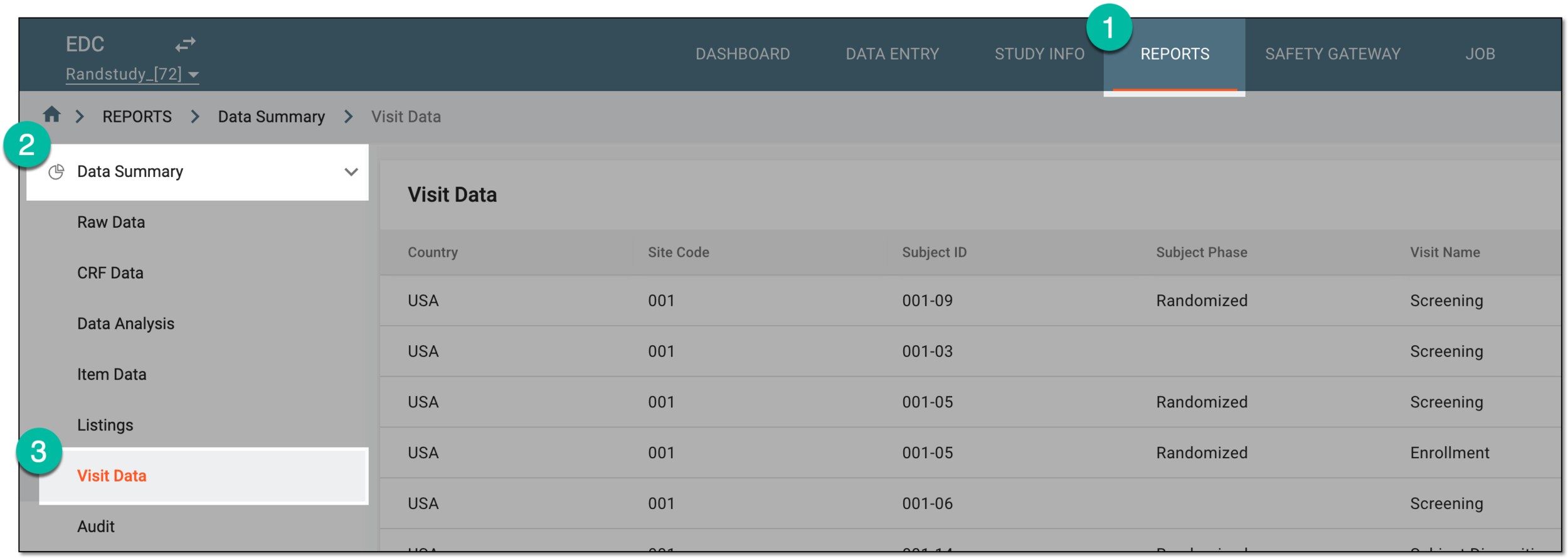 Figure 1. Accessing visit data report
-
In Visit Data that opens, analyze the details as explained in the following table.
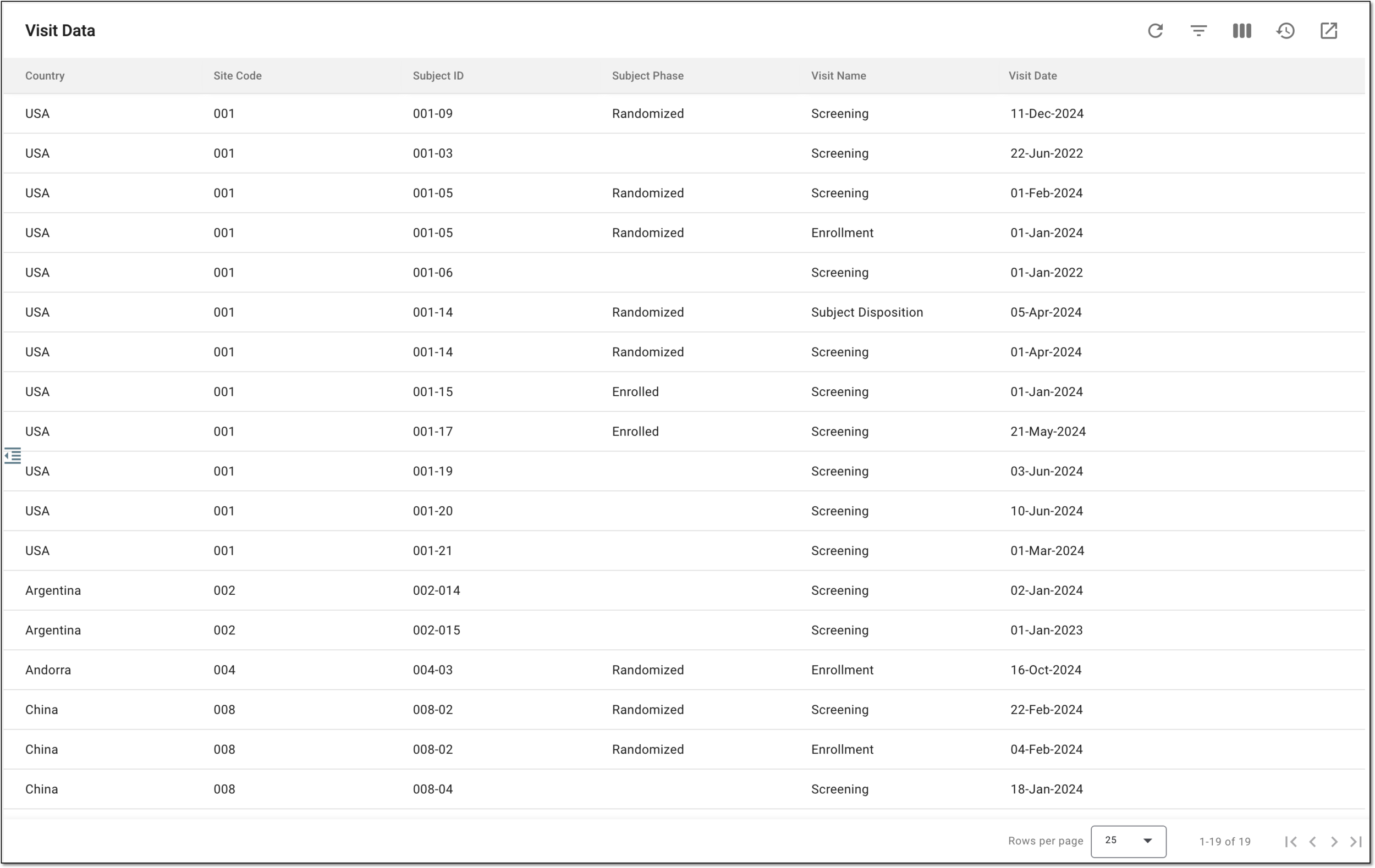 Figure 2. Analyzing visit data report
Column
Details
Country
Represents the country where the subject visit took place.
Site Code
Represents the code of the site where the subject visit took place.
[Unique ID Label]
Represents the unique identifier of the subject in the study.
The column name depends on the unique ID label configuration of your study in IWRS.If there are additional IDs configured for your study, you see as many such columns as there are IDs.Subject Phase
Represents the phase of the subject at the time of their visit.
Visit Name
Represents the name of the occurred subject visit.
Visit Date
Represents the date, time, and time zone indicator when the visit occurred.
You have analyzed the visit data for your study.
An eClinical application that represents unified and configurable subject randomization and trial supply management tool for subject grouping, drug inventories, shipments, and dispensations, as well as other vital processes during a clinical trial.
Get to know all the possibilities of the app with the comprehensive IWRS User Guide.
A specific phase that a subject has to complete in the course of a clinical trial to move further to the next phase. For instance, Screening, Enrolled, Randomized, and others.
 |
In eClinical, subject phases are designed individually for each study via the SD application, although they are referenced in others, like IWRS or EDC.