Pack/Unpack container unit
In IWRS, when a parent container unit (large box) is dispatched to the depot or site, it typically arrives in a packed state, containing all its associated subitems (medium boxes), each marked with the disposition status Available. However, if the container is unpacked manually or any of its subitem’s disposition is manually updated—such as to lost, damaged, or another status—the parent container unit’s disposition automatically changes to Open and becomes incomplete. This container unit is no longer recognized as packed and cannot be shipped to other depots or sites unless completed. Although, the subitems can be shipped individually.
The container unit can be completed by setting the disposition of the lost or damaged subitem to Available. Once the container unit is complete, you can pack it manually.
-
In the IWRS application header, select the DEPOT tab.
-
In the Depot List table that appears, select the depot name where you have released the container unit.
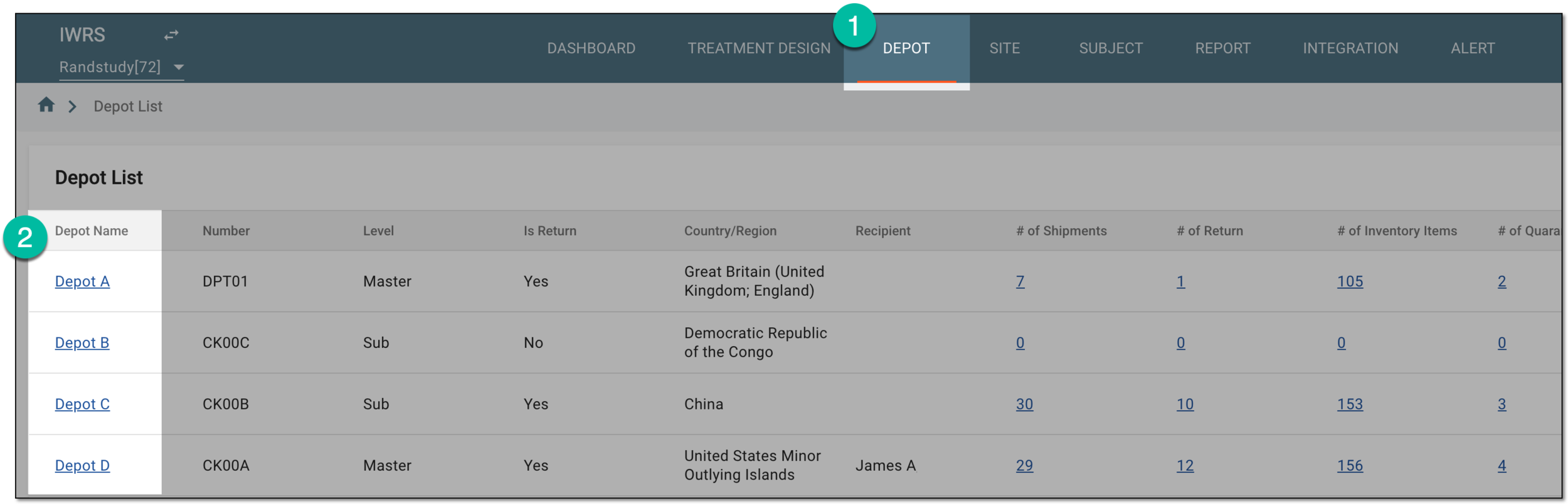 Figure 1. Selecting depot to open its details
-
On the depot or site page that opens, in the left pane, select the Inventory subtab.
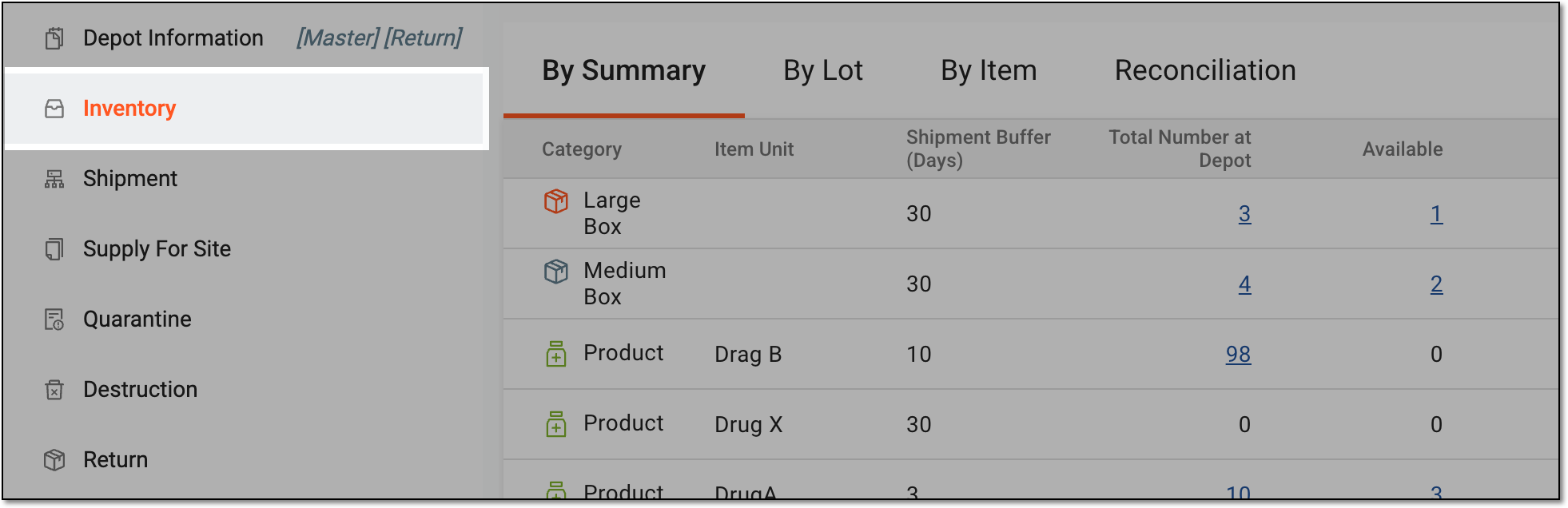 Figure 2. Accessing depot inventory
-
On the page that opens, in the contents panel, select the By Item tab.
-
Under the By Item tab, locate the container unit you need to pack or unpack and proceed respectively.
Tip
To view the item list at either the shipping unit or product level, toggle between the Shipping Unit and Product options located in the workspace toolbar.
-
In the confirmation dialog that opens, select CONFIRM to pack or unpack the container unit.


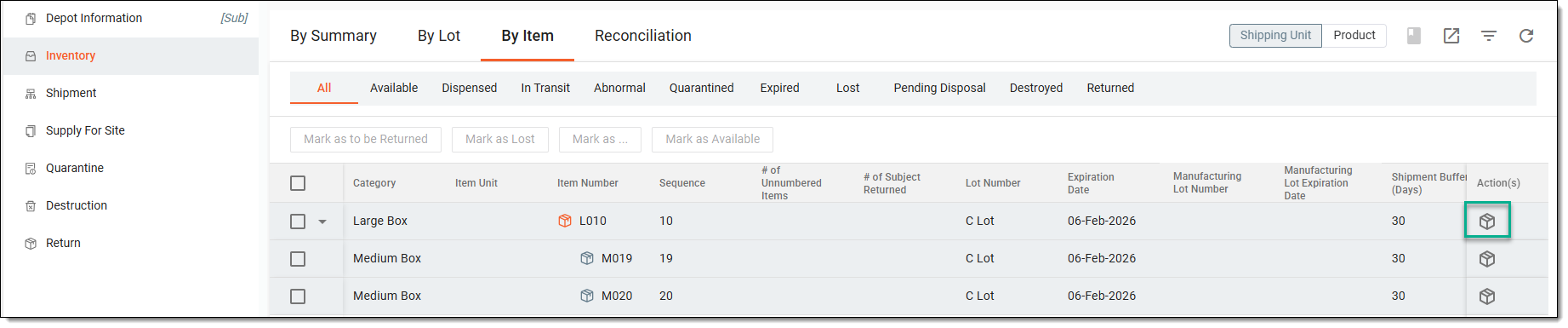
Based on your actions, the system does the following:
-
If the container is packed successfully, the disposition of the container unit moves back to Available and is ready to be dispatched to other depots.
 Figure 5. Packed container unit example
-
If the container is unpacked successfully, the disposition of the container unit becomes Open.
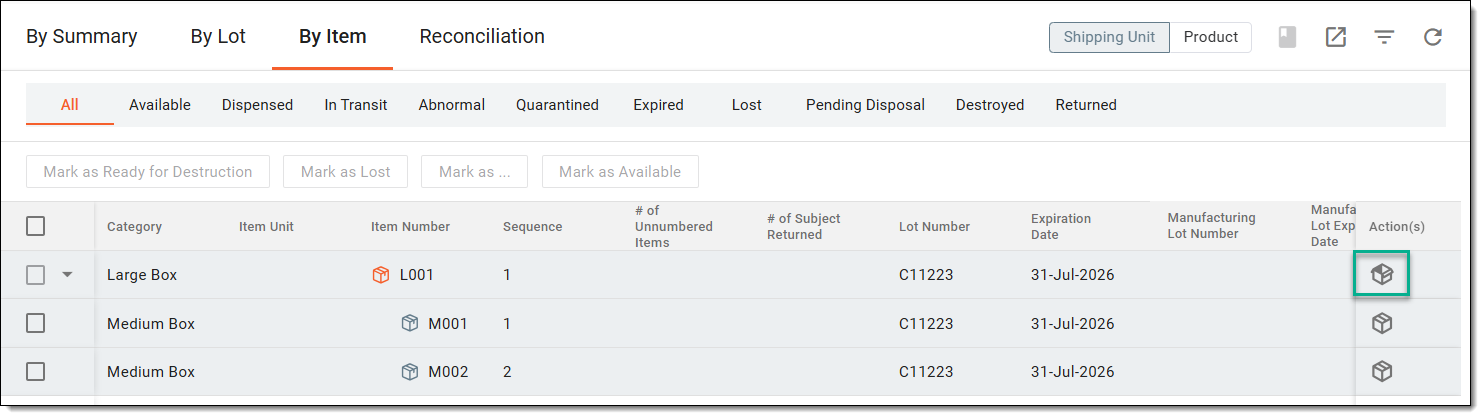 Figure 6. Opened container unit example