Update naming convention of unscheduled visit
In Study Designer, you have the possibility to configure the naming convention for unscheduled visits. The custom naming convention can be applied due to different reasons, such as helping to distinguish unscheduled visits from planned ones, explaining the reasons behind unscheduled visits, demonstrating compliance with protocol requirements, and so on. After the custom naming convention is applied, all the corresponding unscheduled visits are named accordingly when added in EDC.
-
In the Study Designer application header, select the CRF DESIGN tab.
-
In the toolbar, select the latest draft CRF version marked with the respective unlock symbol
 , otherwise, you cannot perform any actions.
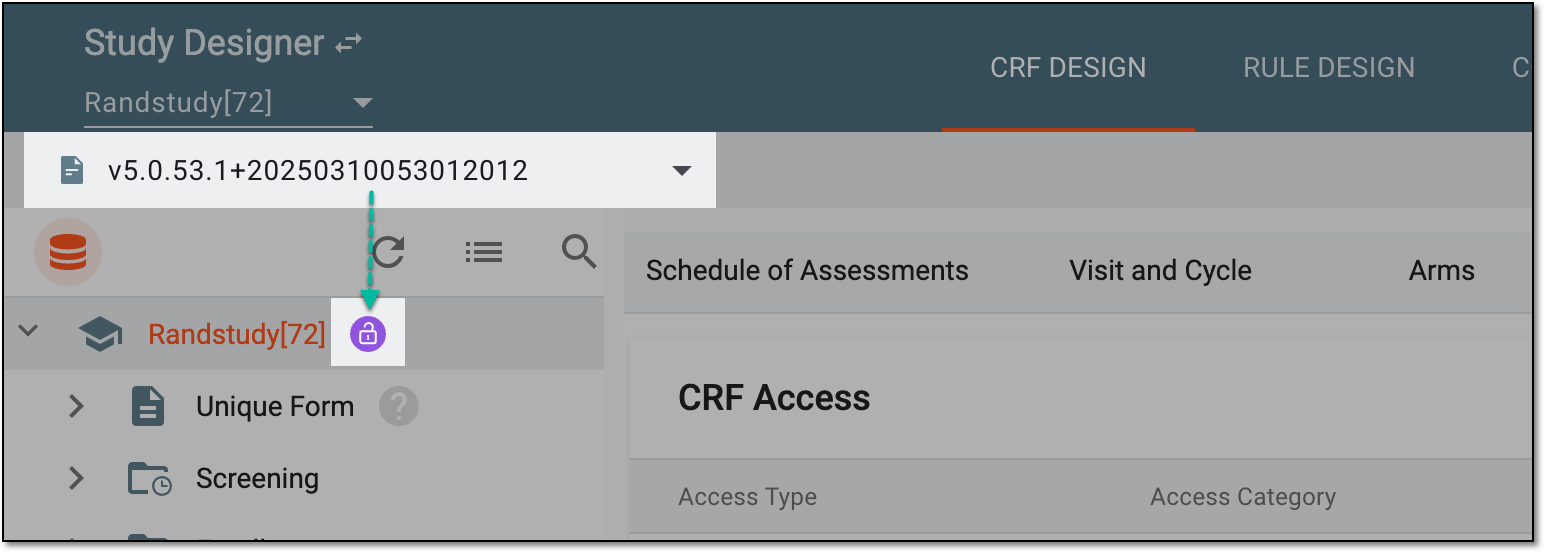 Figure 1. Selecting latest draft CRF version
-
In the left pane that appears, select the needed unscheduled visit.
-
On the page that opens, select the Visit Name Components tab.
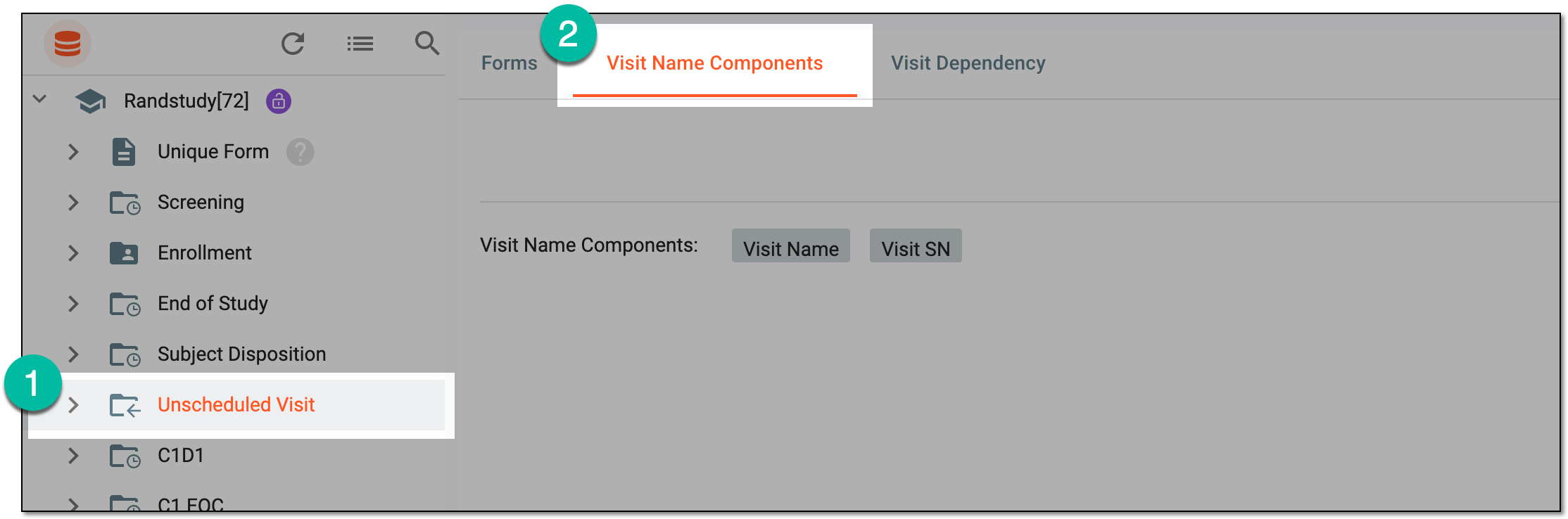 Figure 2. Accessing visit name components
-
On the page that appears, define the naming convention for a visit with the chips, dividers, and variables that can be added by selecting
 .
.Tip
If the study is intended for translation, all the components of the unscheduled visit name are to be translated into the applied languages.
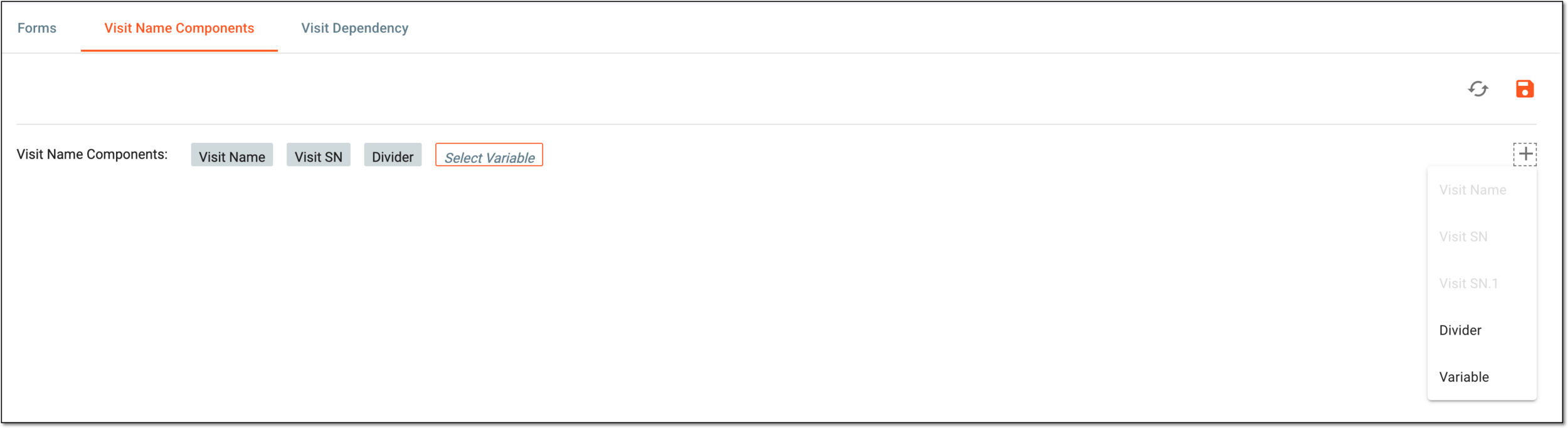 Figure 3. Defining naming convention for visit
-
If you decide to add a variable to the naming convention, do the following:
-
Select
and then select the Variable option. -
Then select the chip
 that is added to the naming convention.
 -
In the Set Variable dialog that appears, select the simple form and then select the variable on this form to set it as a piece of the naming convention. Then select
 to implement the changes.
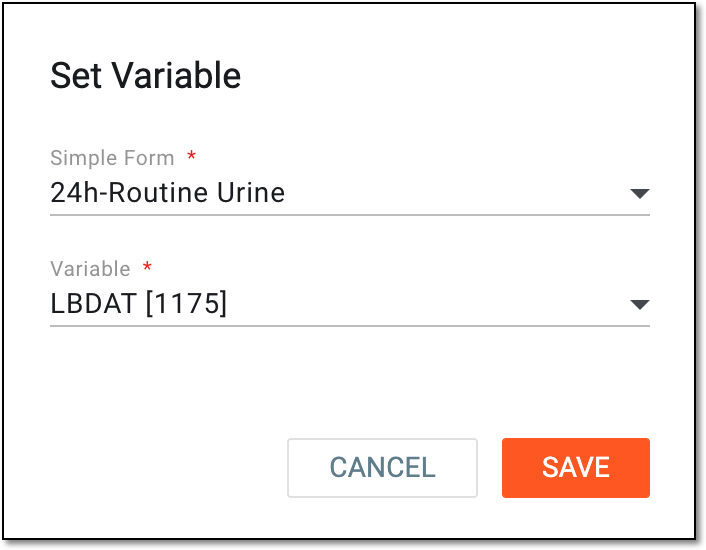 Figure 4. Adding variable to naming convention
-
-
From the workspace toolbar of the Visit Name Components page, select Save
 to
apply the configured visit naming convention.
to
apply the configured visit naming convention.
Once saved, the configured visit naming convention is applied.