Activate/Inactivate arm for subject allocation
Randomization is a process during which subjects receive their random numbers and are assigned to different arms based on the configured randomization scheme.
In IWRS, you can inactivate a specific arm within the randomization scheme to cease subject allocation for it. This action is reversible, and if your study requirements change, you can activate the arm again and continue subject allocation. This functionality allows for additional flexibility in the randomization scheme already in progress, eliminating the need to create new schemes to suit the evolving conditions of the clinical trial.
Important
To activate or inactivate the arm, change your randomization scheme status to Draft or Suspended, otherwise, the functionality is unavailable.
-
In the IWRS application header, select the TREATMENT DESIGN tab.
-
On the page that opens, in the left pane, select the Period subtab.
-
In the Period List table that appears, locate the period of your interest. Then in the Period Name column, select the value to open the period configurator.
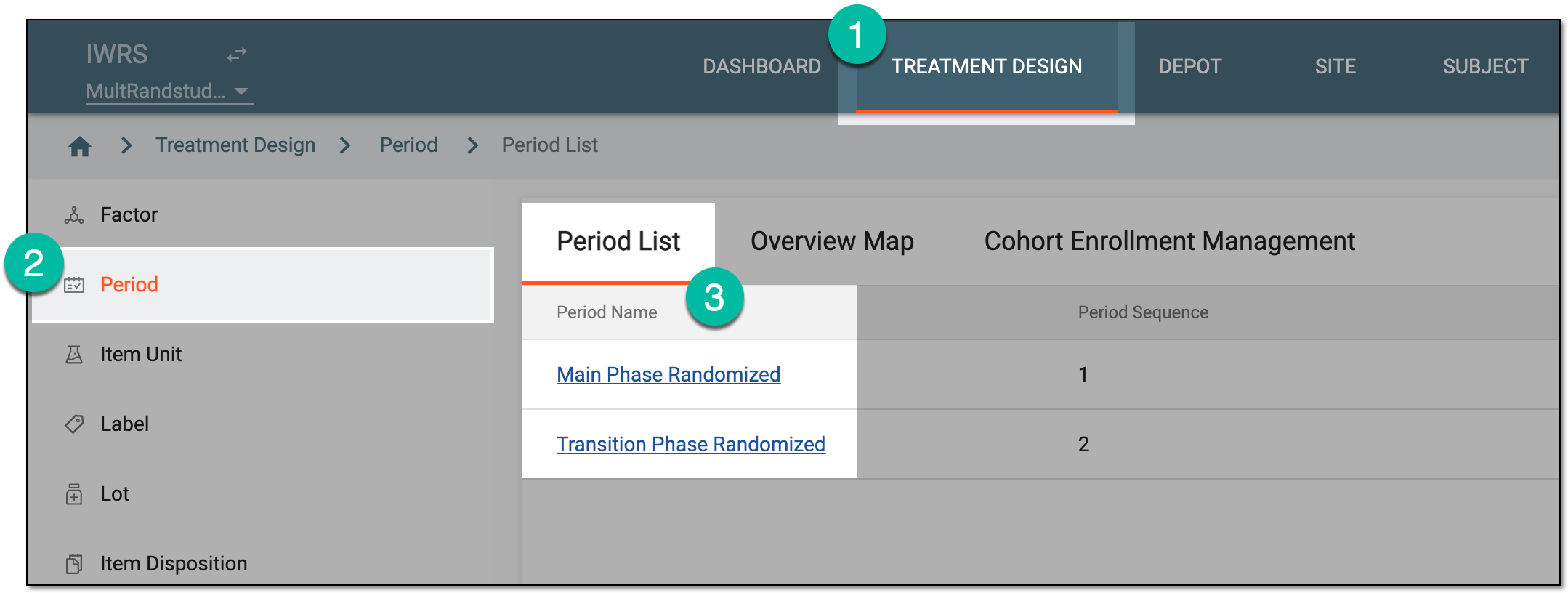 Figure 1. Selecting period
-
In the period configurator, drill down the explorer tree and expand the randomization scheme of your interest. Then select Result
 .
.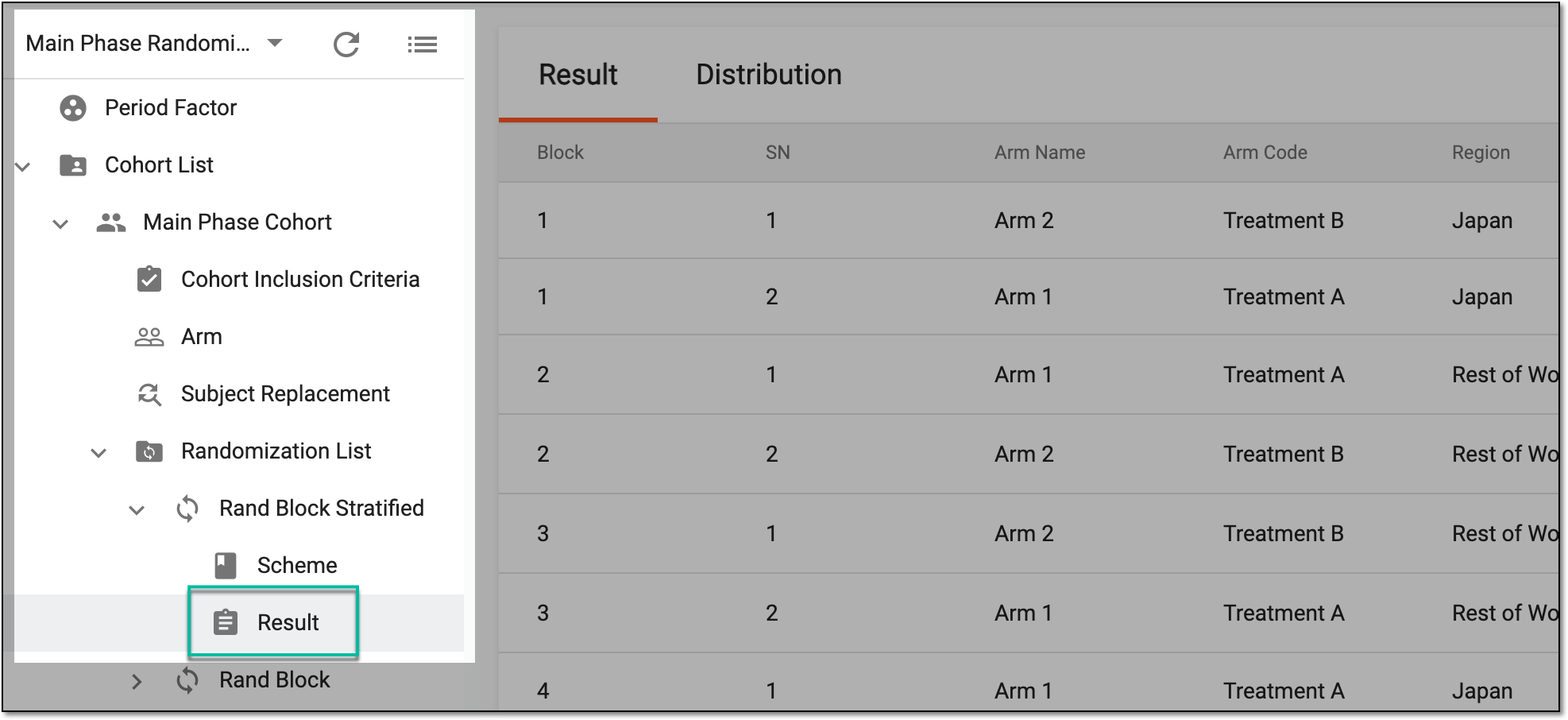 Figure 2. Accessing randomization result
-
On the page that opens, select the Distribution tab and from the list of arms, locate the one that you want to activate or inactivate, then select one of the actions as follows.
-
Select Inactivate
 to disable the arm and cease subject allocation to it. All the randomization numbers
associated with this arm are excluded from subsequent assignments to subjects. Inactivating arms affects all the study processes related to randomization, such as the randomization
pattern and its logic.
to disable the arm and cease subject allocation to it. All the randomization numbers
associated with this arm are excluded from subsequent assignments to subjects. Inactivating arms affects all the study processes related to randomization, such as the randomization
pattern and its logic. Figure 5. Inactivating arm for subject allocation
-
In the Inactivate dialog that appears, select
 to proceed with your action.
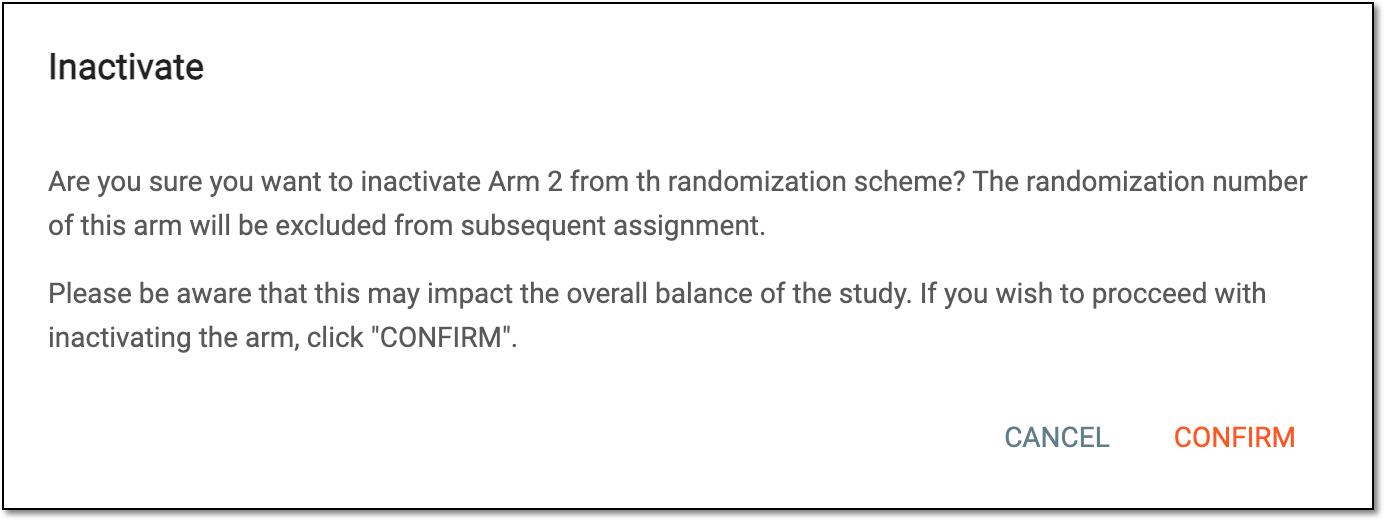 Figure 6. Confirming arm inactivation
-


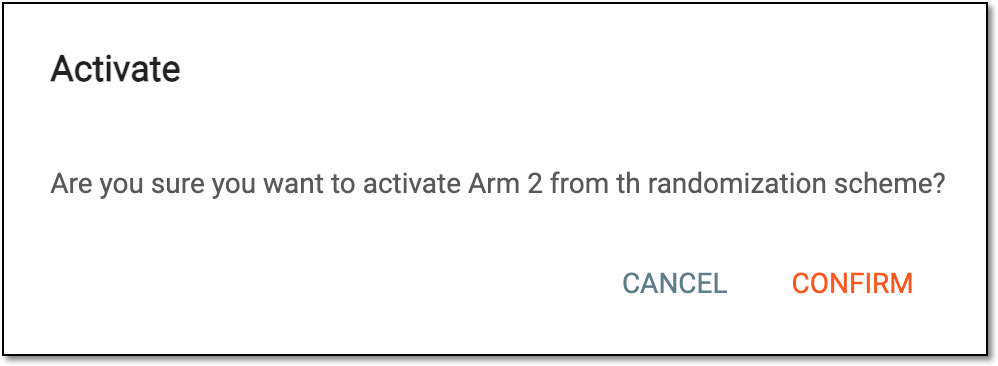
Upon confirmation, your arm is activated or inactivated for subject allocation within the randomization scheme.