Select randomization pattern
Randomization helps you avoid potential bias in the selection and allocation of subjects arising from the predictability of treatment assignments. From a statistical perspective, randomization provides unbiased estimates of error variance and independence of errors.
In IWRS, you can select a pattern according to which you want to randomize your study participants.
Watch this short video and learn how to select a randomization pattern for your study in IWRS and proceed to the detailed instructions in the following procedure.
-
In the IWRS application header, select the TREATMENT DESIGN tab.
-
On the page that opens, in the left pane, select the Period subtab.
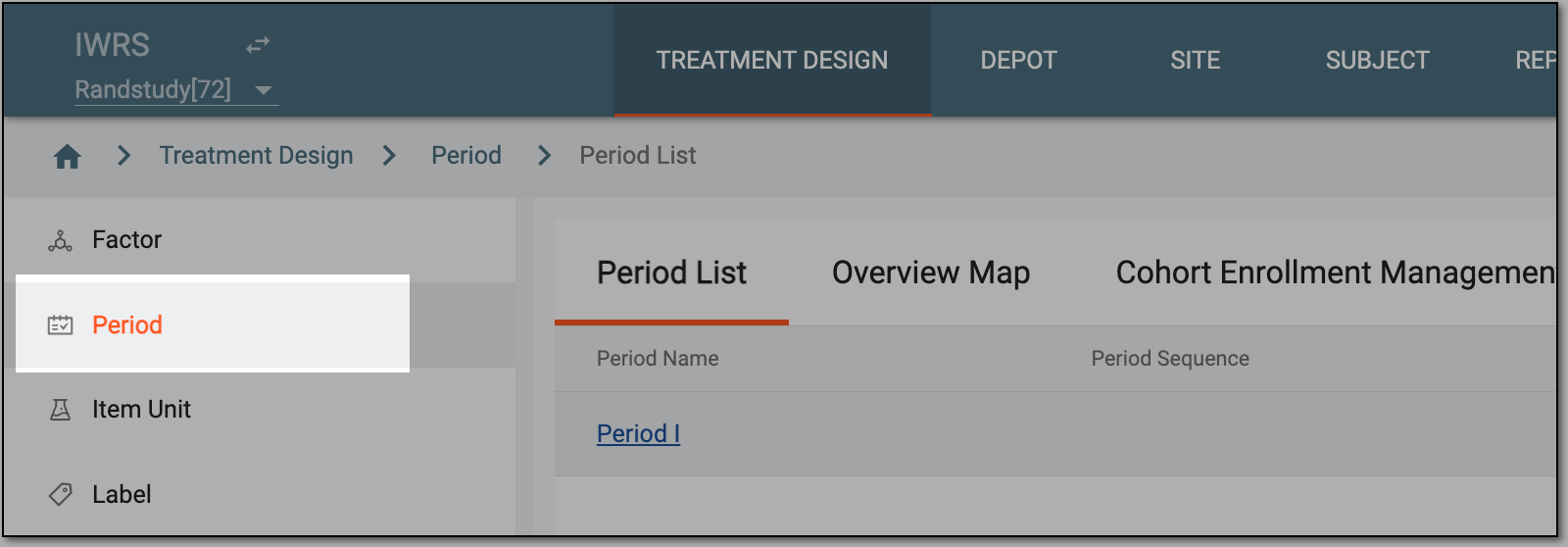 Figure 1. Selecting period subtab
-
On the Period List page, from the workspace toolbar, select Randomization Pattern
 .
. Figure 2. Locating randomization pattern option
-
Upon selection, the Randomization Pattern dialog appears.
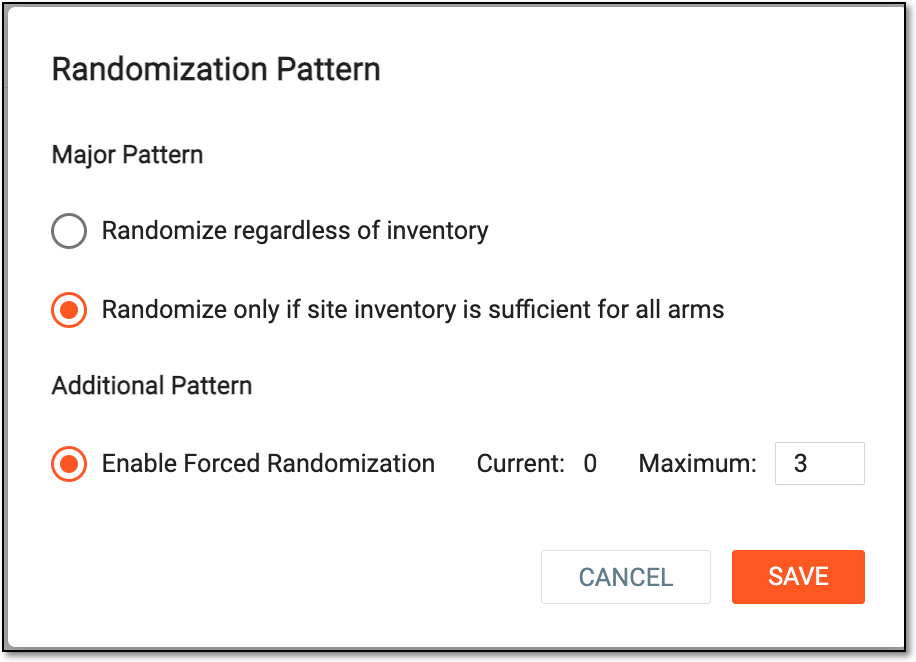 Figure 3. Selecting randomization pattern
Select one of the following options:
-
Randomize regardless of inventory: if selected, the system performs randomization according to set factors or stratified factors without checking if there is a sufficient amount of items in the site inventories to provide for all subjects. This pattern is applied to studies by default.
-
Randomize only if site inventory is sufficient for all arms: if selected, before randomizing, the system performs the site inventory check to ensure there is a sufficient amount of items to provide for all arms. Subjects are randomized only if the inventory check gives positive results for all arms. Otherwise, randomization does not occur.
-
Enable Forced Randomization: if selected, the additional forced randomization is performed once the current limit of randomization is greater than the maximum limit. If the maximum level of randomization is reached, then the process of randomization stops until the site is resupplied. The Maximum value determines the upper limit for how many times subjects can be forcefully randomized. You can set this number as per your business needs.
In forced randomization, the system first simulates the normal randomization number allocation. If the site does not have sufficient drugs for the normally allocated arm, the subject is randomized to another arm.
-
-
Select
 to apply the changes.
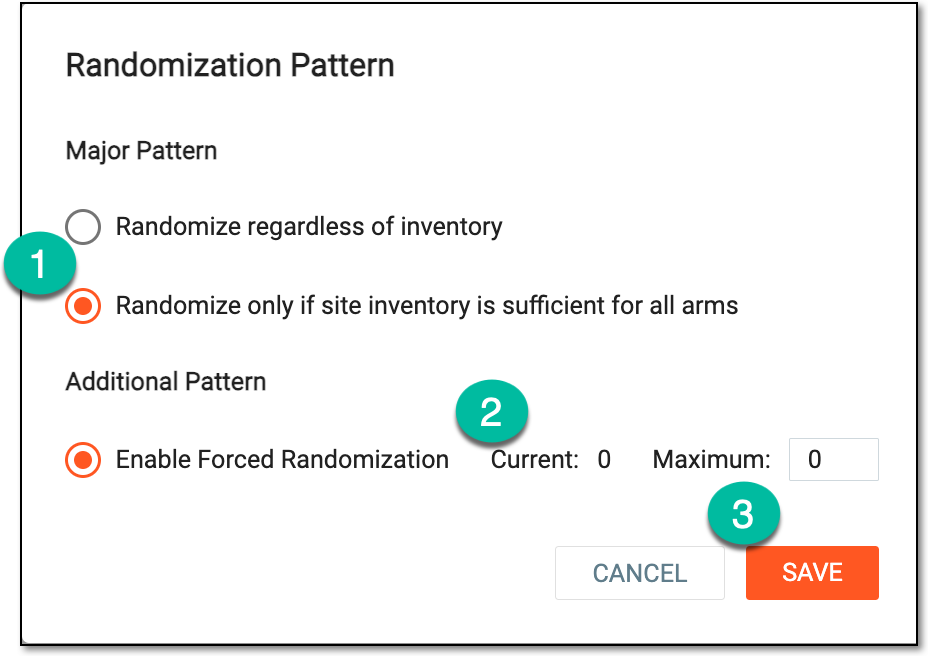
Upon saving, depending on the number of maximum and current randomization, an additional or major randomization pattern is applied. The following figure shows that the selected major pattern is applied as the maximum randomization has not been greater than the current randomization.
 |