Cohort enrollment management
Subjects in a trial are allocated to different cohorts previosly configured for your study to receive different treatments based on their specific factors. In IWRS, you can manage subject enrollment for each cohort and set limitations for different dosages to ensure the right number of participants allocated to treatment groups for the most efficient result of your investigation.
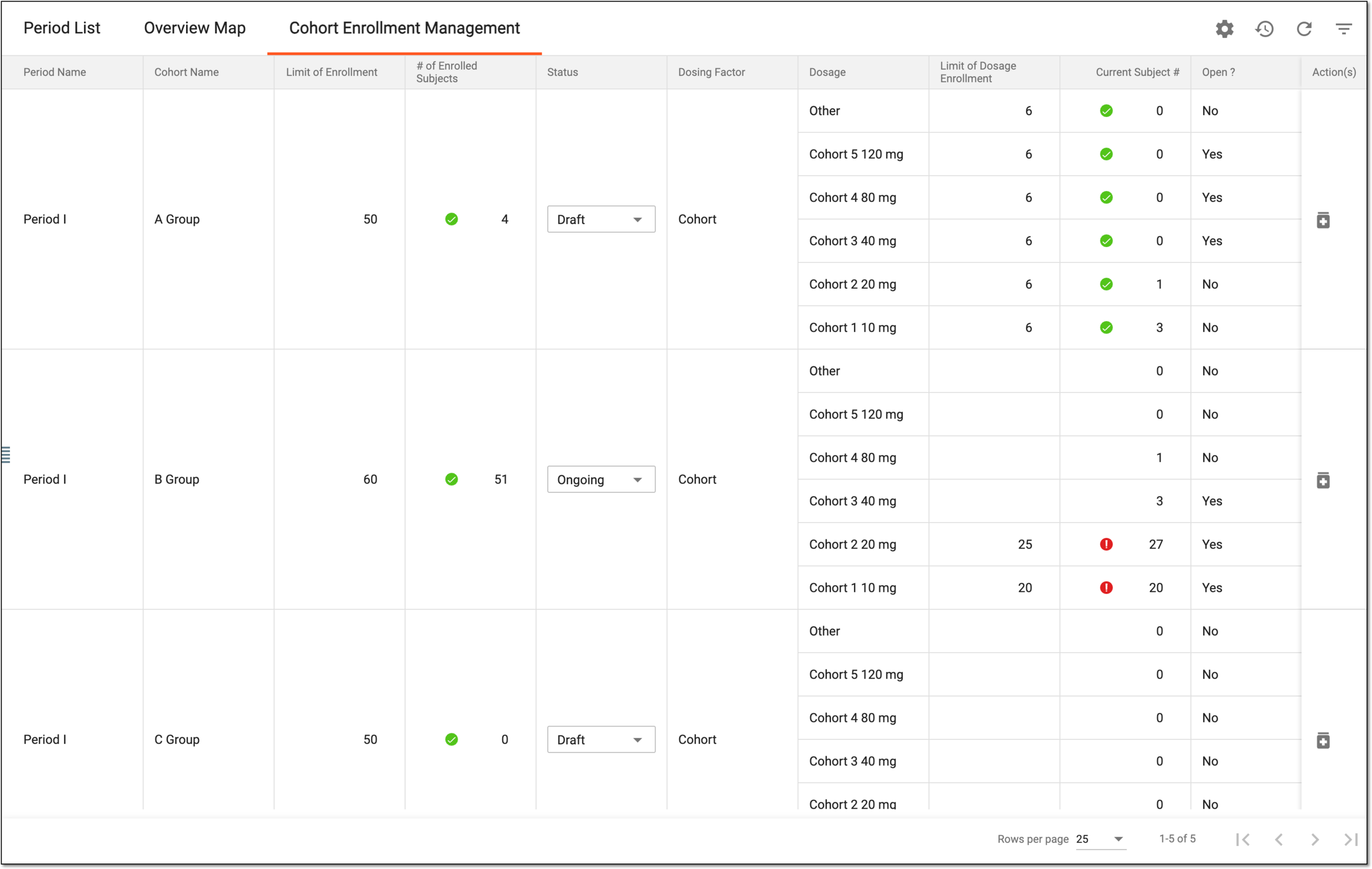
The details of each column available under the Cohort Enrollment Management page are explained in the following table.
|
Column |
Details |
|
|---|---|---|
|
Period Name |
Represents the name of the period to which the cohort belongs. |
|
|
Cohort Name |
Represents the name of the cohort. |
|
|
Limit of Enrollment |
Represents the subject count currently set as a cohort enrollment limit (if any). |
|
|
# of Enrolled Subjects |
Represents the actual subject count currently enrolled in a cohort. This value does not count the discontinued subjects. If the cohort enrollment limit is set for the cohort, the following indicators appear next to this value:
|
|
|
Status |
Represents one of the following cohort statuses:
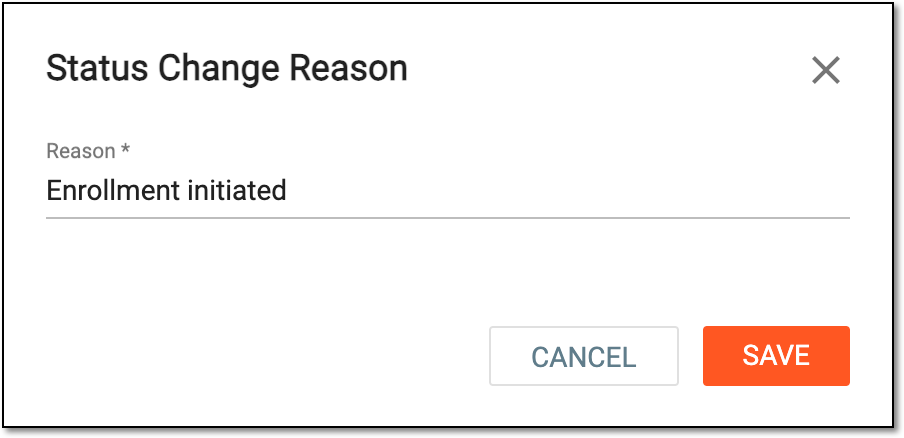
To change the status, expand the dropdown list and select the needed one. In the Status Change Reason dialog that appears, provide the reason for your action and select
Figure 2. Providing reason for cohort status change
|
|
|
Dosing Factor |
Represents the cohort inclusion criteria that must be selected for the subject upon changing their phase to randomization one for the subject to be enrolled in this cohort and receive certain medication dosages. |
|
|
Dosage |
Represents the name of the dosage given to the patient. |
|
|
Limit of Dosage Enrollment |
Represents the maximum number of subjects that can be enrolled into this cohort and receive certain medication dosage. |
|
|
Current Subject # |
Represents the total number of subjects currently enrolled in a cohort and receiving certain medication dosage. |
|
|
Open |
Represents whether the dosage is open for enrollment (Yes) or not (No). |