Set open dosage for cohort
For each cohort of your study, you can set open dosages—those that can be selected for patient treatment at the time ensuring a consistent treatment regimen for all patients enrolled in the same cohort. This functionality is most helpful for dose escalation studies, where several dosages are predefined but only a few are set as open to be used in the period.
For instance, you want to test the drug's toxicity within a cohort, and for that, you need to gradually increase the dosage given to all patients. Thus, multiple dosages can be preconfigured for this cohort, but only one is open at a time, ensuring that only this dosage is given to the patients. This gives the option to start, for instance, with the 15 mg dose, then proceed to 20 mg and close the 15 mg one, then 25 mg and close the 20 mg one, and so on.
-
In the IWRS application header, select the TREATMENT DESIGN tab.
-
On the page that opens, in the left pane, select the Period subtab. In the contents panel that appears, select the Cohort Enrollment Management tab.
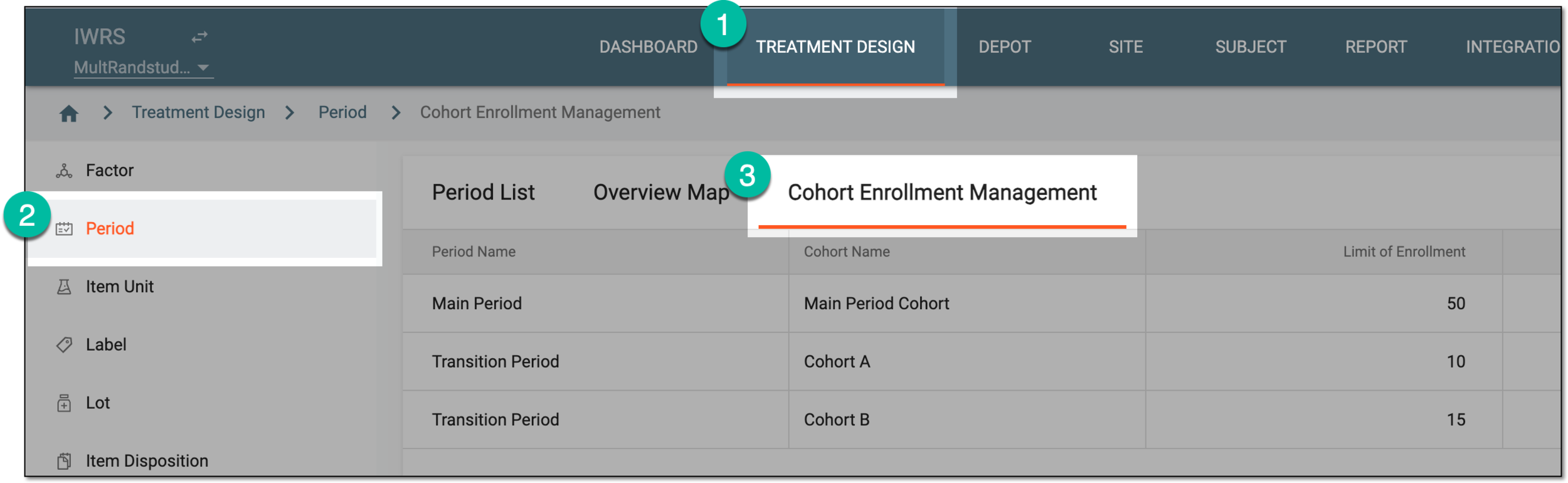 Figure 1. Accessing cohort enrollment management
-
Under the Cohort Enrollment Management tab that opens, from the Action(s) column, select Set Open Dosage
 .
.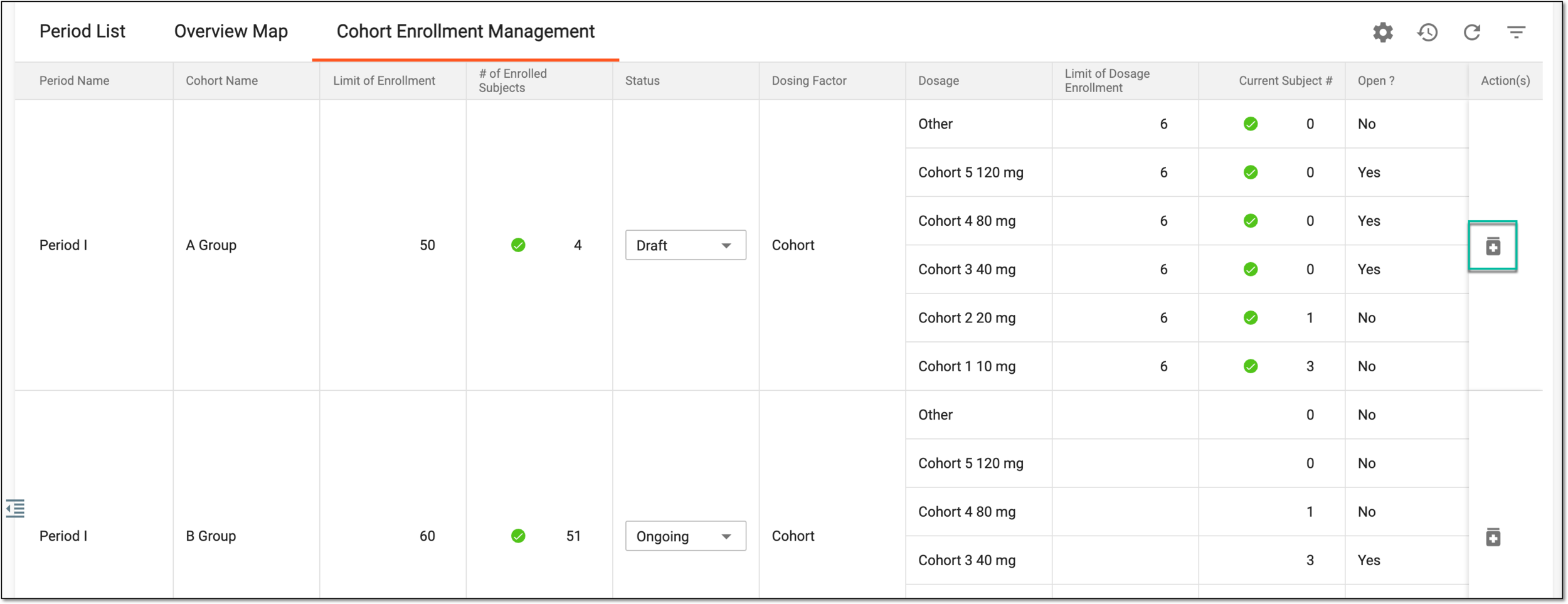 Figure 2. Accessing open dosage settings
-
On the Set Open Dosage dialog that appears, select the dosages you want to open for usage for the cohort. Only the selected doses can be used for subject enrollment.
Important
Based on your study specifics you can allow only one dosage to be open at a time.
If the cohort is configured to lock the used dosage, some options might have a lock icon next to them indicating that their usage is restricted. If you select such a locked dosage, you must provide a reason for reestablishing it for usage in the cohort.
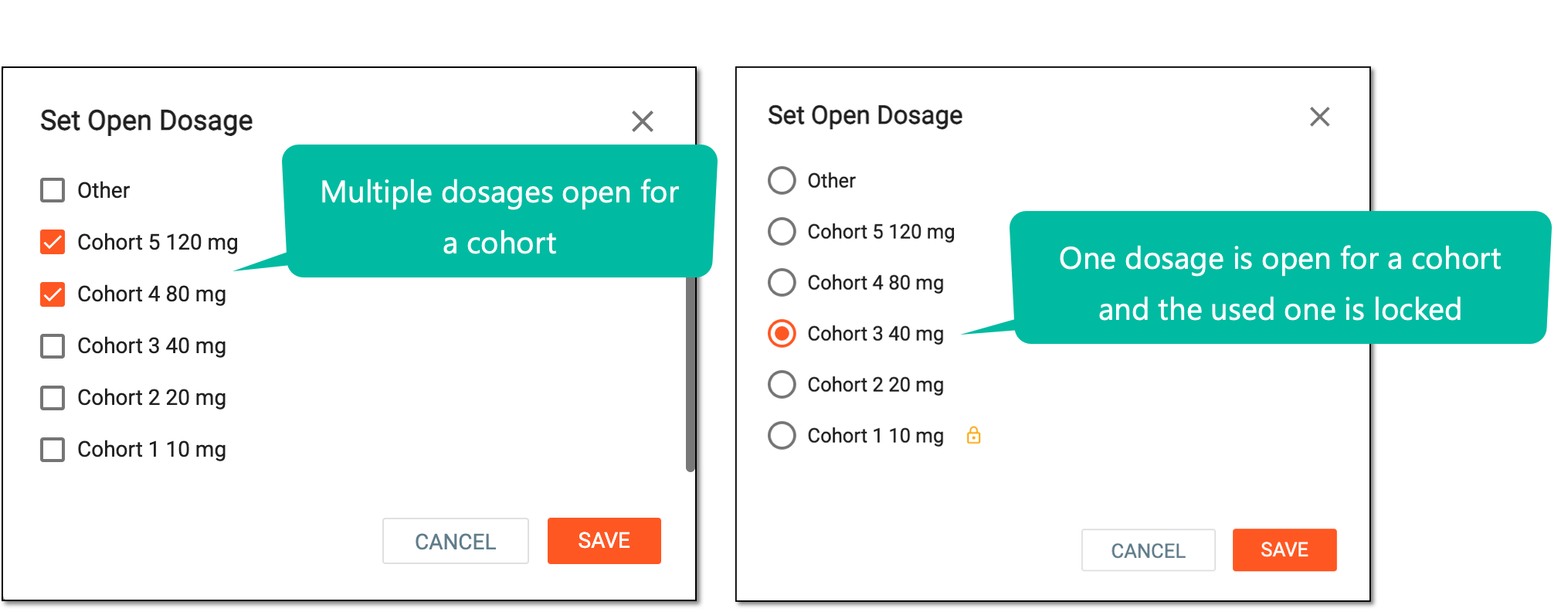 Figure 3. Setting open dosages
-
Select
 to apply the changes.
Once saved, the selected dosage is set as open for enrollment in a cohort.