Set cohort enrollment limit
In IWRS, you can set up the enrollment limits for each cohort of your period. Thus, the system automatically stops the subject enrollment process as soon as the limit is reached so that you do not have to track and control this process yourself. This helps you plan for a certain number of subjects to be allocated to different cohorts and receive certain dosages of medication to ensure the most efficient result of your investigation.
-
In the IWRS application header, select the TREATMENT DESIGN tab.
-
On the page that opens, in the left pane, select the Period subtab. In the contents panel that appears, select the Cohort Enrollment Management tab.
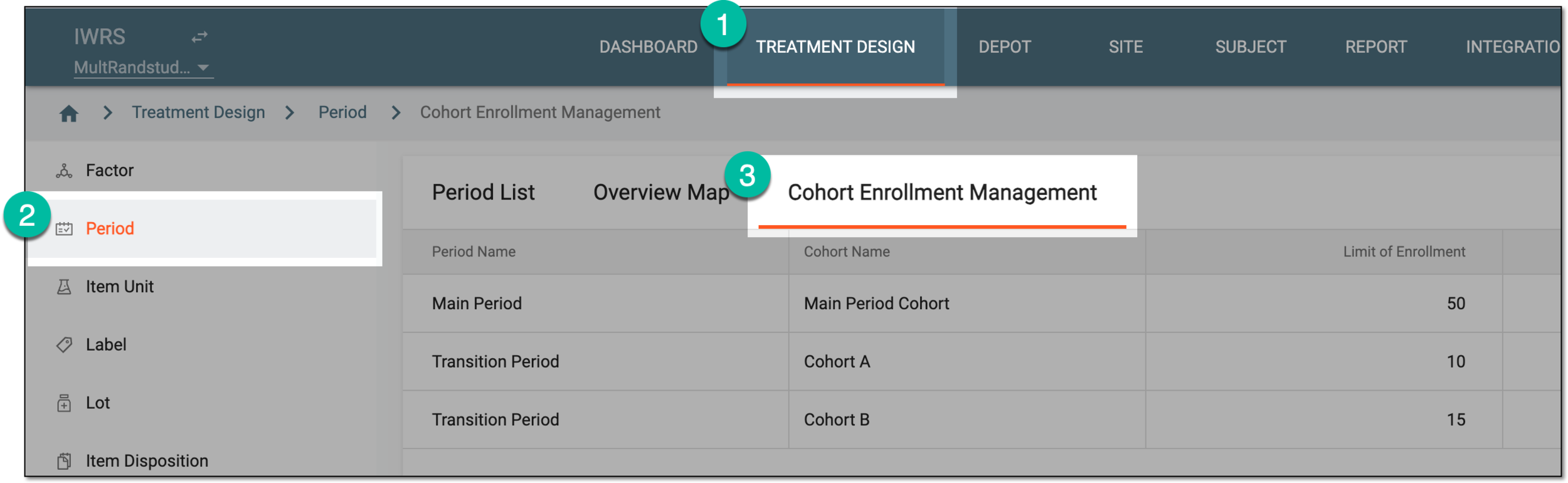 Figure 1. Accessing cohort enrollment management
-
Under the Cohort Enrollment Management tab that opens, select Set Enrollment Limit
 .
. Figure 2. Selecting to set cohort enrollment limit
-
In the table columns that become configurable, for the cohort of your interest and its dosages, update the settings as explained in the following table.
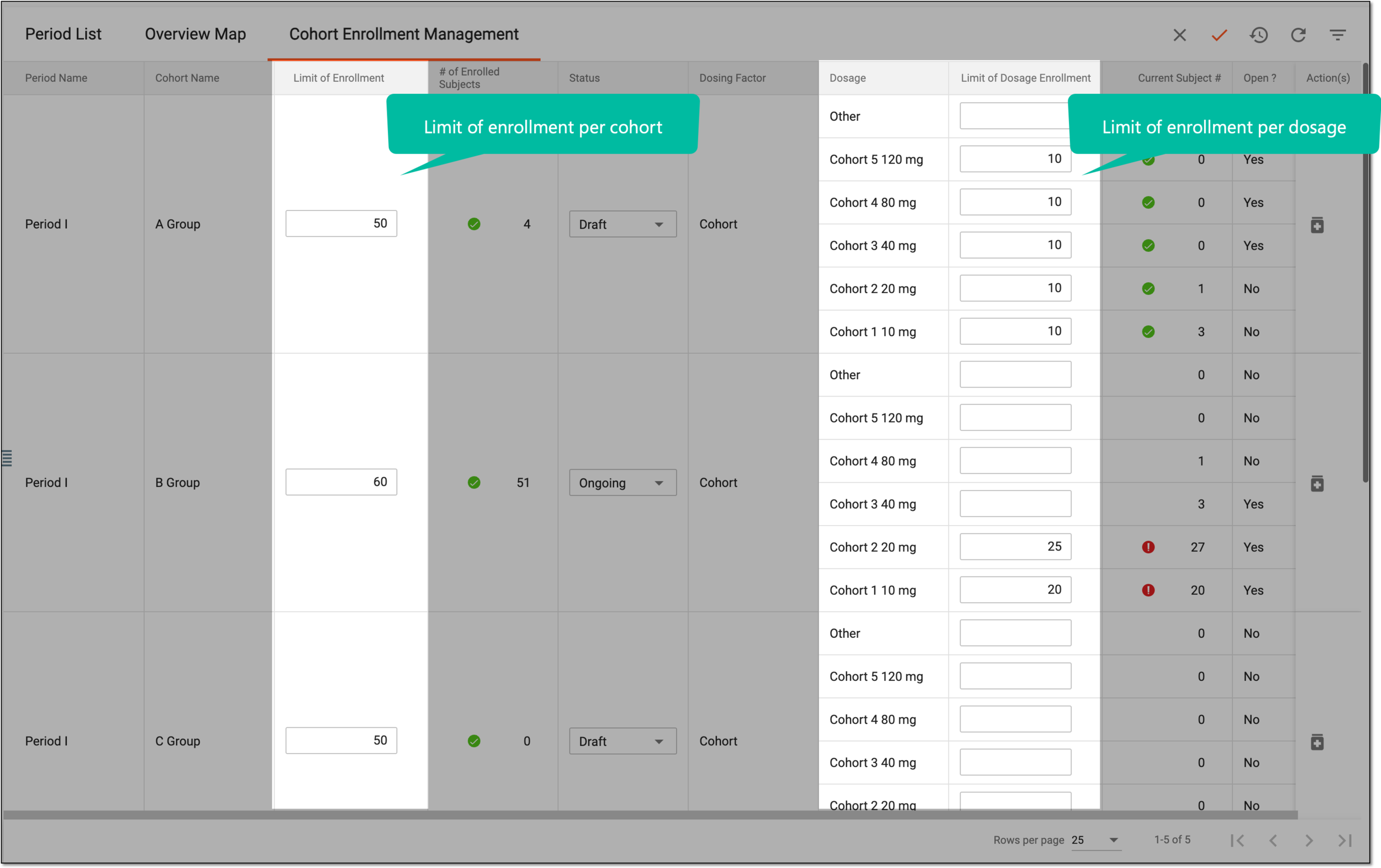 Figure 3. Setting enrollment limits per cohort and dosage
Element
Details
Limit of Enrollment
Enter the number of subjects you want to set as a cohort enrollment limit. Upon reaching this limit, the system automatically restricts further subject enrollment for this cohort.
Limit of Dosage Enrollment
Enter the number of subjects you want to set as an enrollment limit for a certain medication dosage. Upon reaching this limit, the system automatically restricts further subject enrollment for this dosage treatment within a cohort.
SAVE
Select
 to save the implemented changes.
Once saved, the set limits are implemented for the cohorts and their dosages. Upon reaching the limits, the system restricts subject enrollment respectively.